
Data Movement Service to move and sync warehouse data in real time, error-free.
A visual pipeline service for enterprise data platforms to configure, govern, and sync high-throughput warehouse data between Postgres and Redshift without manual ETL scripts.
Goals
The data movement process should be automated, transparent & error-free so that overall data-ingestion time can be reduced.
Due to NDA restrictions, I can't share the final product screens here. Happy to discuss the problem, process, and decisions instead.
Quick background
The Innovaccer platform consists of multiple applications that consume and transform data. Each of these applications expects data to be in a specific format to function.
In enterprise healthcare, applications require data in different warehouse formats—analytics workloads run on Redshift, while operational services and dashboards read from Postgres. Previously, data engineers had to write and maintain custom Python scripts to bridge these databases. The process was unmonitored, difficult to govern, and broke frequently during schema changes.
My goal was to validate this pipeline bottleneck and design a dedicated service that automated data synchronization with built-in logging and schema validation.
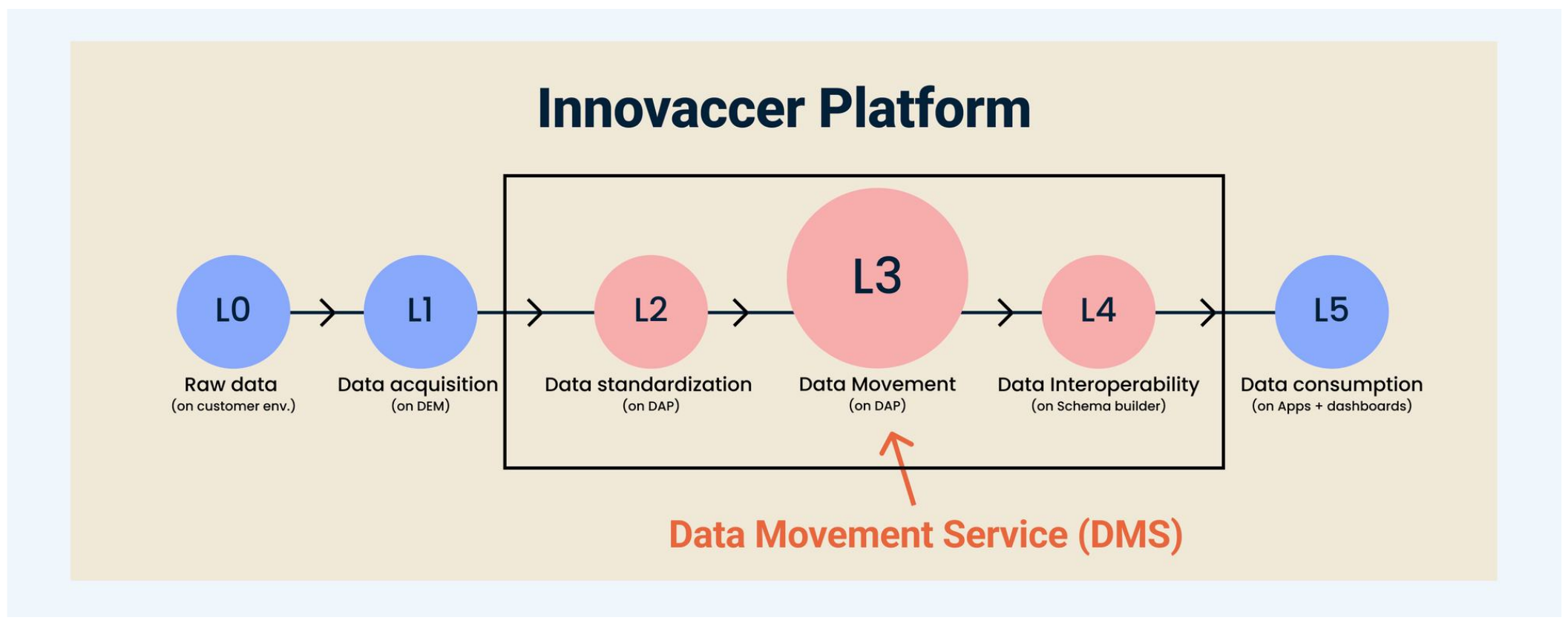
What is Data Movement Service (DMS)
The Problems
High maintenance overhead: Engineers had to write custom ETL scripts for every single data transfer. Writing repetitive plumbing pulled them away from core data modeling.
Zero pipeline observability: There was no centralized monitoring, error logging, or alert framework for active syncs. When a sync failed, downstream teams only noticed when their dashboards went blank.
Inconsistent code quality and fragile integration: Every data engineer had a different skill set and approach to writing transfer code, making quality difficult to maintain and causing integration failures later. Without standardized validation, different coding styles and unhandled edge cases could also cause silent batch ingestion failures downstream.
My role
End-to-end ownership
Owned the UX and UI design, defining the problem and requirements with the Product Manager and Engineering Manager. Together, we evaluated embedding sync in the workflow canvas versus building a standalone platform service.
Flows, journeys, and interface design:
Created user flows, journeys, wireframes, and high-fidelity designs, including workflows for source configuration, field-level schema mapping, recurring schedules, and execution monitoring.
User Research with Technical Personas:
Interviewed data engineers and audited customer support JIRA queues to map how ad-hoc Python scripts, Cron jobs, and VM dependencies were stalling onboarding.
Design System Integration:
Documented and delivered high-density data tables and pipeline status components aligned with Innovaccer's Masala Design System.
Validation and documentation:
Validated the final design, conducted user testing, and created design documentation.
Developer handoff:
Supported implementation through handoff and completed design sign-off for the developed application.
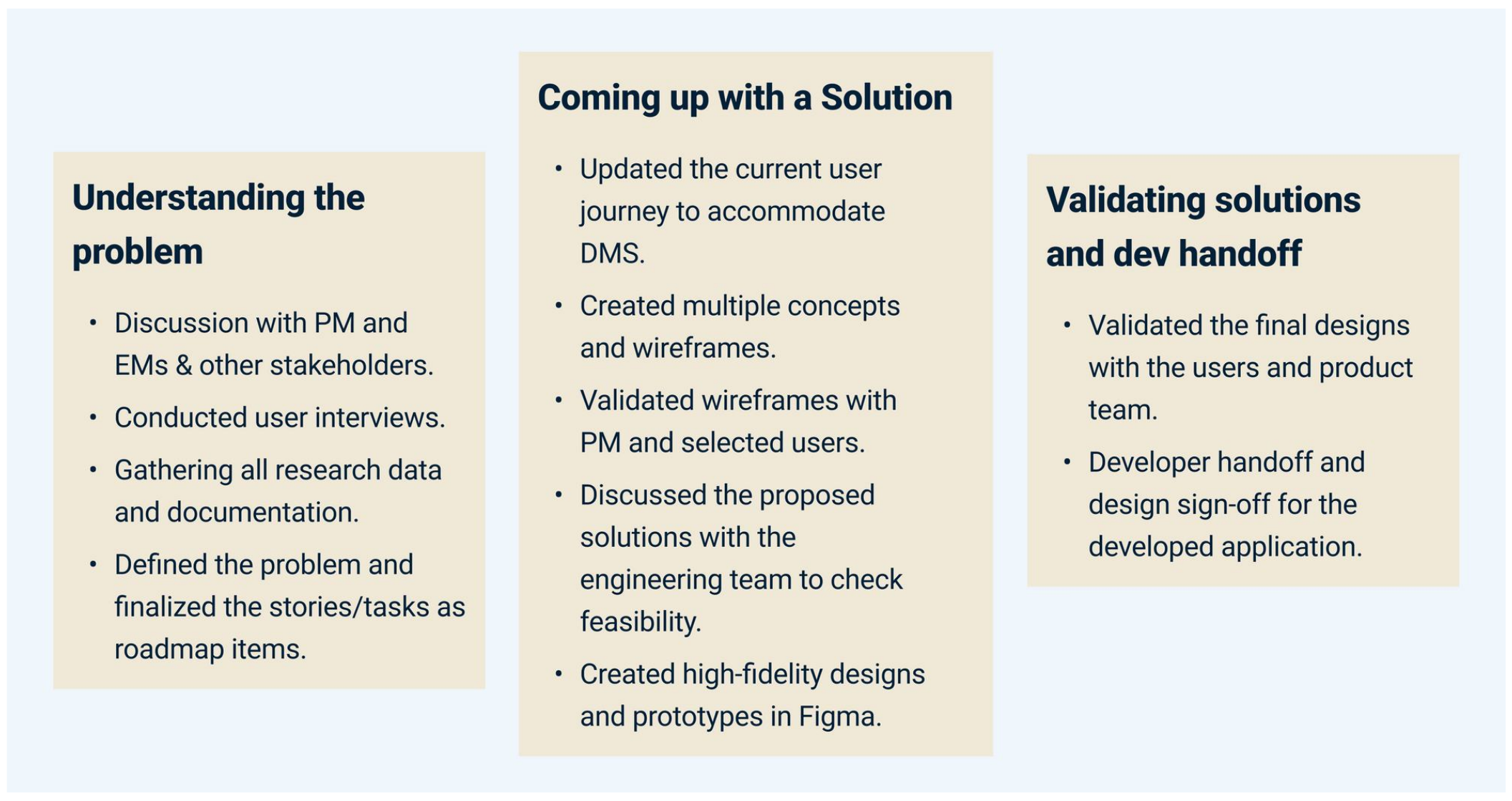
What I did
Impact
Easier to use
The redesigned Data Movement Service was more intuitive and easier to use, with a System Usability Scale (SUS) score above 80 after the redesign.
Reduced manual script maintenance
Standardized visual workflows reduced the need to create and maintain one-off Python scripts for supported warehouse transfers.
Improved process visibility
Error logging, monitoring, and alerts gave teams visibility into the process and led to fewer support tickets in early feedback.
Centralized governance & job reusability
Decoupling the tool into a standalone service enabled data teams to reuse warehouse connections and schedules across different downstream healthcare apps.
More reliable integrations
Better reuse of existing jobs and almost zero errors reduced overall integration time, based on initial user feedback.
Potential server-cost savings
Reducing integration time was expected to significantly lower server costs.
Detailed process
Understanding the problem – research
The Innovaccer Data Platform consists of multiple applications and each application uses a different type of database to function properly. For example, the default data format is in Postgres, and to run analytics functions, data should be in Redshift. Similarly, to create dashboards out of that data, it should be in Postgres format again. Therefore, we want a service that makes this data movement process fast, easy and transparent.
Initial discussions and alignment with stakeholders
I had multiple discussions with the product and engineering manager to understand the problem and requirements. I also went through the related JIRA issues created by the customer support team.
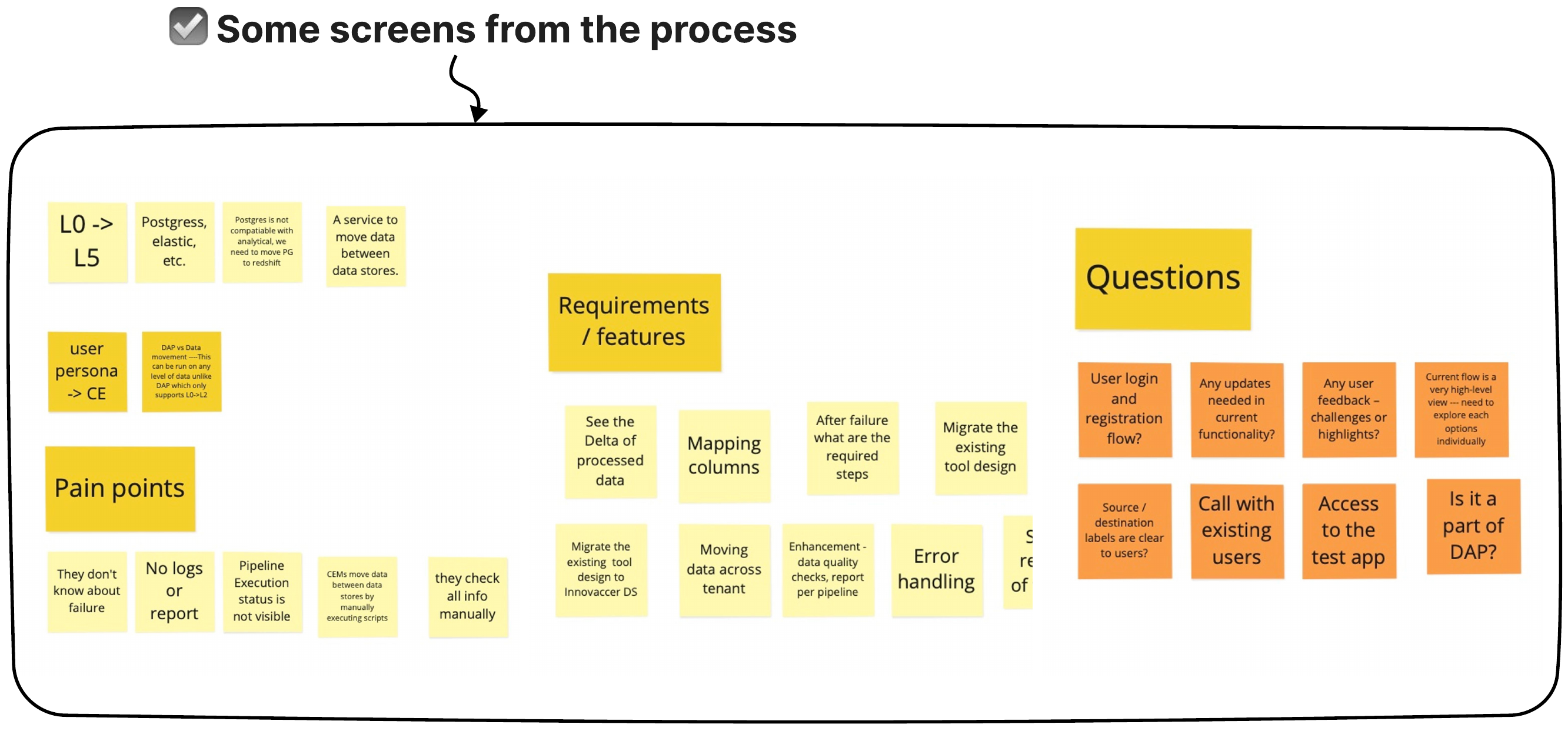
Conducted user interviews
To understand the current user journey of moving the data and users' problems, I did some user interviews with data engineers (primary user persona).
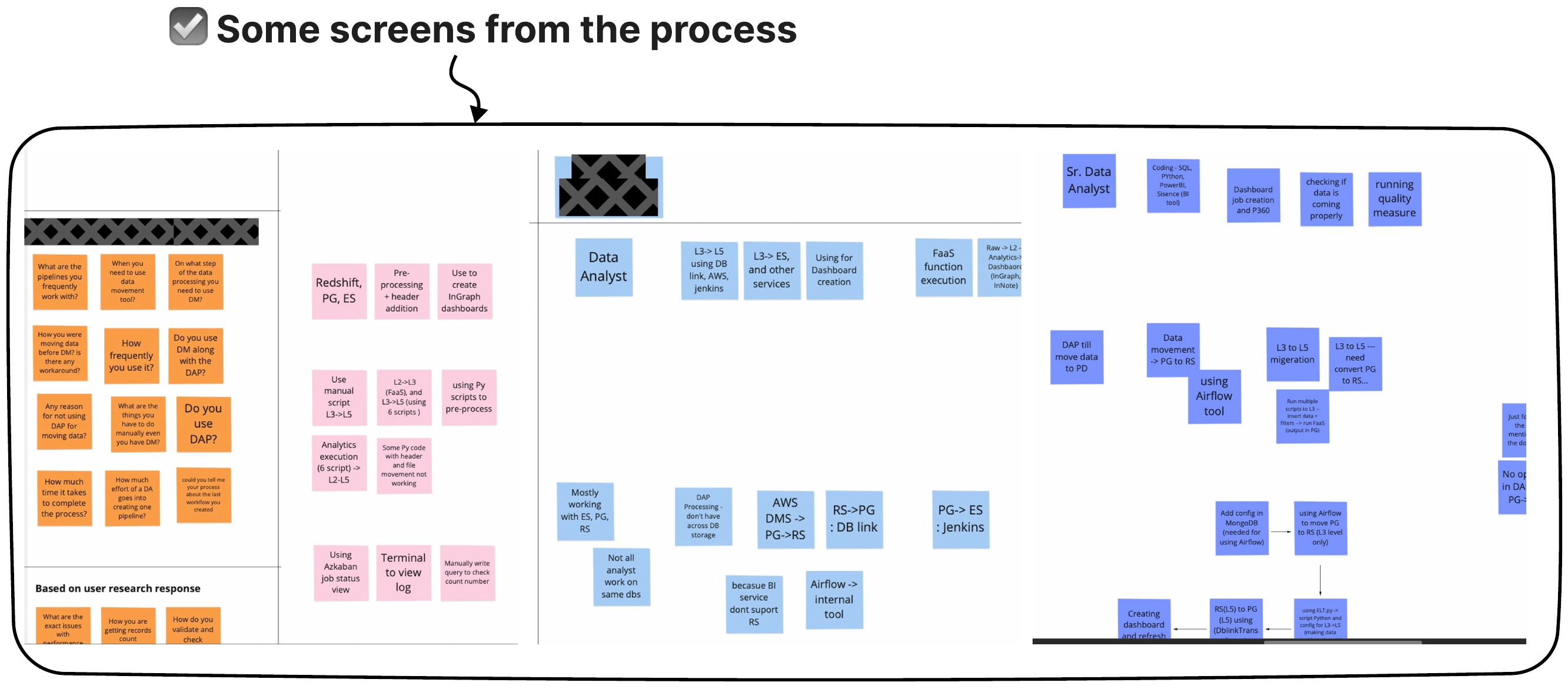
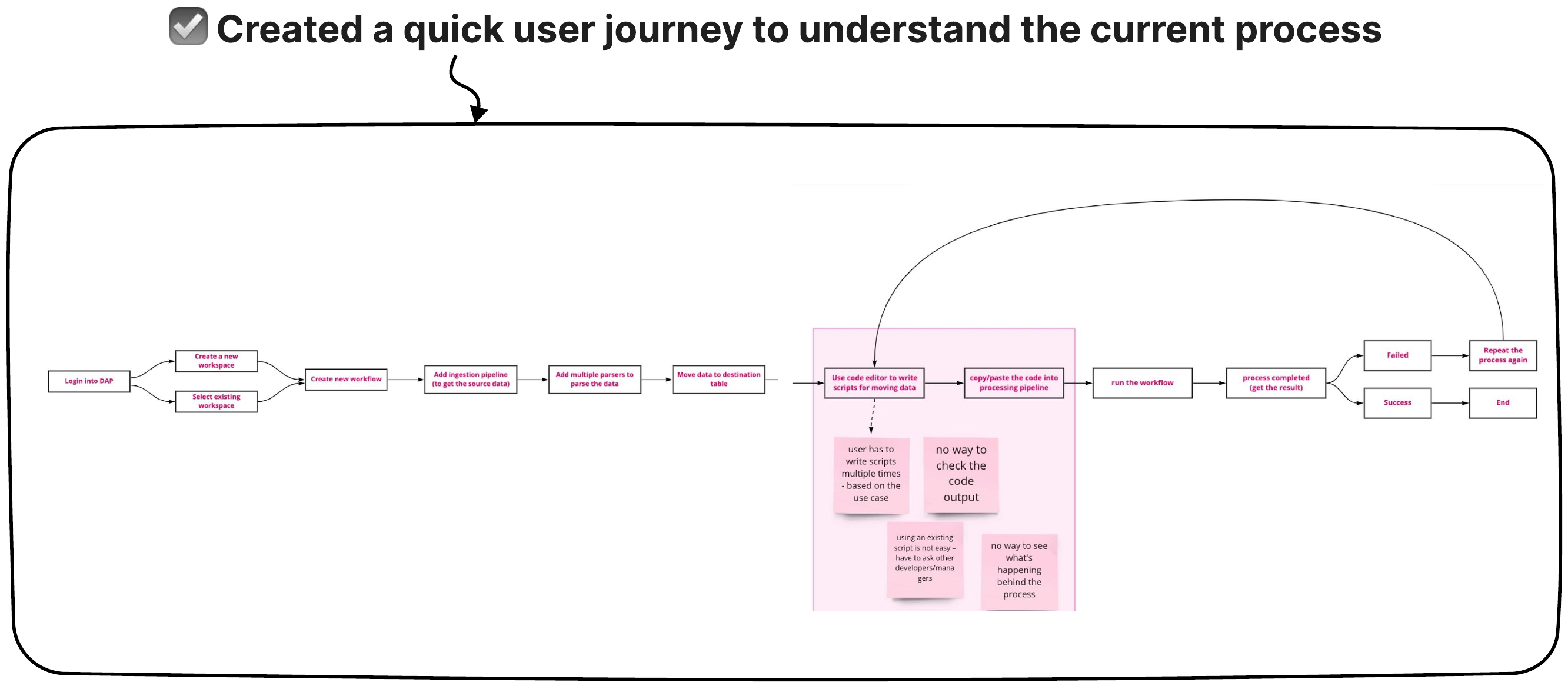
Created a quick user journey to understand the current process.
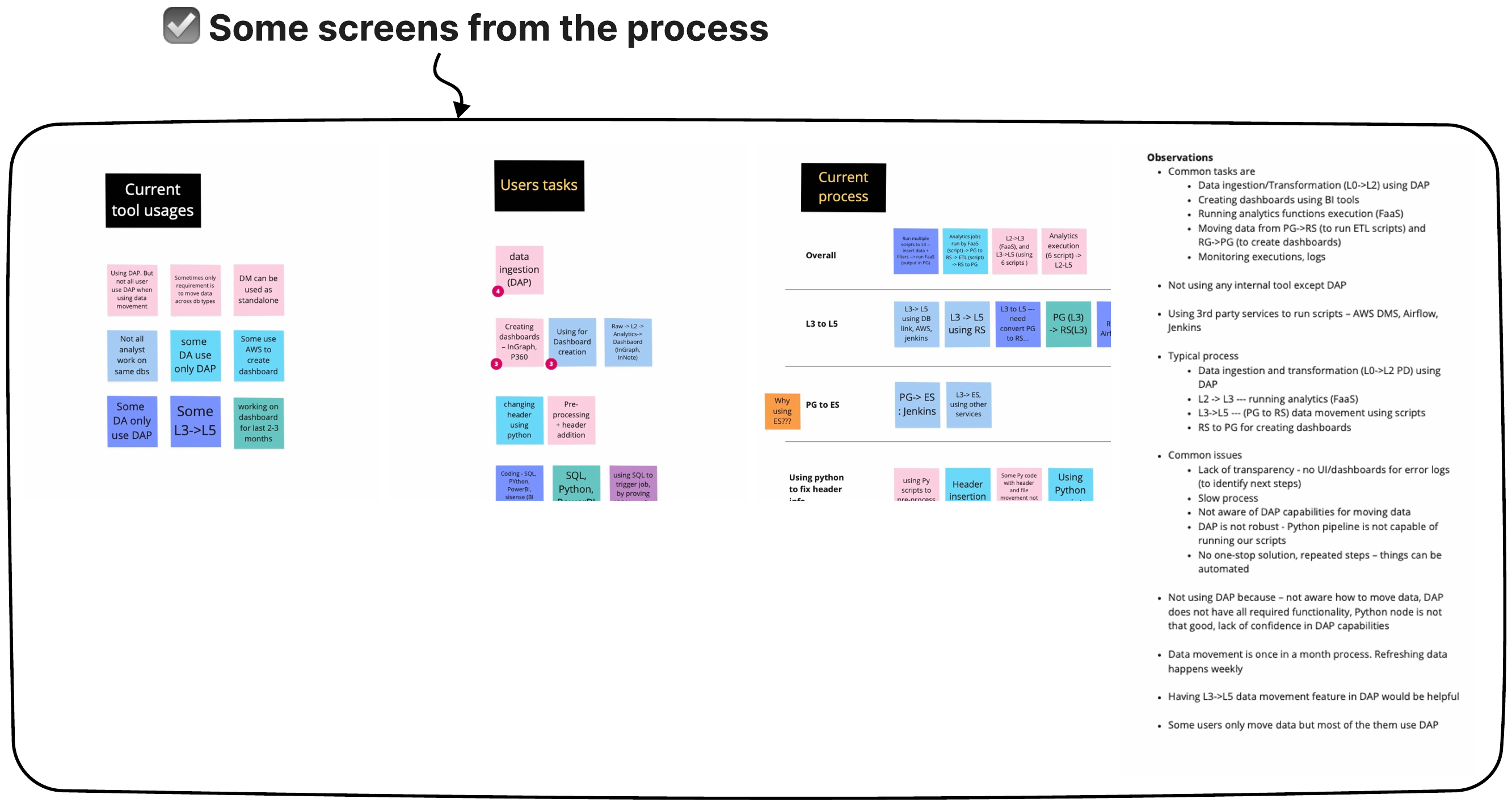
Gathering all research data and observations
After user interviews and feedback sessions, I organised all data points into similar groups to find common patterns and themes. I documented all observations in a document to discuss further with the stakeholders (PMs, EMs, and the Leadership team).
Coming up with a Solution
After having multiple discussions with the team, we came up with two approaches to solve the problem:
Create a data-sync node inside our existing workflow builder that users can use whenever they want to move data from one format to another.
Another approach is to create a standalone application to move and sync the data.
Solution 1: A new node inside the existing workflow builder
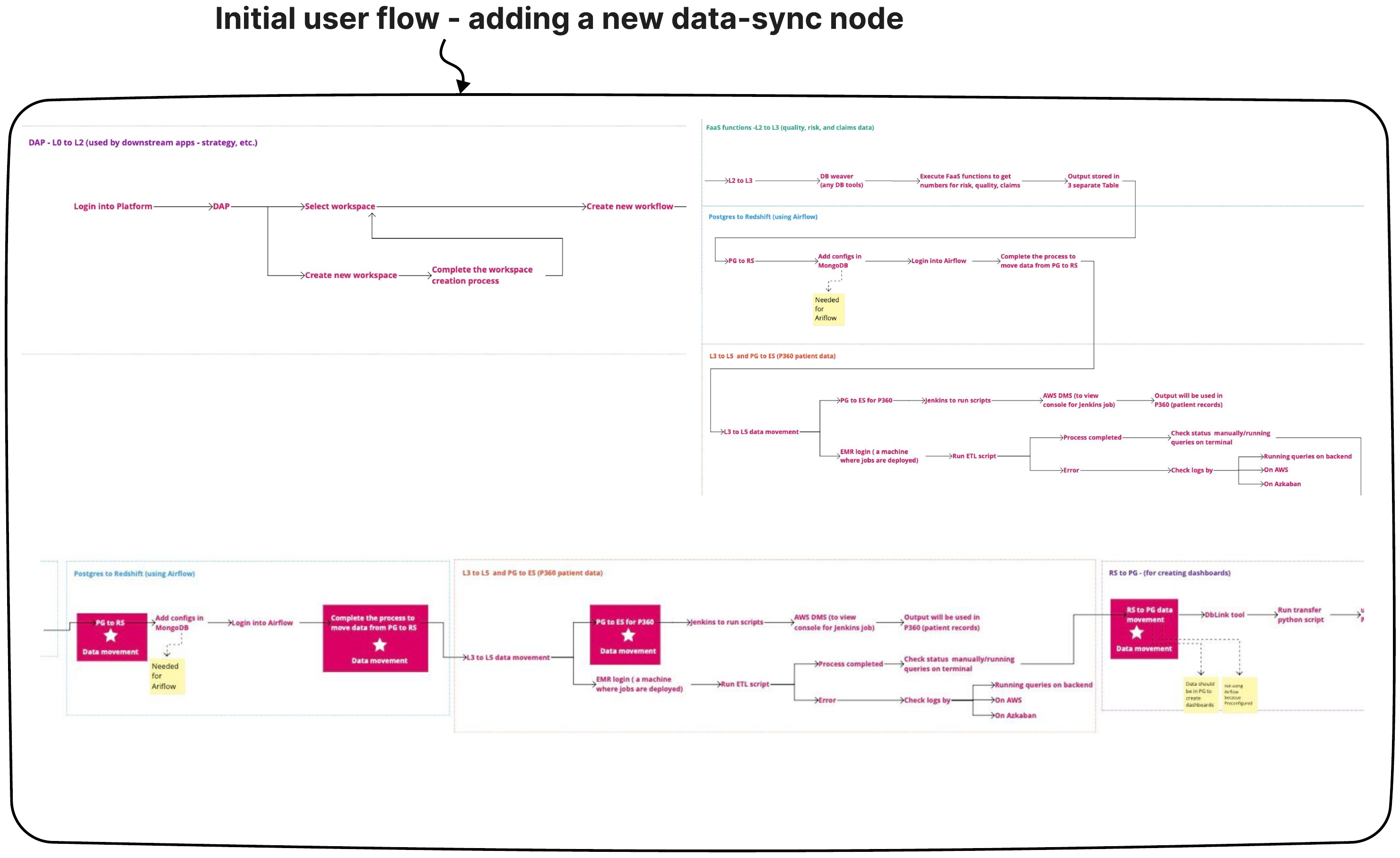
To start, I created a user flow for the 1st solution – creating a node inside the existing workflow builder. The benefit of this approach was that users can move data across the data stores without leaving the workflow builder. The downside of this approach is the lack of reusability and governance because each data movement job couples tightly with its respective workflow.
Initial user flow – adding a new data-sync node
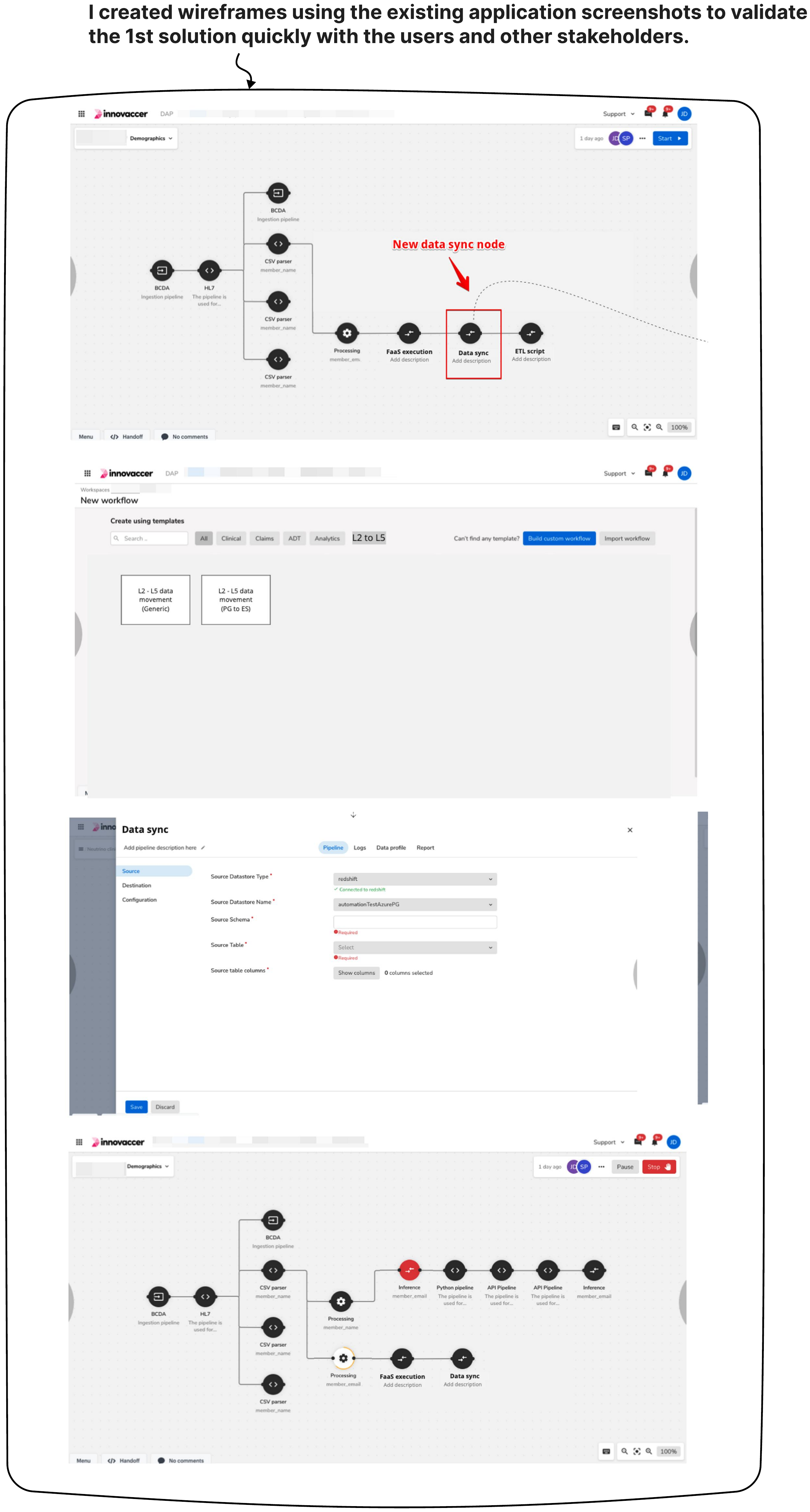
I created wireframes using the existing application screenshots to validate the 1st solution quickly with the users and other stakeholders.
The Core Trade-off: Workflow Node vs Standalone Service
We evaluated two architectural models to solve the sync problem:
Approach 1: An inline Data-Sync node inside the existing canvas — The Pro: Kept all pipeline steps inside a single visual canvas without introducing a new tool. The Trade-off: Data movement jobs became tightly coupled to specific workflows, making it impossible to reuse sync configurations across teams. Implementing it directly in the canvas engine would also require a heavy architectural rewrite that risked frontend performance.
Approach 2: A dedicated Data Movement Service (Selected) — The Decision: We opted to build DMS as an independent service decoupled from the canvas. This allowed data engineers to manage standalone sync schedules, reuse connection configs across multiple platforms, and establish central governance and audit logs without bloating the main workflow builder.
Solution 2: Create a standalone data movement application
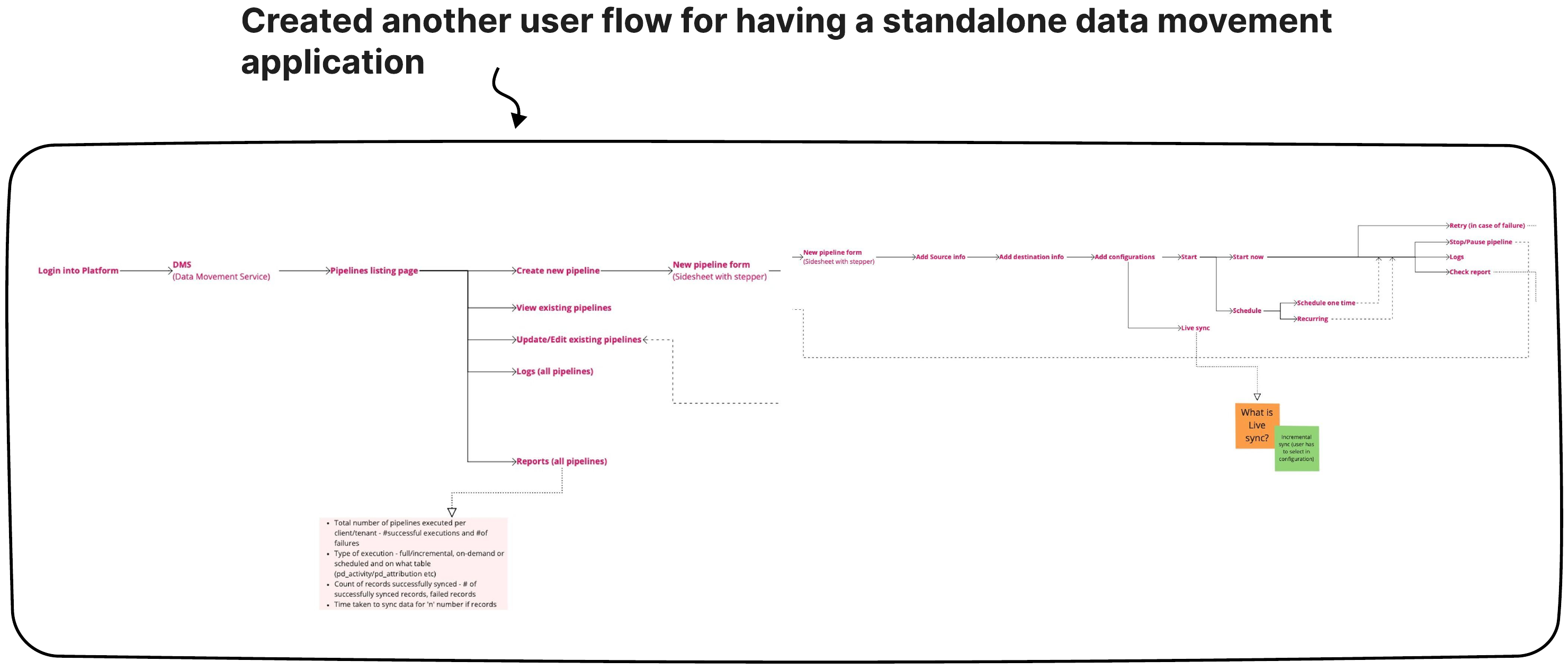
Created another user flow for having a standalone data movement application.
Created quick wireframes using the existing application screenshots to validate the solution.
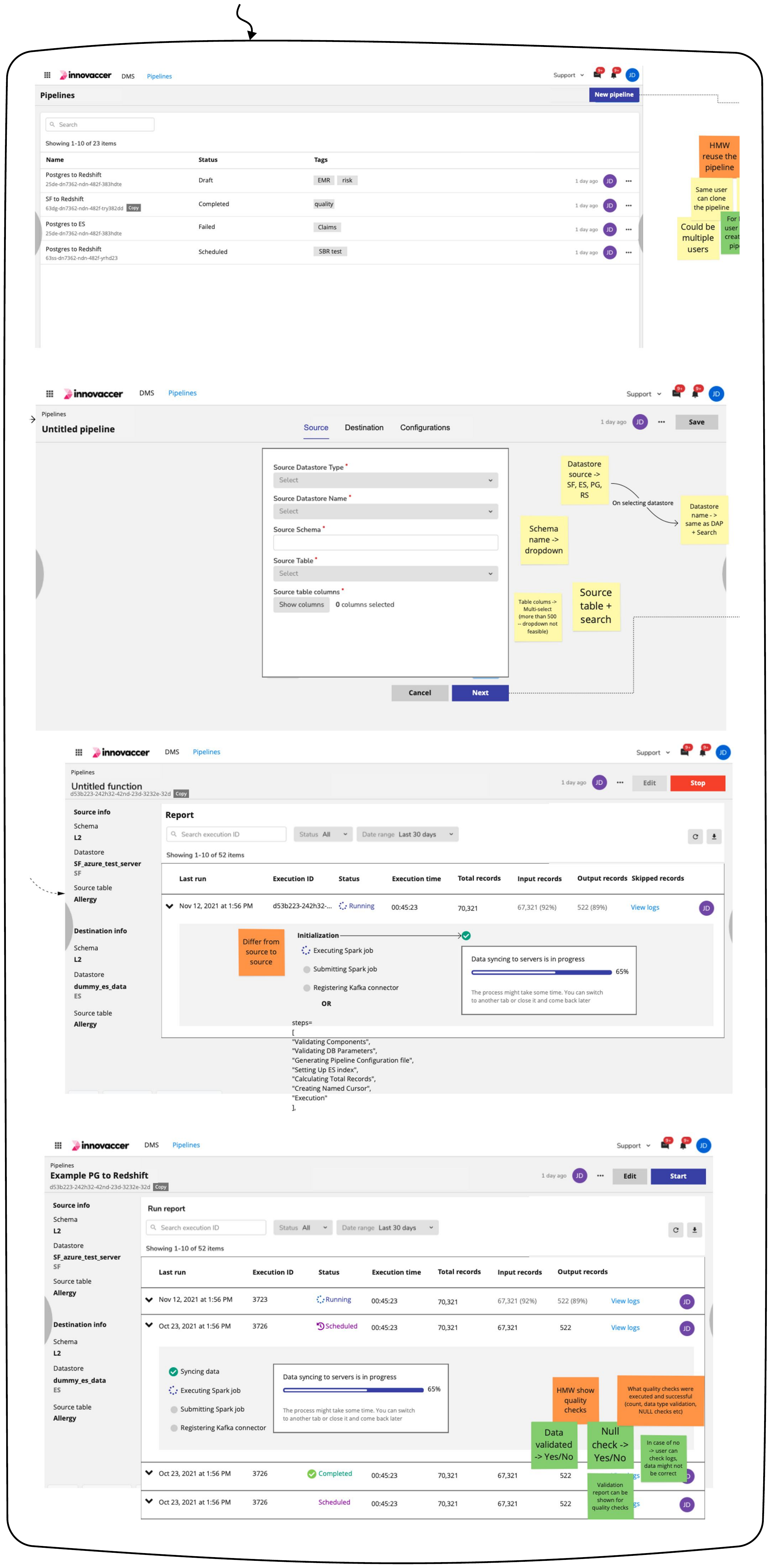
Final high-fidelity designs and interactions aren't included here due to confidentiality. Happy to discuss the work in detail instead.