Selected work
Requestly Chrome Extension Requestly's Chrome extension lets developers intercept and modify web traffic right from the browser, no server setup needed. It has 300,000+ users and a 4.5-star rating on the Chrome Web Store.
Used by developers at these companies, and 50,000+ more.
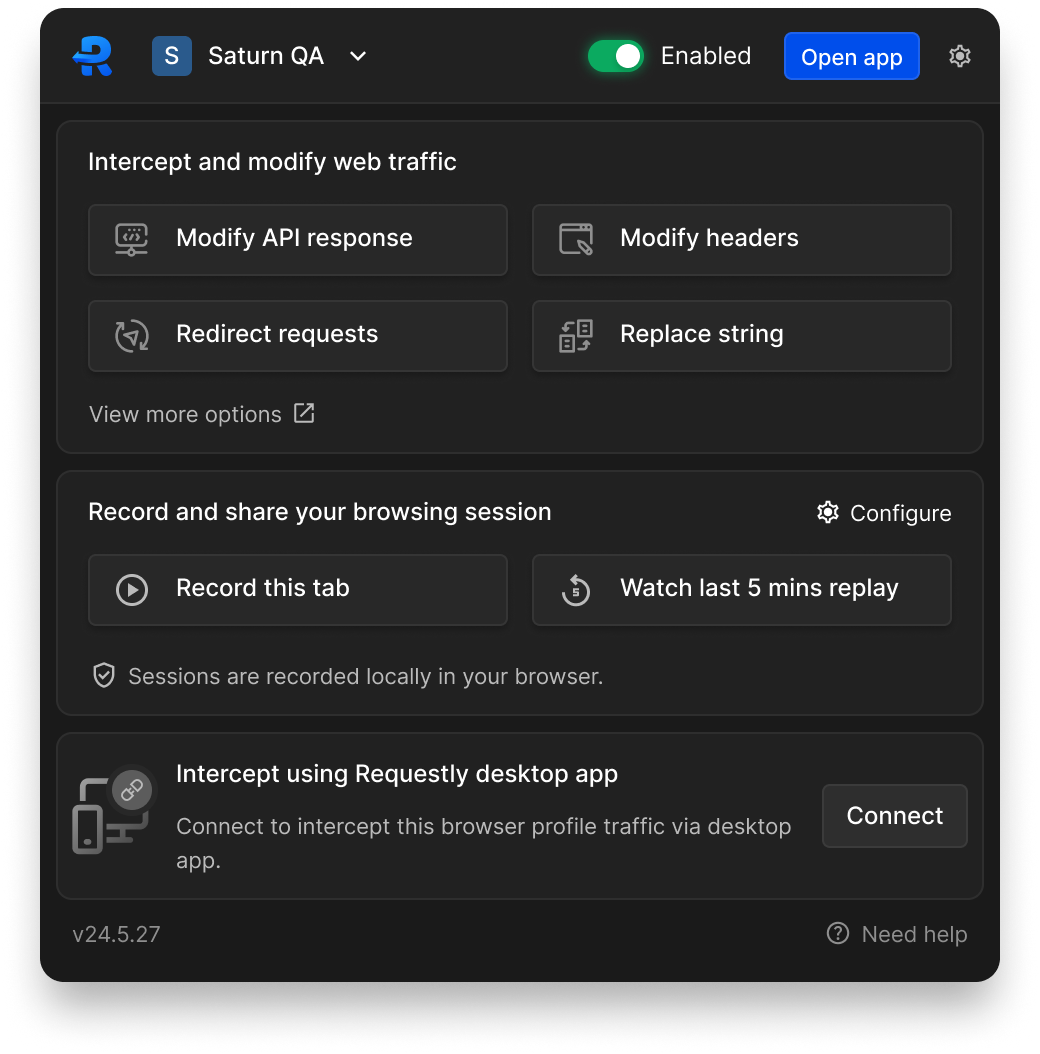
Default state of the Requestly Chrome extension
View on Chrome Web Store The problem: It was built the way most engineer-led products are, feature by feature, with nobody really designing it as one product. Every rule type looked different from the next, and you couldn't tell at a glance if a rule was active or if recording was on.
What I did: I audited every surface and rebuilt how rules get created, edited and toggled, so status was legible at a glance. That's also when session recording was designed and shipped for the first time, alongside the rebuild, so it felt native instead of bolted on. None of that holds together without shared components, so I also put together Requestly's first design system, colour, type, spacing, and the pieces the rest of the product would draw from.
The impact: The process we set up for design and engineering back then is still what the team runs on today.
Selected work
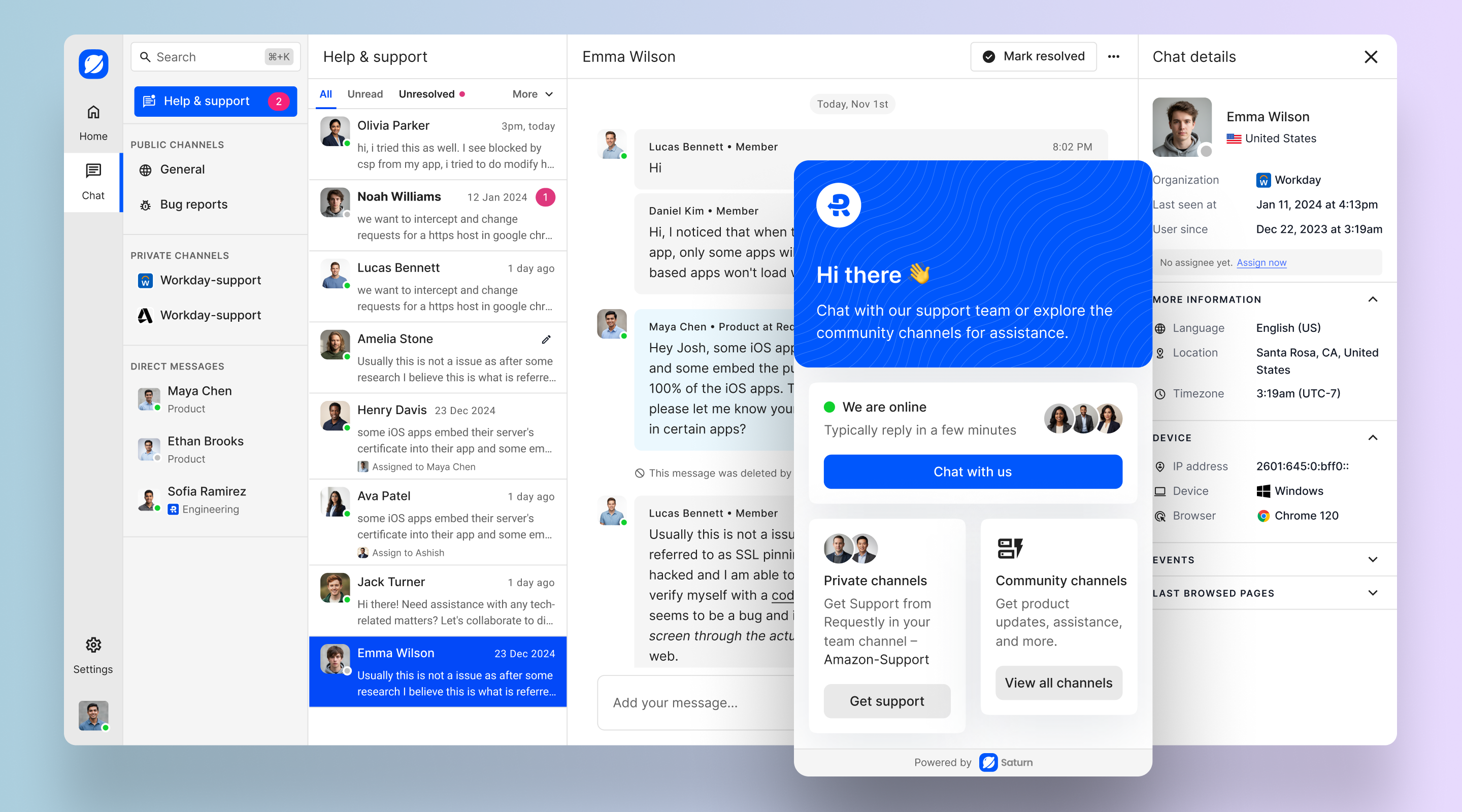
Saturn Saturn was a bet outside our usual space, basically a B2B support tool pitched as a Slack-style alternative to Intercom.
The problem: Regular ticketing inboxes feel impersonal, more like filing a complaint than talking to a person.
What I did: We leaned on patterns people already knew from Slack, channels, reactions, a familiar composer, and gave companies Slack-Connect-style channels with their own customers instead of a ticketing inbox. Companies could also drop in an embeddable widget for their own customers and set its appearance to match their brand. We built it from scratch and tried it with a handful of internal customers.
The impact: It stayed internal the whole time, and most of what we learned came secondhand, through product, personal connections, and the handful of early users who tried it. We ended up shelving it before it went public, not because it failed, just because it wasn't the product we were meant to be building.
Selected work
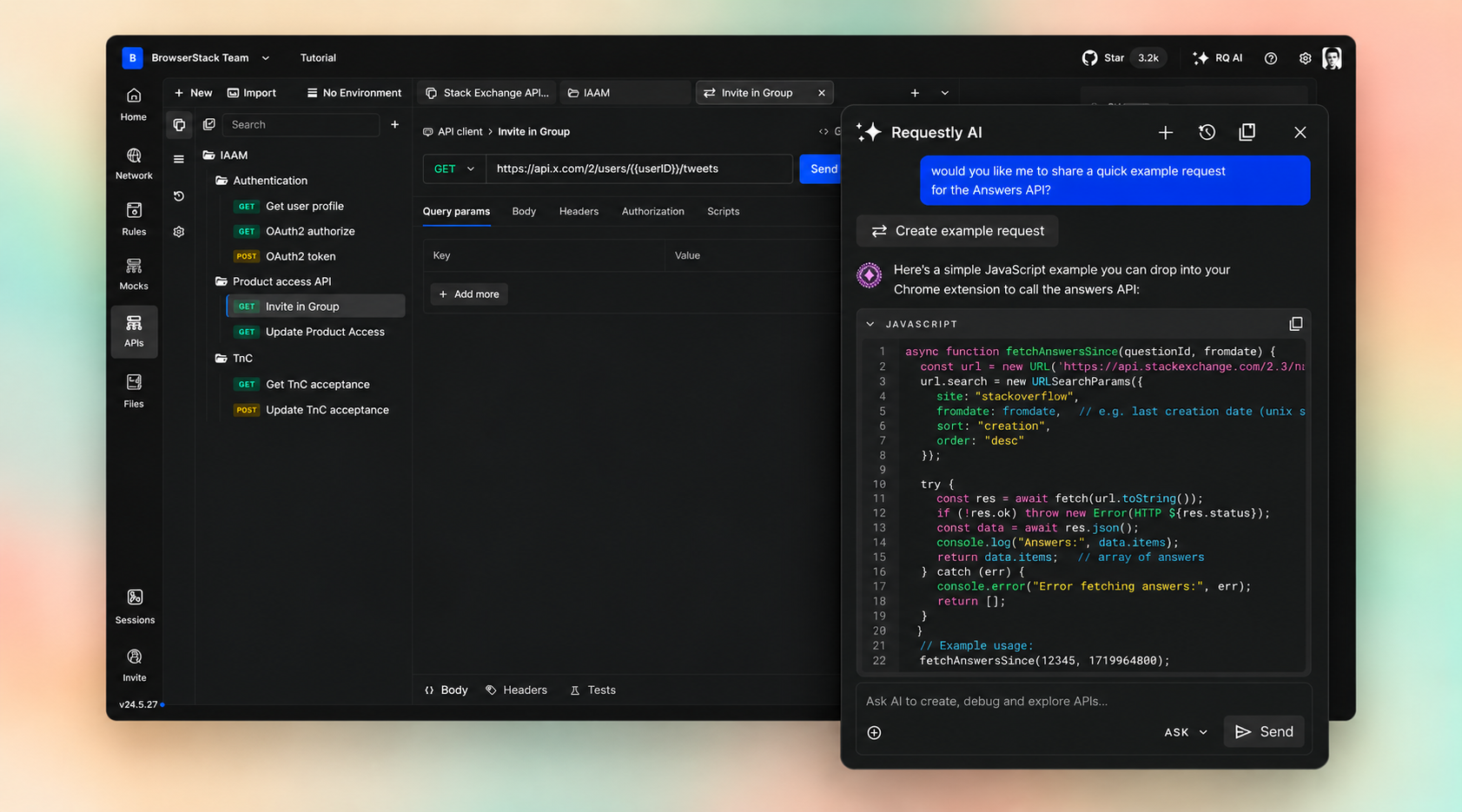
Requestly API Client The Requestly API client is a standalone product for building, testing and debugging API requests, and it's what I currently lead design for at BrowserStack.
Empty workspace before any request has been created
The problem: Engineers were losing real time in the client just organising collections and building requests, day after day.
What I did: I looked at how other API tools handled request-building and collections, and spent real time with our engineers to see exactly where they lost time day to day. That shaped the core pieces, how collections are organised, the network inspector, and the test runner, along with an AI assistant that can actually act on a request instead of just answering questions about it. Most of the design work on the AI assistant went into how much it does on its own versus what it checks with the developer first, so it plans a change, shows it as a diff, and only runs once you approve it.
The impact: The work is still ongoing, and we keep shipping on it.
Selected work
Data Movement Service (DMS) Data Movement Service (DMS) moves data between Innovaccer's data warehouses and keeps them in sync in real time, so every downstream app gets data in the format it needs.
My role
User research, problem validation and stakeholder alignment, UI design, prototyping, solution validation, dev handoff and validation.
Duration
May 2022 – Aug 2022
Team (5)
PM, EM, engineers (2), designer
Goals Automated, transparent, error-free data movement, so overall ingestion time comes down.
This is a real product built under NDA, so I can't show the actual screens here. Happy to talk through the problem and the process on a call instead.
Quick background Innovaccer's platform is made up of several applications that all consume and transform data, and each one expects that data in a specific format.
Before DMS, data engineers had to write custom scripts by hand to move data between warehouses. It was manual, error-prone and slow.
My job was to validate the problem and design a way to move data between warehouses quickly, without errors, and with a lot more visibility into what was actually happening.
What is Data Movement Service (DMS) DMS lets users move data between multiple data warehouses and keep them in sync in real time, so every downstream application gets the data in the format it needs.
Problems People had to write code every time they wanted to move data. It was slow and repetitive, and it could easily be automated. There was no visibility into the process, since we didn't have error logging or monitoring. Every engineer wrote the code a bit differently, so quality was inconsistent, and that caused integration failures later on. My role Owned end-to-end UX and UI design for DMS on my own. Defined the problem and finalized requirements with the product and engineering managers. Ran user interviews to understand the existing process and where it broke down. Created user flows, journeys, wireframes and high-fidelity designs. Validated the designs, ran usability testing, and wrote design documentation. Handled developer handoff and signed off on the design once it was built. Impact An intuitive UI that automates the whole data movement process and saves engineers a lot of time. Full visibility into the process through error logging, monitoring and alerts, which brought down the number of tickets the support team had to raise. Better reuse of existing jobs and close to zero errors, which cut down integration time. Less integration time meant a real drop in server costs too. Understanding the problem: research Innovaccer's data platform runs on a few different databases depending on what you're doing with the data. The default format is Postgres. Analytics needs Redshift. Dashboards need it back in Postgres again. We wanted one service to make that movement fast, easy and transparent.
Initial discussions and alignment with stakeholders I had a few rounds of discussions with the product and engineering managers to nail down the problem and requirements, and went through the related JIRA issues the support team had logged.
Conducted user interviews To understand how people were moving data and where it hurt, I interviewed data engineers directly, since they're the primary users of this.
Gathering all research data and observations After the interviews and feedback sessions, I grouped everything into common patterns and themes and wrote it all up in a document, so the PMs, EMs and leadership team could weigh in.
Coming up with a solution After a few rounds of discussion with the team, we landed on two possible approaches.
Add a data-sync node inside our existing workflow builder that people could use whenever they needed to move data between formats. Build a standalone application just for moving and syncing data. Solution 1: a node inside the workflow builder I started with a user flow for the first option: adding a node inside the existing workflow builder. The upside was that people could move data without ever leaving the builder. The downside was reusability and governance, since each data movement job would be tightly coupled to its own workflow.
I built wireframes using screens from the existing application so we could validate this quickly with users and other stakeholders.
Challenges with solution 1 Reusability and governance suffered, since every data movement job was tied to a specific workflow. Sometimes people just wanted to move data, not build an entire workflow around it. From an engineering standpoint, fitting DMS into a workflow meant a lot of architecture changes and eng time. Solution 2: a standalone data movement application Once we'd evaluated the first solution, two blockers stood out: reusing the existing data-sync job and governance wasn't really possible this way, and from an engineering side, adding a sync node inside DAP would need a major architecture upgrade and could slow the app down.
So we went with the second approach and built a separate application for data movement. I put together another user flow for that, and quick wireframes using existing screens to validate it.
Selected work
Session Recording Requestly's session recorder lets a developer record their browser tab and attach it to a bug report, so the other person can actually see what went wrong instead of just reading about it.
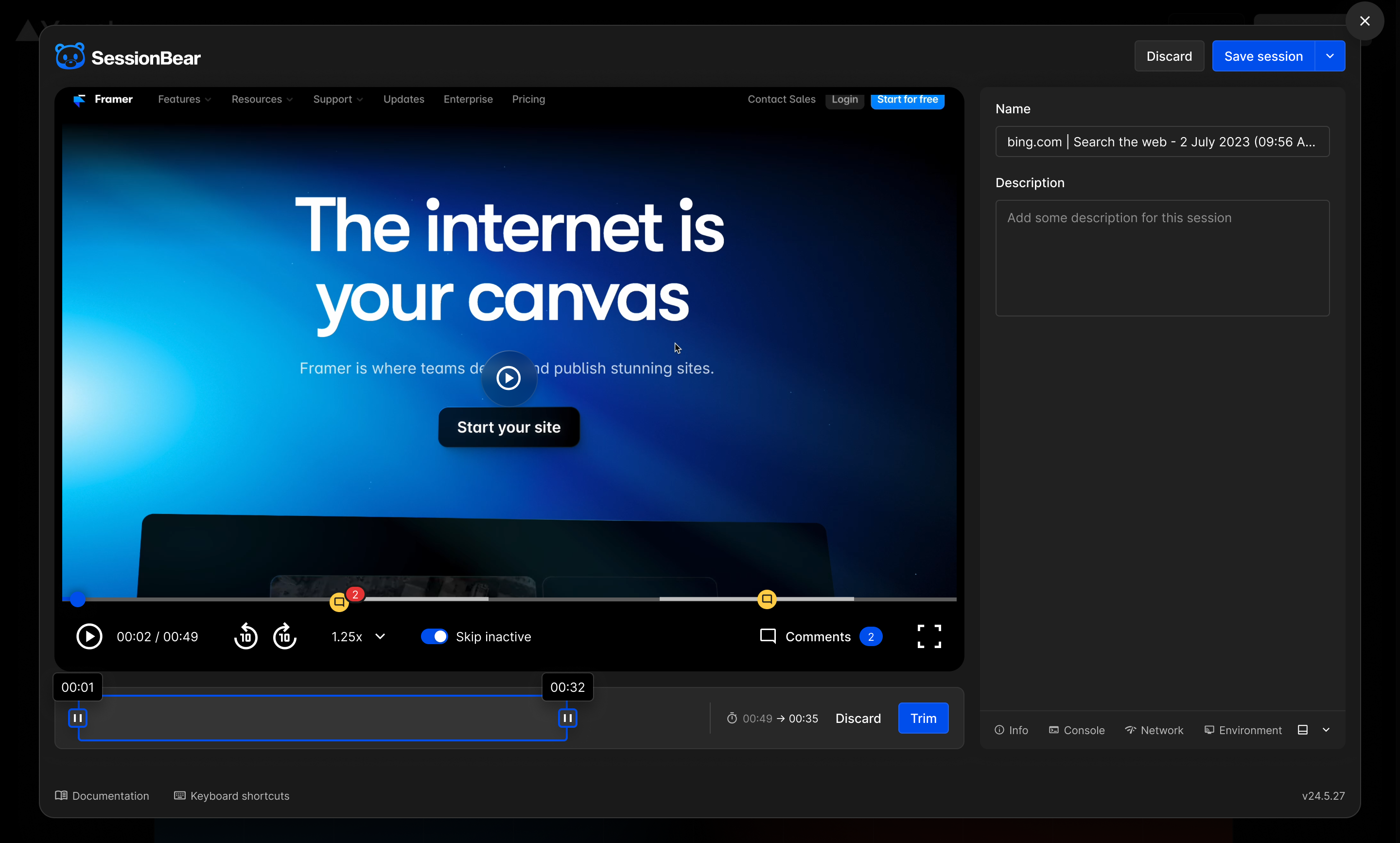
Recording modal with trimming controls
The problem: It used to be just a plain video of the tab, nothing else attached. So to explain a bug, a developer had to send that raw clip across and just hope the other person could make sense of it.
What I did: I redesigned it after looking at how other bug-reporting tools handled this, and spending time with our engineers to understand where they kept getting stuck. Now a developer can trim the recording to the part that matters, add a comment, and the console logs, network logs and API traffic all come attached to the same recording. I also took this to the desktop app, so it could record API traffic from the interceptor, not just what happened in the browser tab. Sharing was simple too, a session stayed private by default, and developers could share it with a link or with specific people.
The impact: It worked well enough that we prototyped it as its own product internally, called SessionBear. Once we saw BrowserStack already had something similar, it didn't make sense to keep two versions of the same thing running, so we shut it down.
Selected work
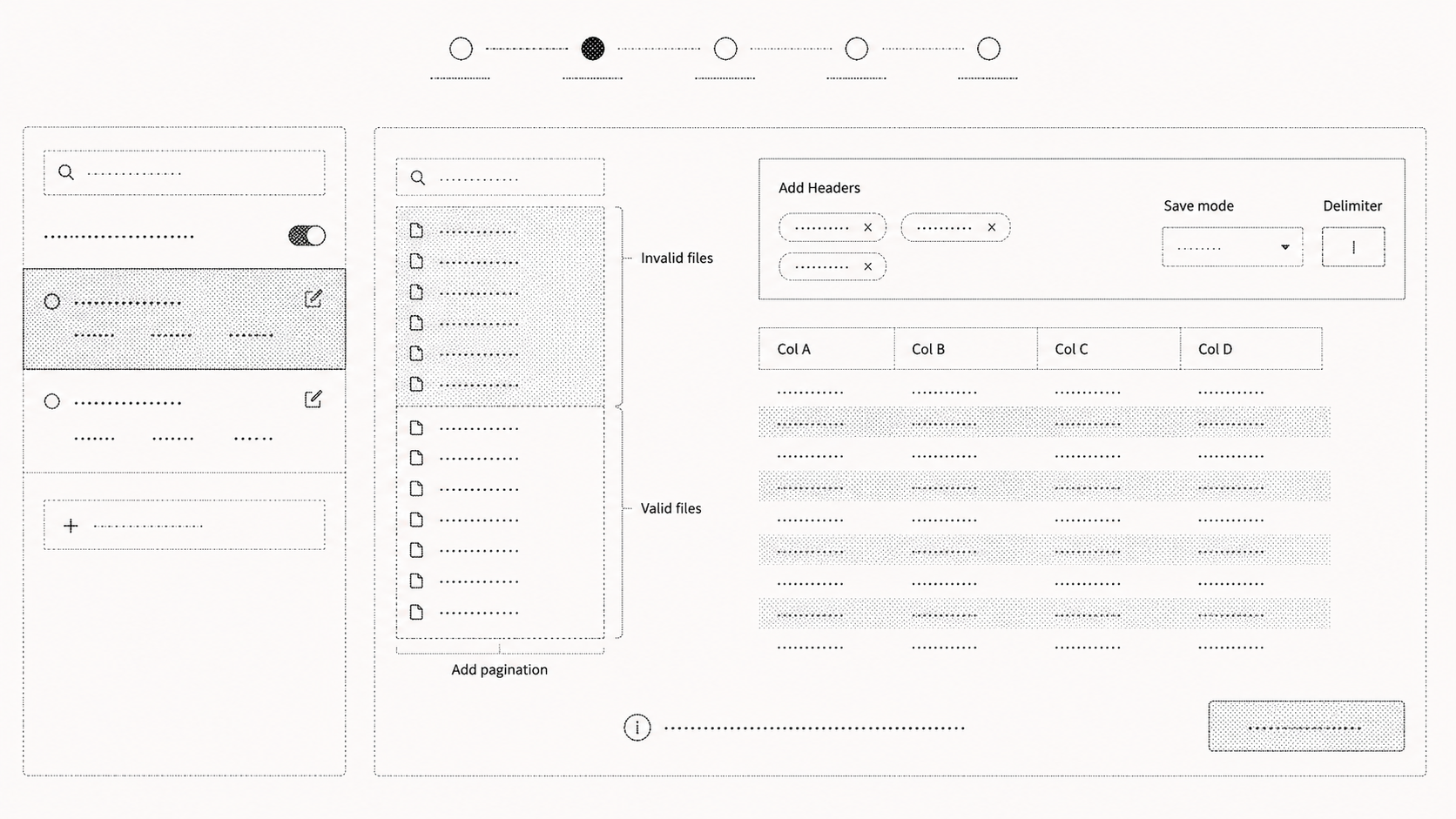
Guided-mode wizard in DAP A guided, step-by-step wizard inside DAP for ingesting new data sources, replacing a slow process that depended on several outside tools.
My role
Problem identification, user research, UI design, prototyping, validation and dev handoff
Duration
Dec 2022 to Apr 2023
Team (7)
PM, EM, engineers (3), designer, researcher
Goals Cut down data-ingestion time, standardize how workflows get created, and remove DAP's dependency on outside tools.
This is a real product built under NDA, so I can't show the actual screens here. Happy to talk through the problem and the process on a call instead.
Quick background DAP (Data Activation Platform) is our core product, a workflow builder that lets people ingest, transform and standardize huge amounts of raw healthcare data, so it's ready for downstream apps and dashboards.
Before this, people had to jump between several external tools and go back and forth with clients just to bring in one data source. It was slow, costly and inconsistent.
My job was to figure out why it took so long, what was wrong with the current process, and design something that cut ingestion time by removing outside dependencies and standardizing how workflows get built.
Problems People had to use several external apps, like FileZilla, AWS file explorer, Excel and DBeaver, just to build one workflow. Getting all of them set up took a long time because of security clearance and VM access. There was no standard way to ingest a data source, so engineers had to work through a stack of documents and training just to get started. A data profile report took five to ten days to put together, when it really only needed a day. Building that report was completely manual, done in spreadsheets. A lot of back and forth between engineers and clients added even more time to the whole process. Solution Built a guided-mode wizard into DAP that walks people through creating a workflow step by step, instead of leaving them to figure it out. Added file exploration inside DAP itself, so people didn't need outside tools anymore. Added data profiling and data quality checks right into the ingestion flow, which cut down failures and saved time downstream. Impact Standardizing the process made it much easier for new engineers to ramp up, which cut integration time on its own. Average workflow creation time went from 20 to 25 days down to 7 to 10, as fast as 3 days in some cases. Moving file exploration and data profiling into DAP removed the need for outside tools entirely, saving both time and cost. What I did Owned the end-to-end UX and UI design, including delegating and managing work for another designer. Worked with a UX researcher on user sessions to understand why integration was taking so long, and mapped out the current process end to end. Validated the issues and locked down project scope with the product manager and leadership. Sat in on engineering discussions to make sure what we were designing was actually feasible to build. Helped product and engineering estimate timelines with quick concepts and wireframes. Built user flows, journeys and concept wireframes to validate the solution early. Created high-fidelity designs and prototypes in Figma. Validated the final design, ran usability testing, and wrote up design documentation. Handled developer handoff and signed off on the finished build. Some screens from the process Side project
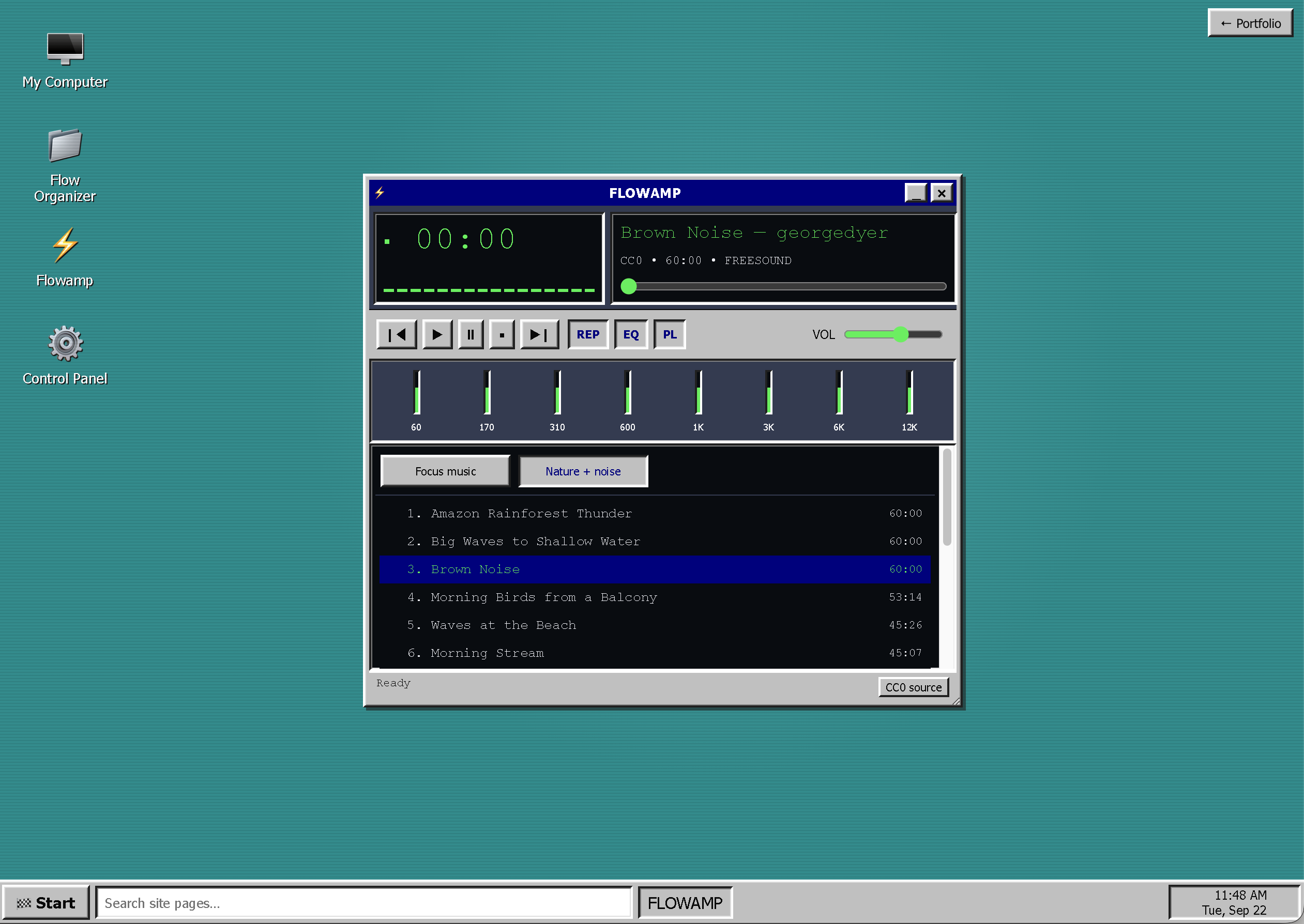
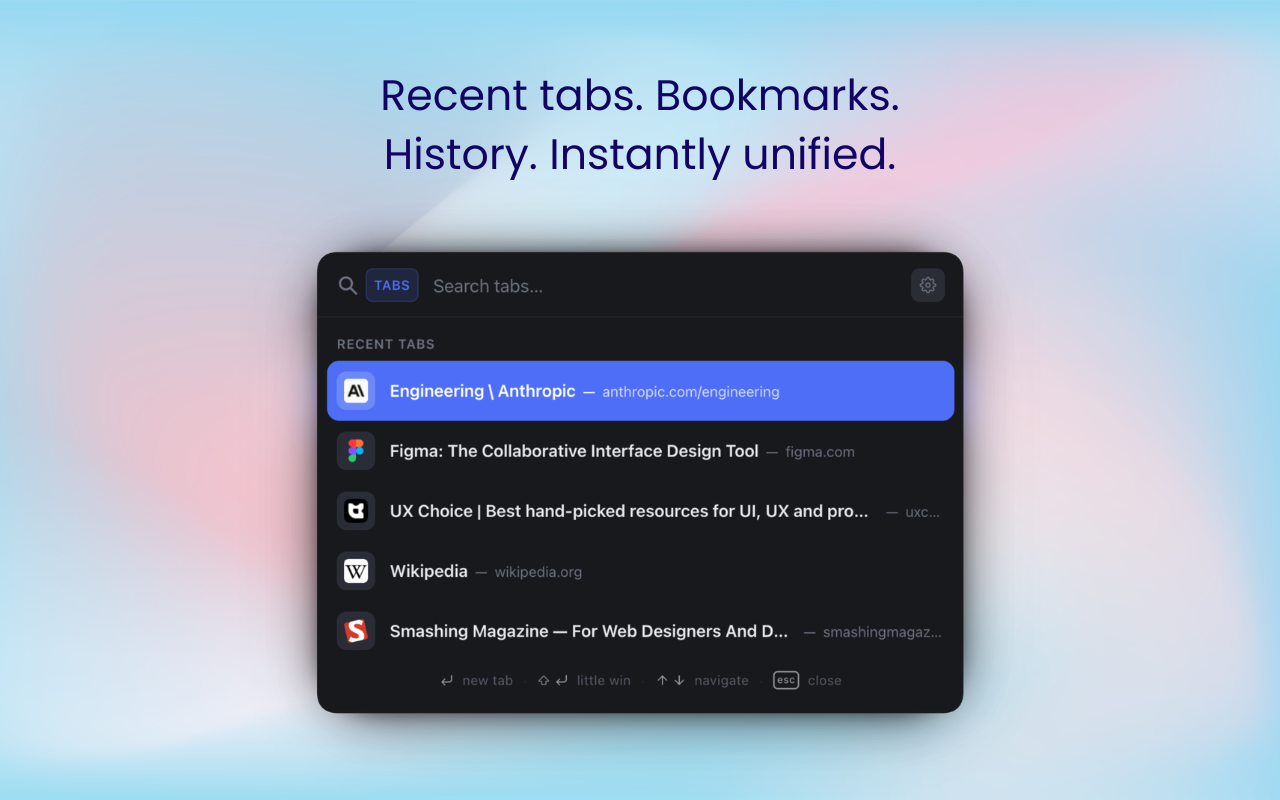
Flow Flow is a Chrome extension that lets you search across your open tabs, bookmarks and history without leaving the page. It also swaps your new tab for a simple dashboard with the day's priorities, plus a handful of themes and wallpapers. Nothing is tracked, and everything stays on your device unless you turn on Chrome sync.
View on Chrome Web Store Side project
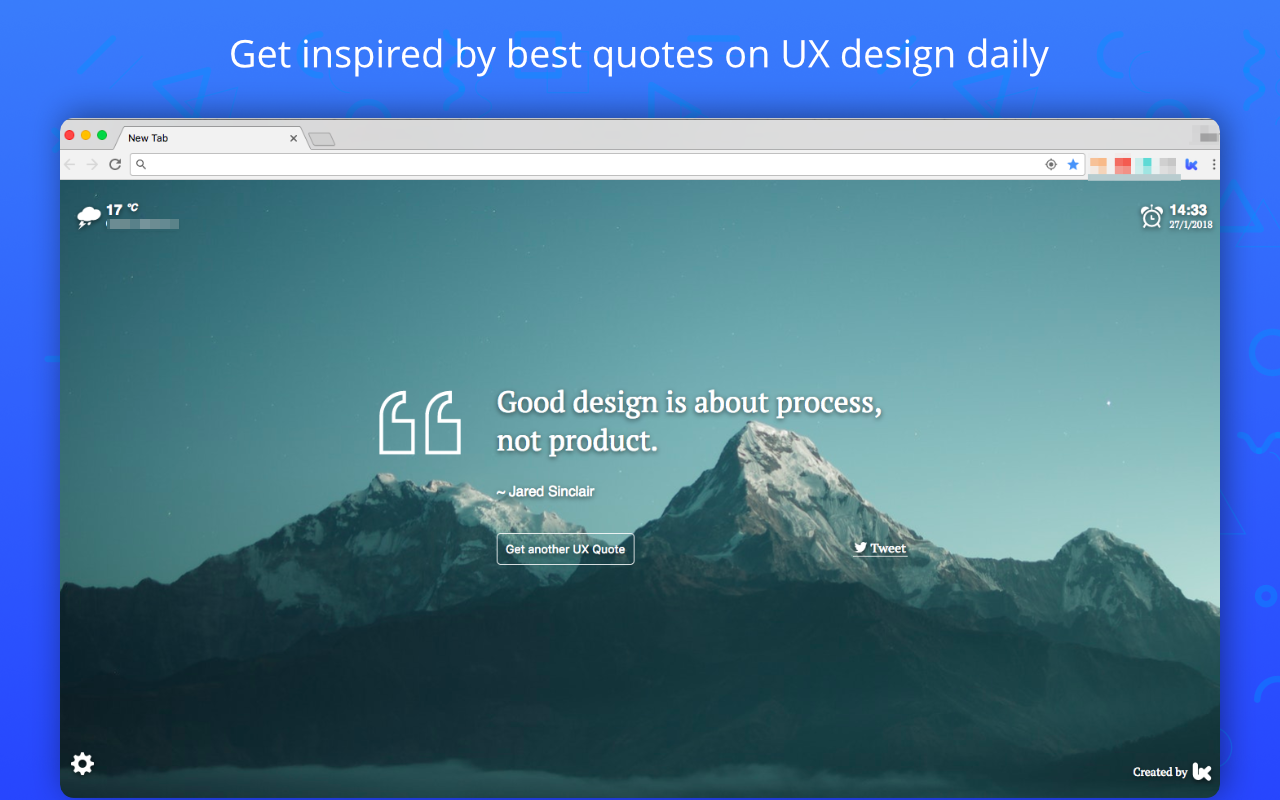
UX Quotes UX Quotes shows a UX or product quote every time you open a new tab, paired with a nice wallpaper. You can switch between a few themes, check the weather, and tweet a quote you like in one click.
View on Chrome Web Store Side project
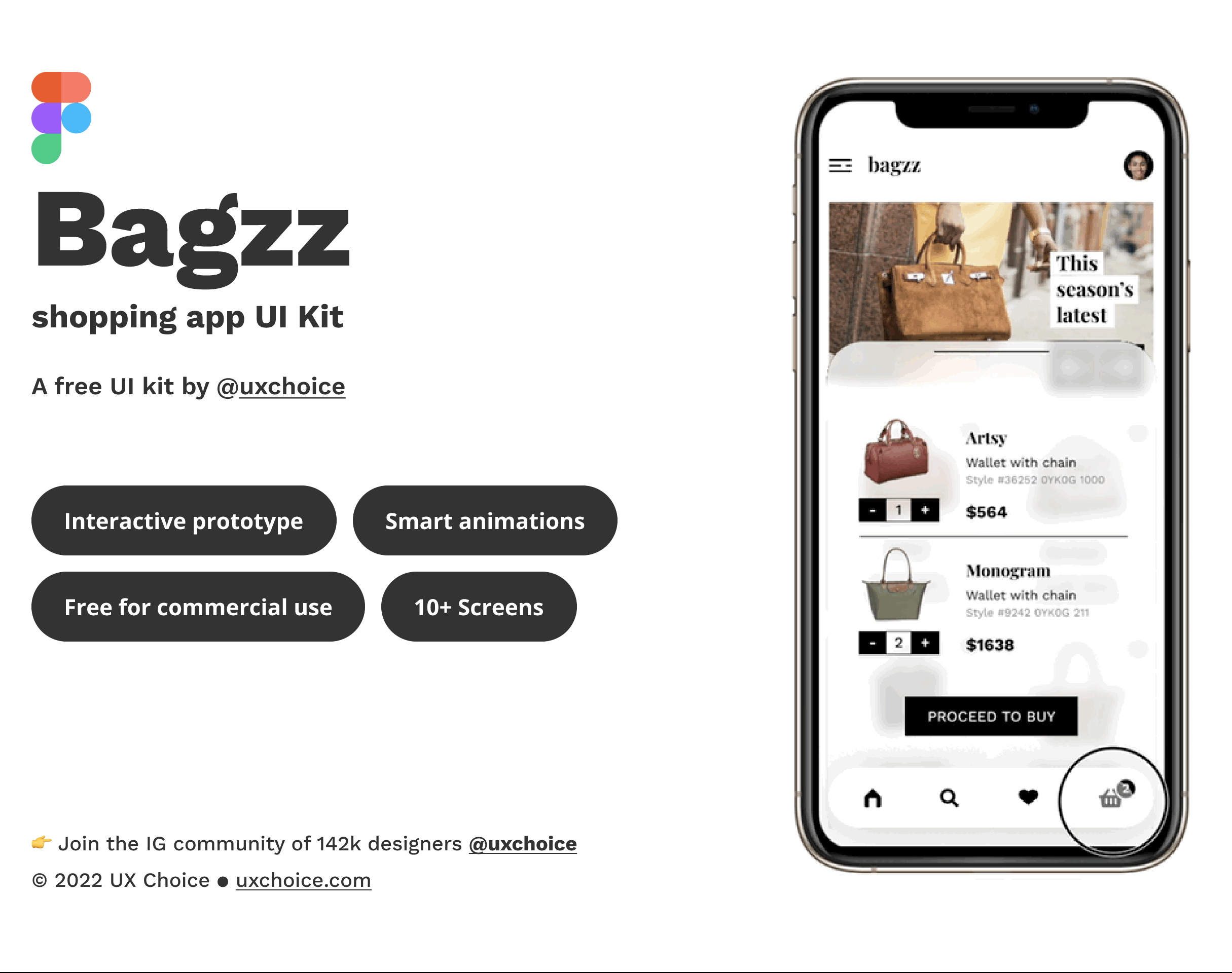
Bagzz Bagzz is a free Figma UI kit for a shopping app. It comes with the basic screens you'd need, an interactive prototype and a few smart animations, so you can duplicate it and start customizing right away.
681 likes · 38.4k duplicates on Figma Community View on Figma Community Side project
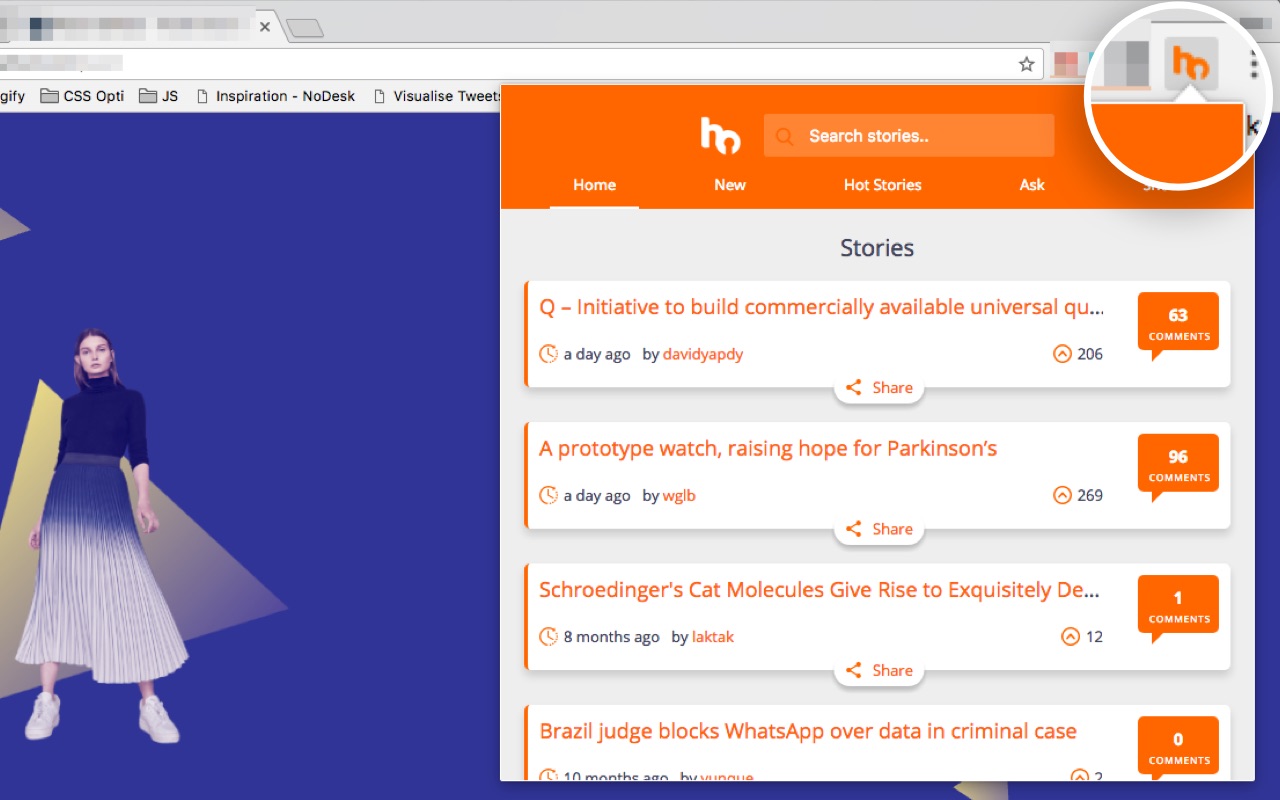
Hacker News Browser Hacker News Browser lets you read Hacker News from a popup on any page, without opening a new tab. You get the top stories from the last day, can search for topics you care about, and save or tweet a story straight from there.
View on Chrome Web Store