
Guided-mode wizard in DAP for step-by-step data ingestion.
Created a completely new experience for data engineers by adding a guided-mode wizard in Data Activation Platform. This wizard makes the data integration process easier and standard by allowing users to create a workflow using a step-by-step process.
Goals
Reduce the data ingestion time, standardise the workflow creation process, and remove external dependencies in DAP.
Due to NDA restrictions, I can't share the final product screens here. Happy to discuss the problem, process, and decisions instead.
Quick background
DAP (Data Activation Platform) is our core product, a workflow builder tool that enables users to ingest, transform, and standardise petabytes of raw healthcare data, so that the data can be easily consumed by downstream applications and analytical dashboards.
In the current integration process, users have to navigate multiple services, use various external tools, and communicate with clients multiple times. This process is time-consuming and costly, particularly when ingesting a specific data source due to the lack of standardisation.
For this project, my task was to identify why we are taking that much time and resources, the issues with the current application, and create a solution that reduces ingestion time by eliminating dependencies on external apps and standardising the workflow ingestion process.
Problems
External tool dependency: Users have to use multiple external applications to create a workflow such as FileZilla, AWS file explorer, Excel, DBeaver, etc. Installing all these tools for a project takes a lot of time due to security clearance and virtual machine usage.
No standard ingestion process: There's no standard process for ingesting source data. Data engineers have to go through a lot of documents and training.
Slow data profiling: Creating an initial data profile report takes a lot of time (5–10 days) which can be created in a day.
Manual reporting: The current process of creating a data profile report is completely manual and done using spreadsheets.
Repeated client coordination: A lot of communication happens between data engineers and clients which increases the integration time significantly.
Solution
Guided-mode wizard: Created a completely new experience for data engineers by adding a guided-mode wizard in Data Activation Platform. This wizard makes the data integration process easier and standard by allowing users to create a workflow using a step-by-step process.
In-product file exploration: Designed and integrated a file exploration feature inside DAP to remove external tool dependencies.
Data profiling and quality: Designed and integrated data profiling and data quality capabilities within the ingestion process. It improves the quality of data and reduces workflow failures which eventually reduces overall data integration time and resources.
Impact
Faster learning curve
By standardising the process, we are able to reduce the learning curve for new data engineers, resulting in less integration time.
Workflow creation cut to 7–10 days
We have reduced the average workflow creation time from 20–25 days to 7–10 days (within 3 days in some cases).
Reduced external-tool dependency
Integrating file exploration and data profiling within DAP reduced dependency on external tools, saving time and cost.
What I did
- Handled end-to-end UX & UI design process which also includes delegating and managing tasks for another designer.
- Collaborated with the UX researcher to conduct user sessions to understand why we are taking that much time for data integration, and created an end-to-end journey of the current process.
- Validated issues and finalised the project scope with the product manager and leadership.
- Actively participated in relevant engineering discussions to ensure the technical feasibility of the designs we were creating.
- Helped product and engineering managers in estimating timelines by providing them with quick concepts and wireframes.
- Created user flows, journeys, and concept wireframes to validate the solution in the early stages.
- Created high-fidelity designs and prototypes in Figma.
- Validated the final design, conducted user testing, and created design documentation.
- Developer handoff and design sign-off for the developed application.
Some screens from the process
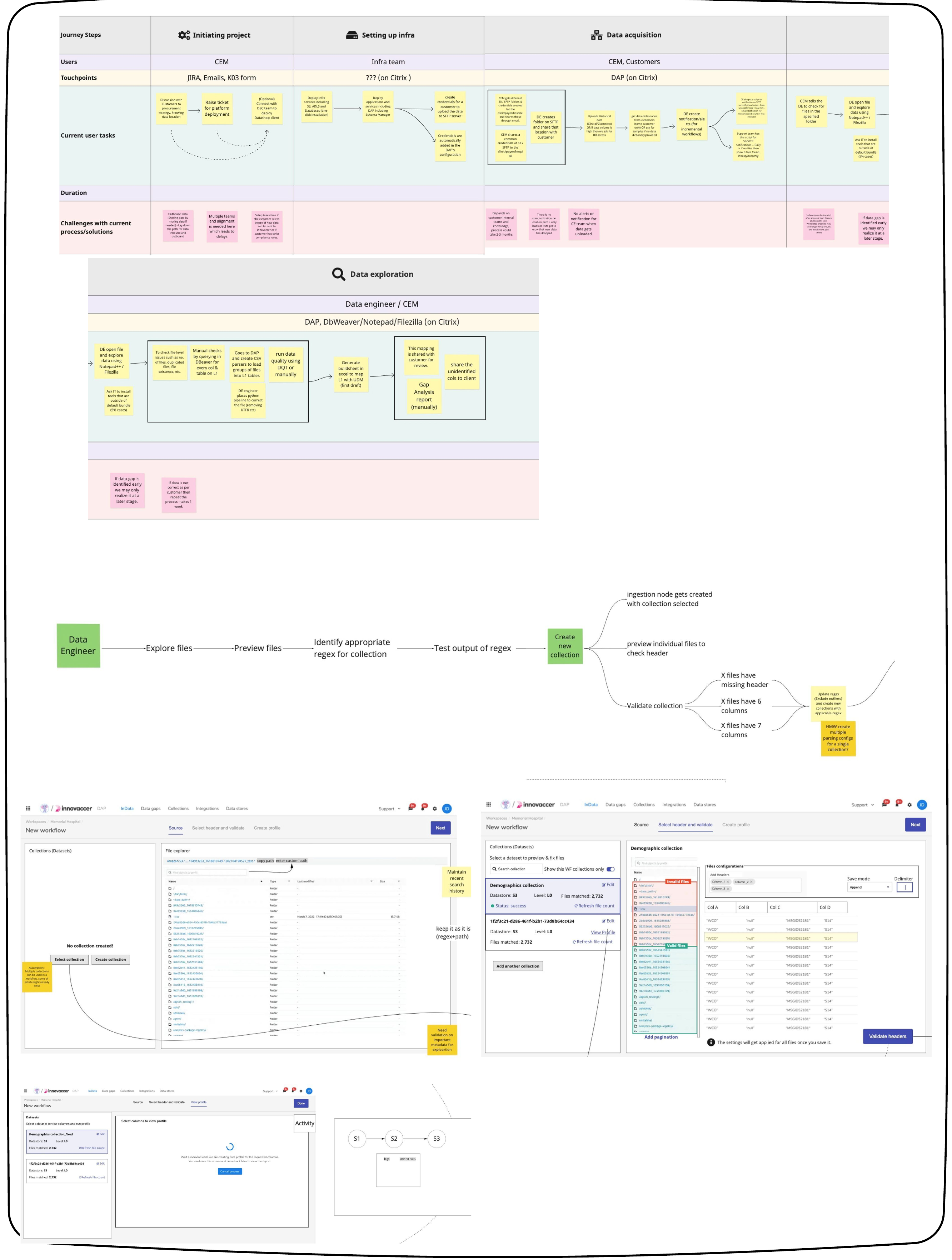
Final high-fidelity designs and interactions aren't included here due to confidentiality. Happy to discuss the work in detail instead.