
Designing a local-first API platform from scratch.
I worked directly with the founder to decide what we should build next. I researched other API clients to check our assumptions, then took the design from early flows through to the final UI with the engineers. I also built the design system and coded its components in Storybook. The API platform brought requests, testing, mocking, and debugging into one desktop app, with collections stored locally and managed through Git.
- Role
- Founding product designer
- Company
- Requestly, now part of BrowserStack
- Scope
- Product direction · API platform · Desktop application · Design system · AI-native development
Problems & opportunities
Customers wanted to test and manage APIs end-to-end, but Requestly covered only part of that workflow. Their feedback and our research pointed to an opportunity to build a new product line.
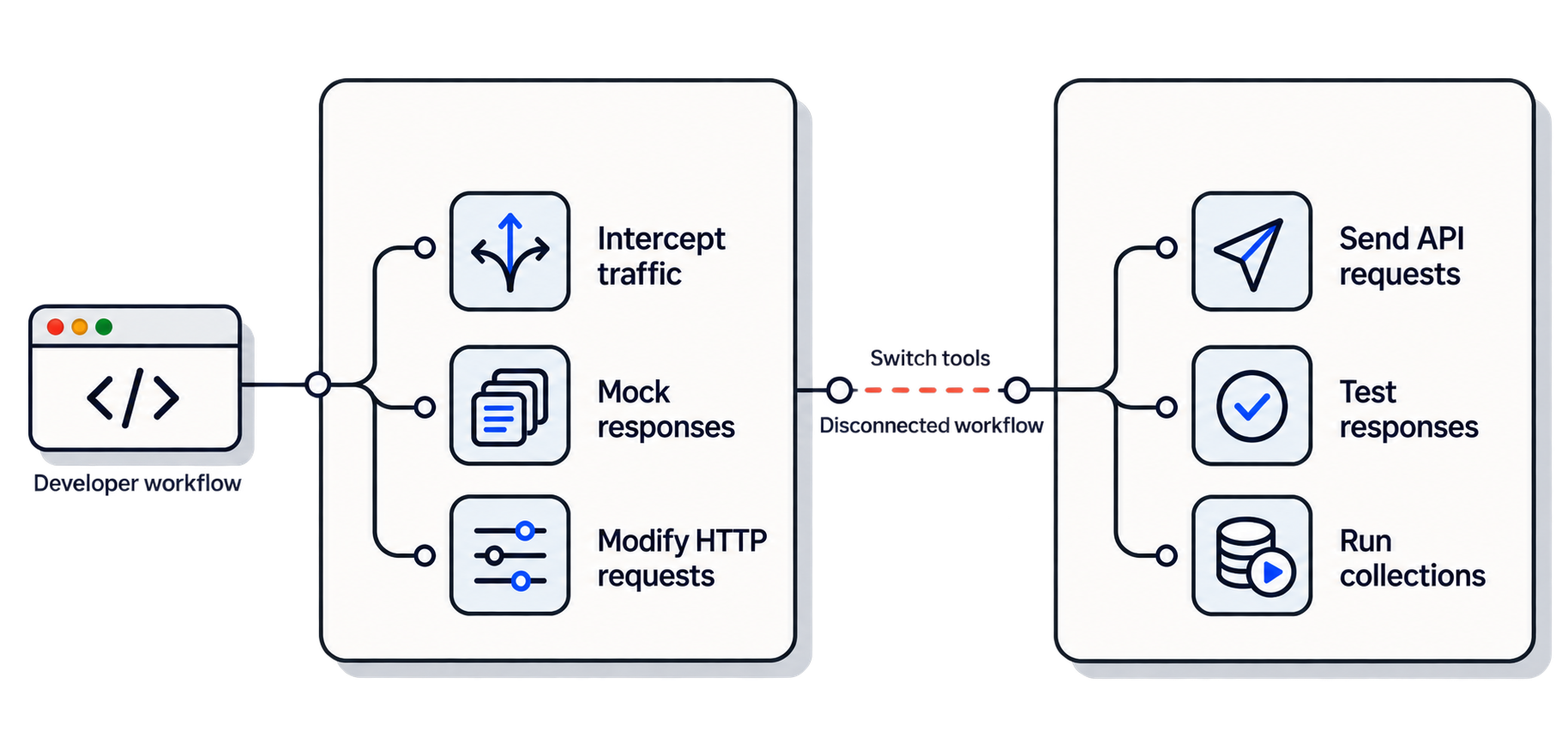
- Customers needed to send, organise, and test APIs, while Requestly only covered part of that workflow. This gave us an opportunity to build a more complete API platform around what they were already doing.
- Testing, mocking, and inspecting live traffic were spread across different tools. Requestly already handled parts of this, so bringing these workflows together felt like a natural extension.
- Customers already had requests, collections, and environments in other API clients and did not want to rebuild them. Making their existing work easy to import would help them move over and start testing quickly.
- Cloud-based collections gave privacy-conscious developers less control over their API data. We could instead keep collections in local files that teams could manage through Git.
What I did
Product direction
I worked with the founder and engineers to decide the API client’s direction and scope.
Research and workflows
I researched other clients and developer feedback, then mapped the core API workflows.
Interaction design
I designed the core flows, including empty, loading, error, and review states.
Visual design
I designed the UI to keep requests, responses, and network details easy to work with.
Design system
I created the design system and coded its components in Storybook for the team to use.
Prototyping
I built working prototypes to test ideas and refine flows before development.
The solution
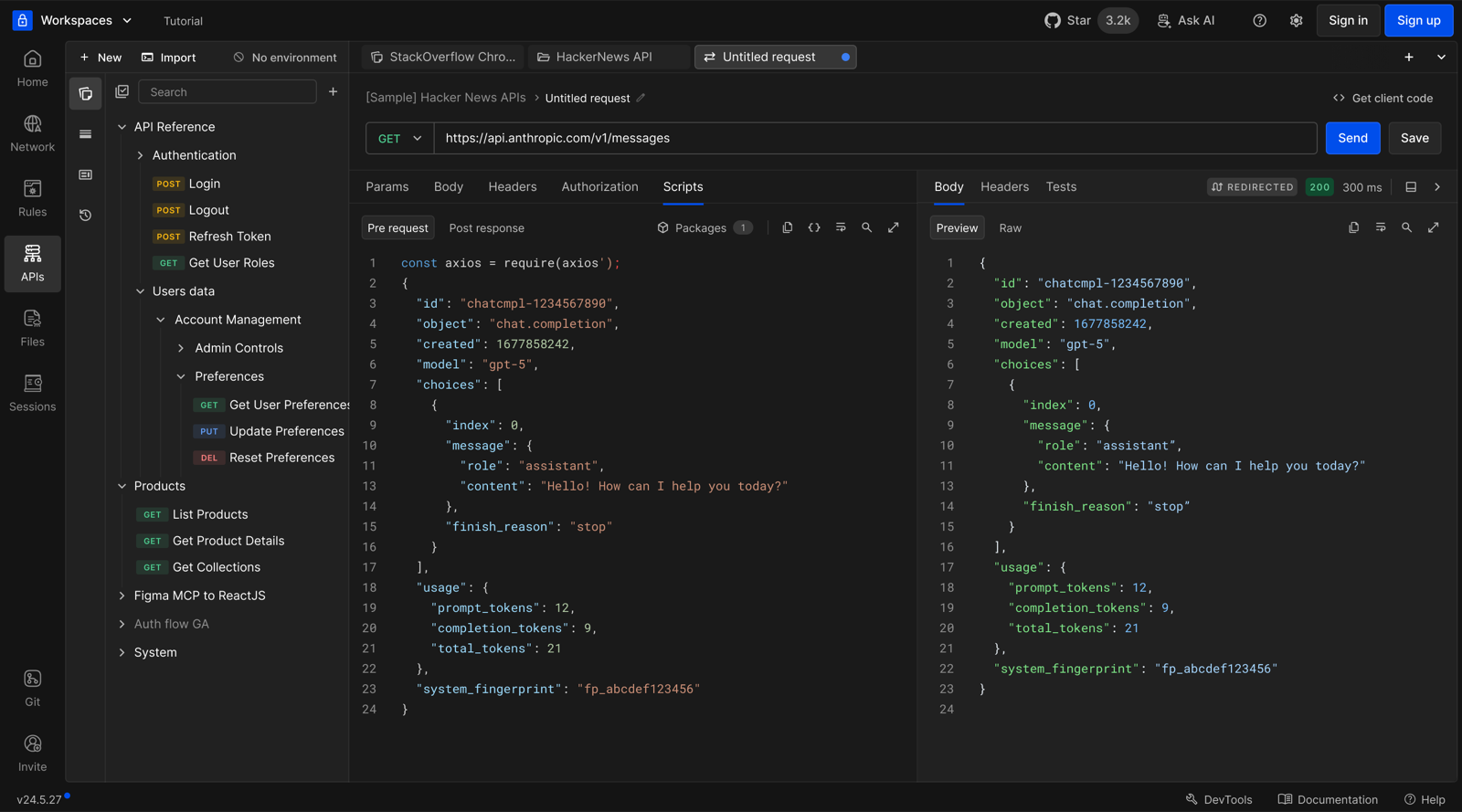
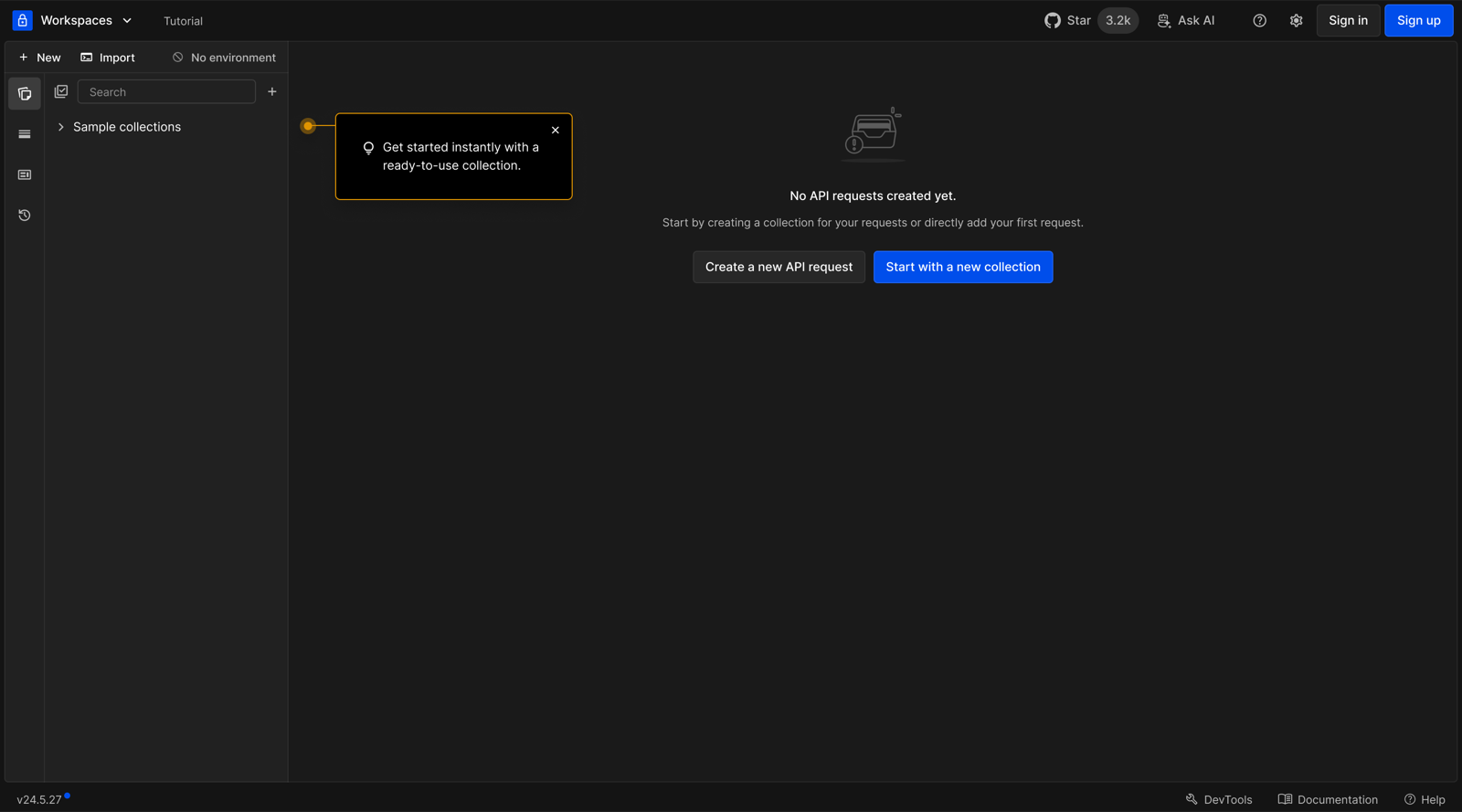
We built an API platform around the workflow developers already knew, bringing testing and debugging together. The flows below show how the different parts of that platform work together.
- Keep collections as local files that teams can version in Git.
- Connect requests, test runs, mocks, and live traffic in one workspace.
- Let developers import existing work and start without signing up.
- Support different API types in one client, with clear editors and response views.
- Use environments and variables to reuse requests across setups.
- Use AI for repetitive setup, with changes reviewed before applying them.
Import & first run
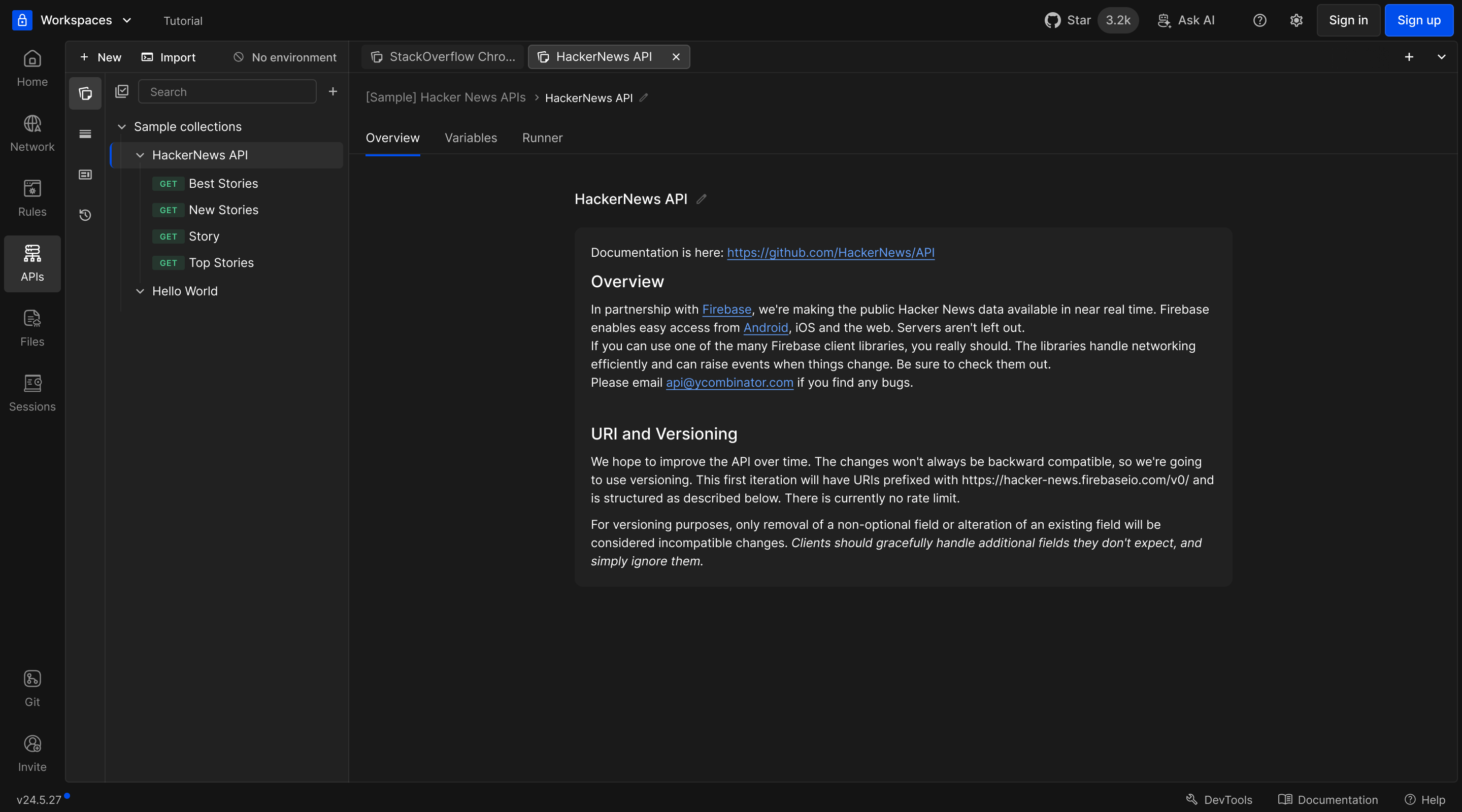
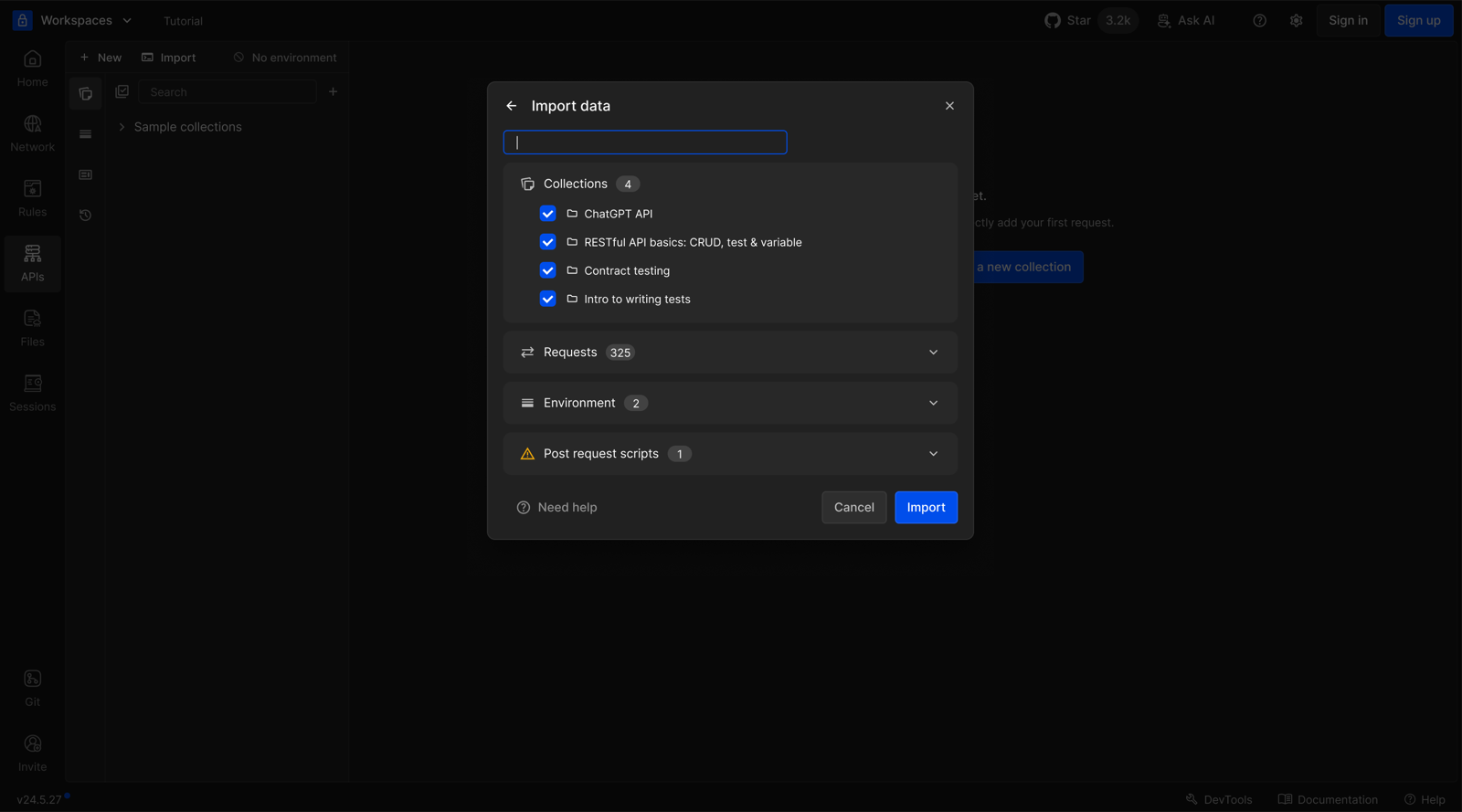
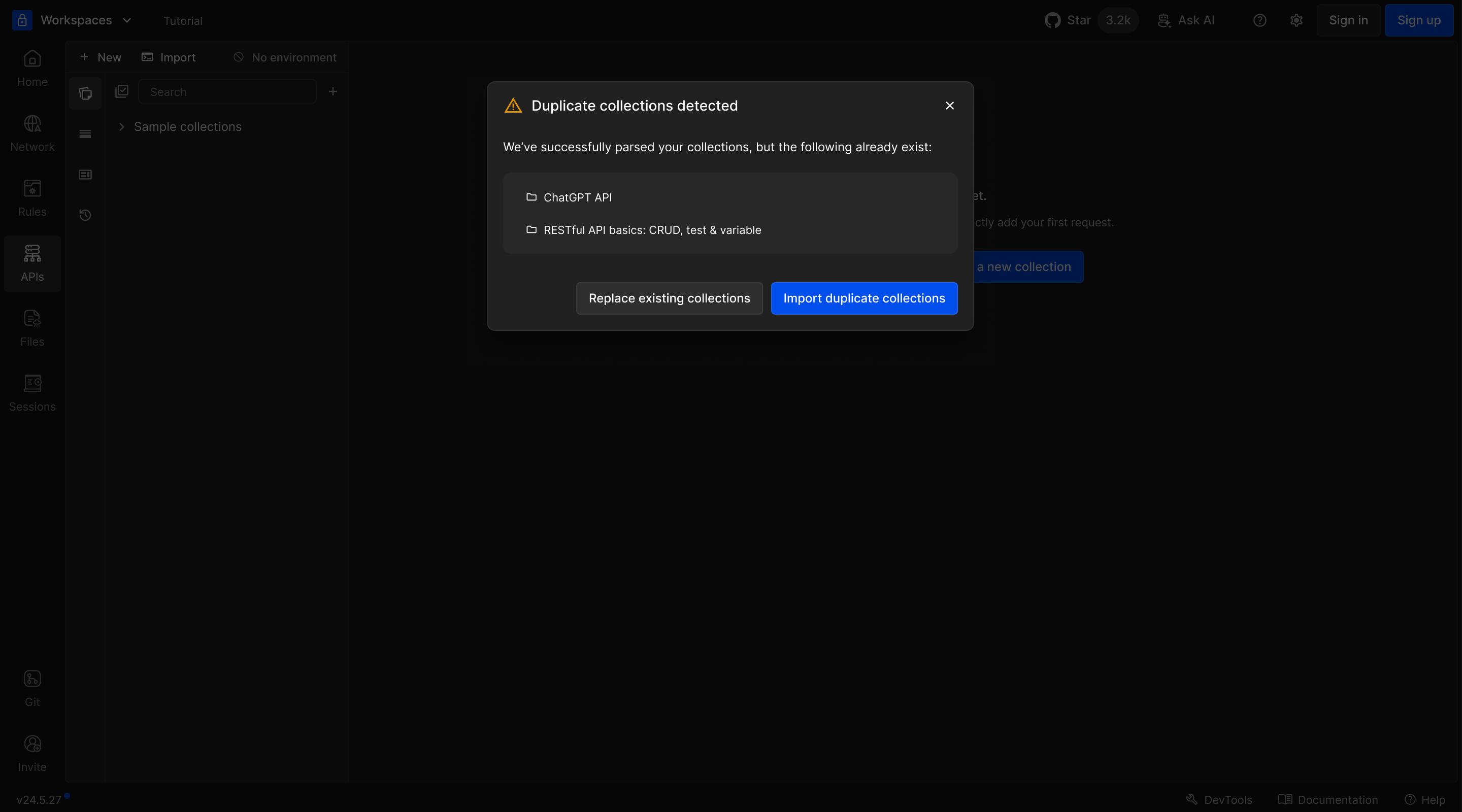
I designed the import flow so developers could choose what to bring over and check duplicates before replacing anything. They could start with the requests they already had.
Request testing
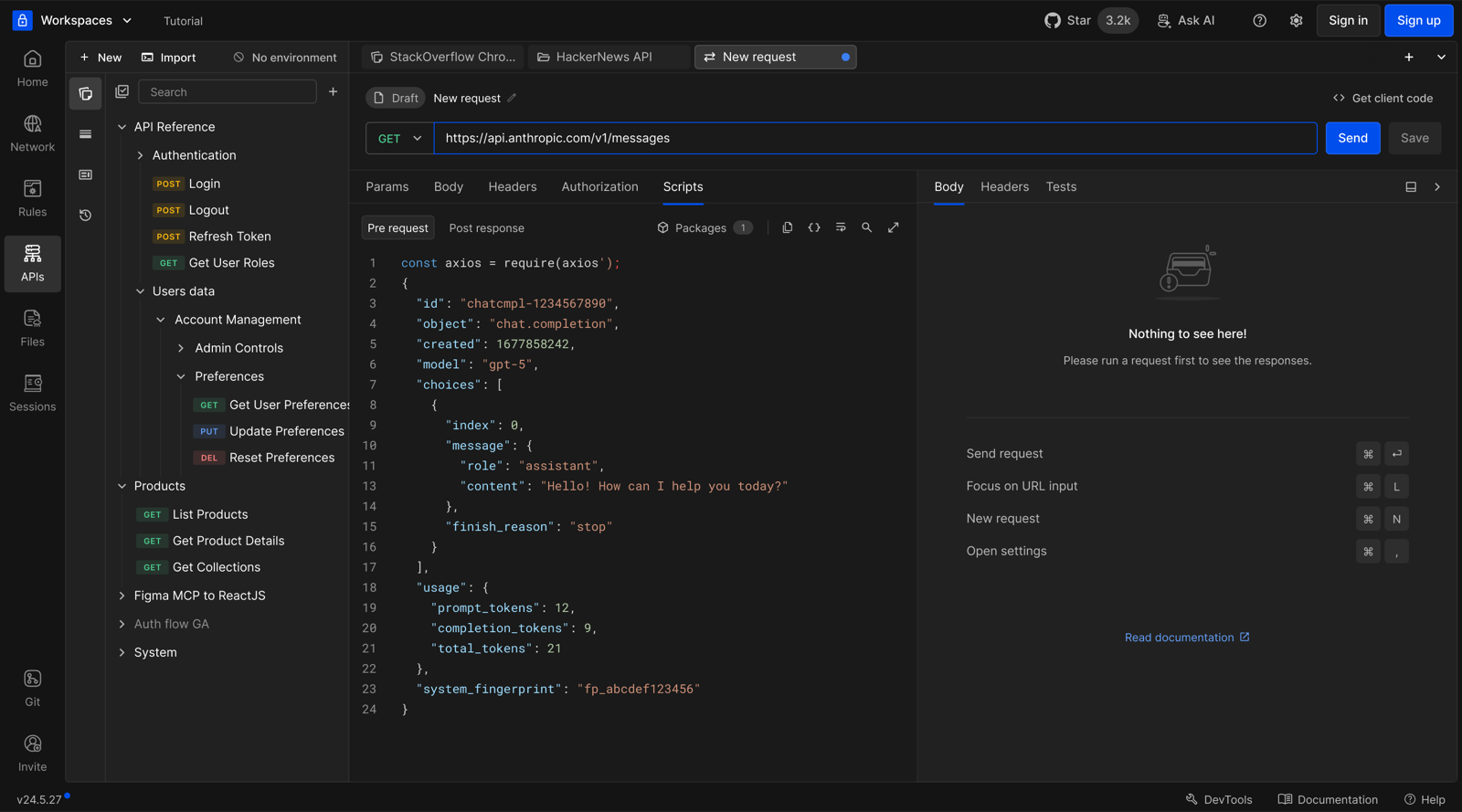
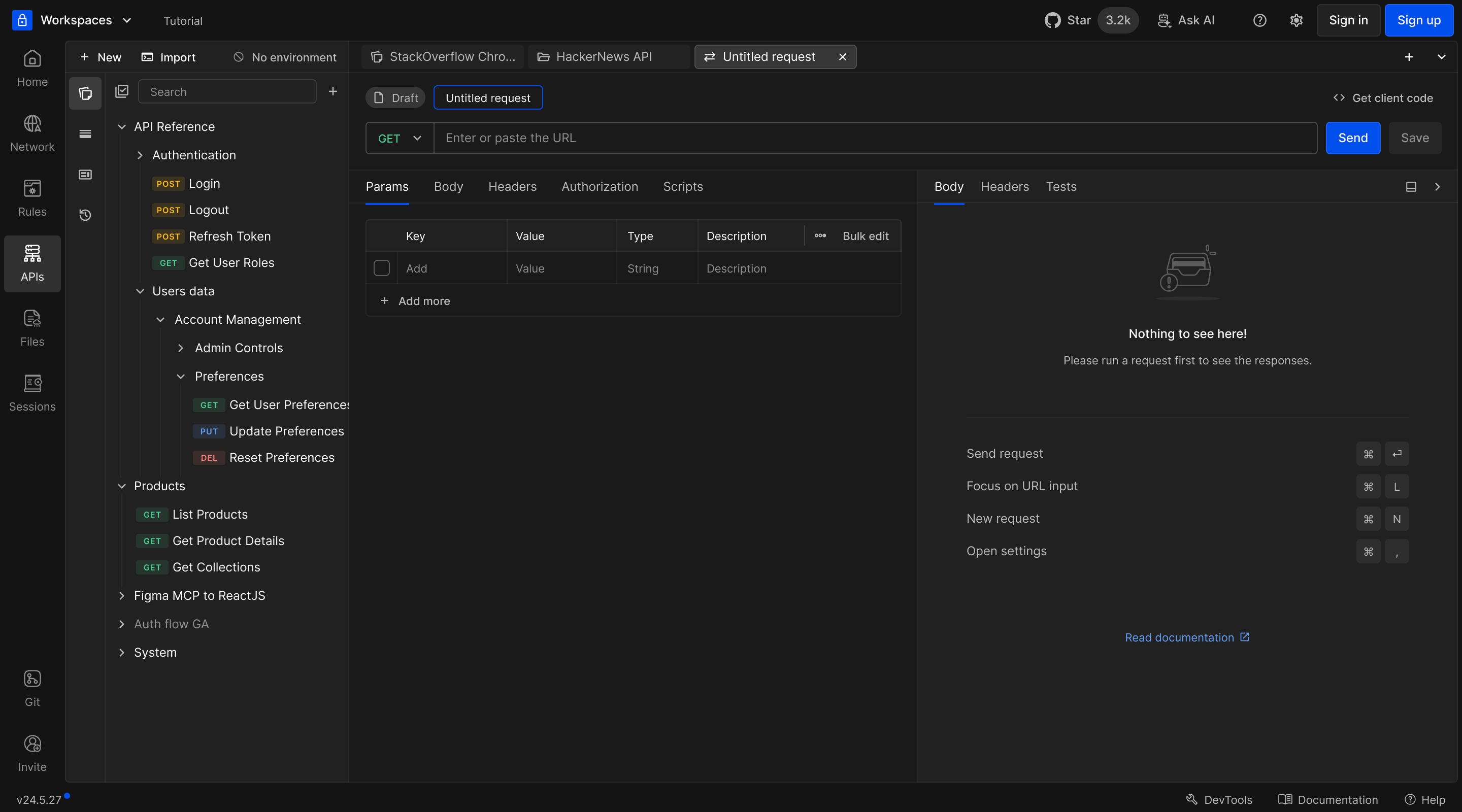
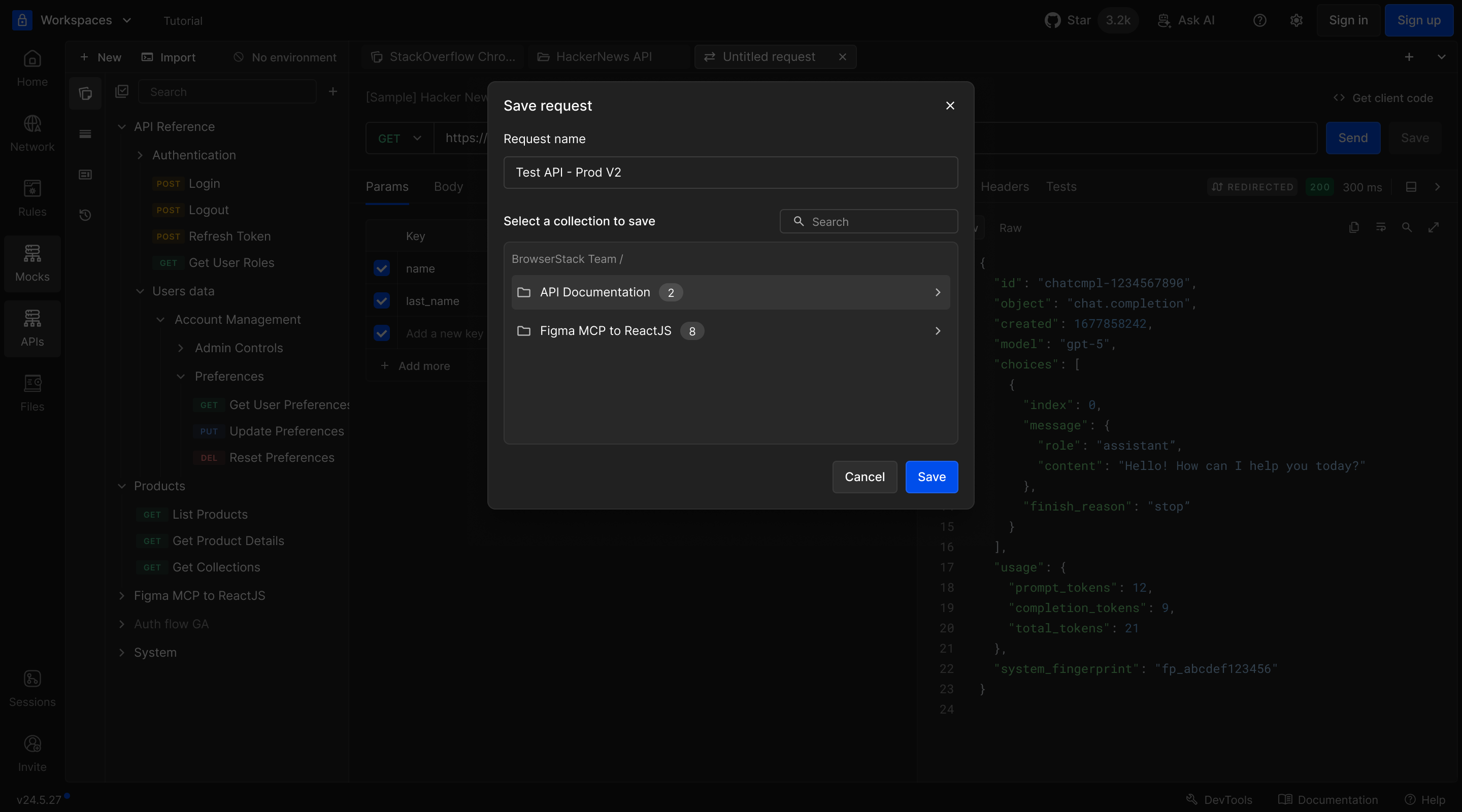
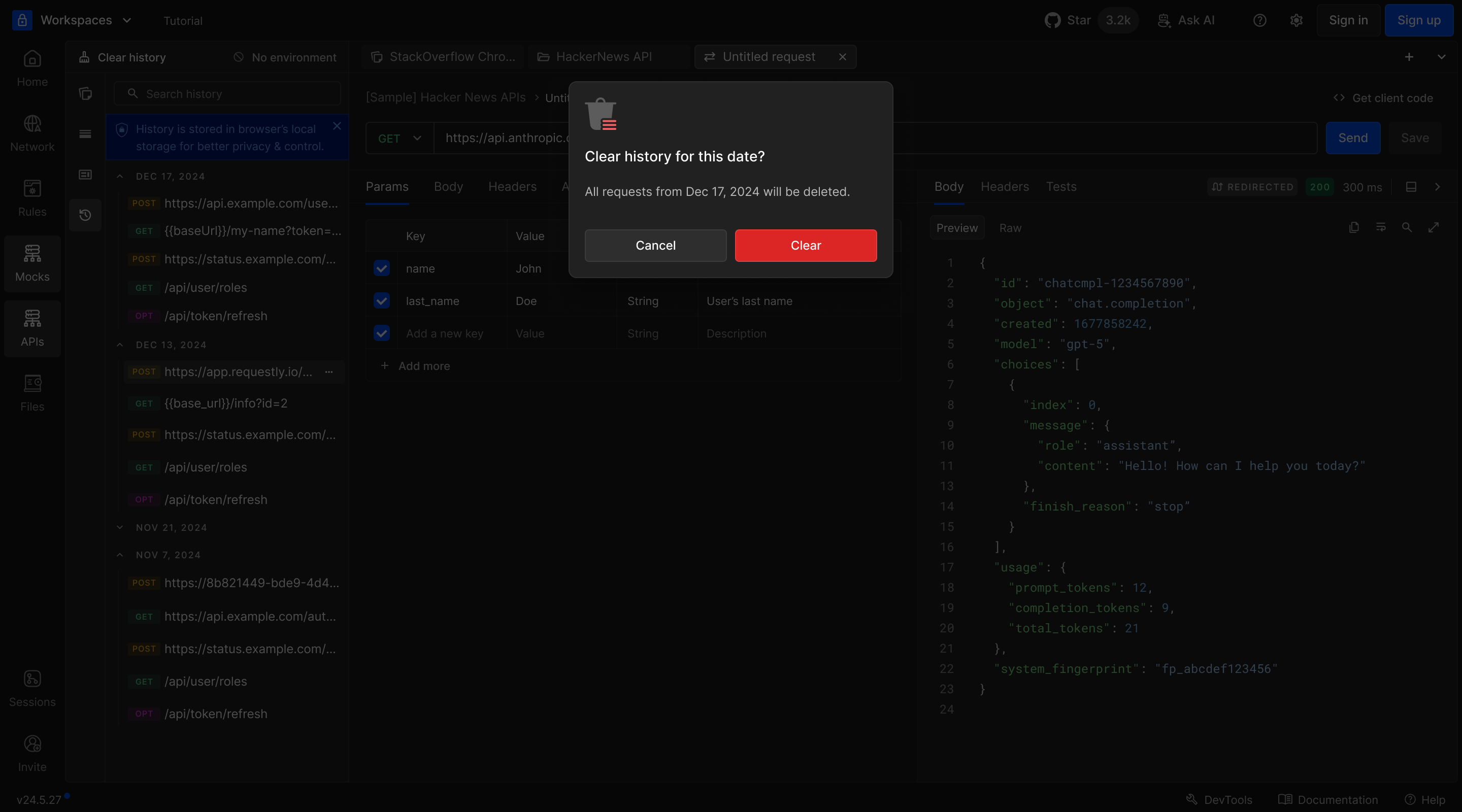
I designed the main request workspace, keeping scripts, history, and save actions close to the editor. Flexible split panels gave long responses more room on smaller laptop screens.
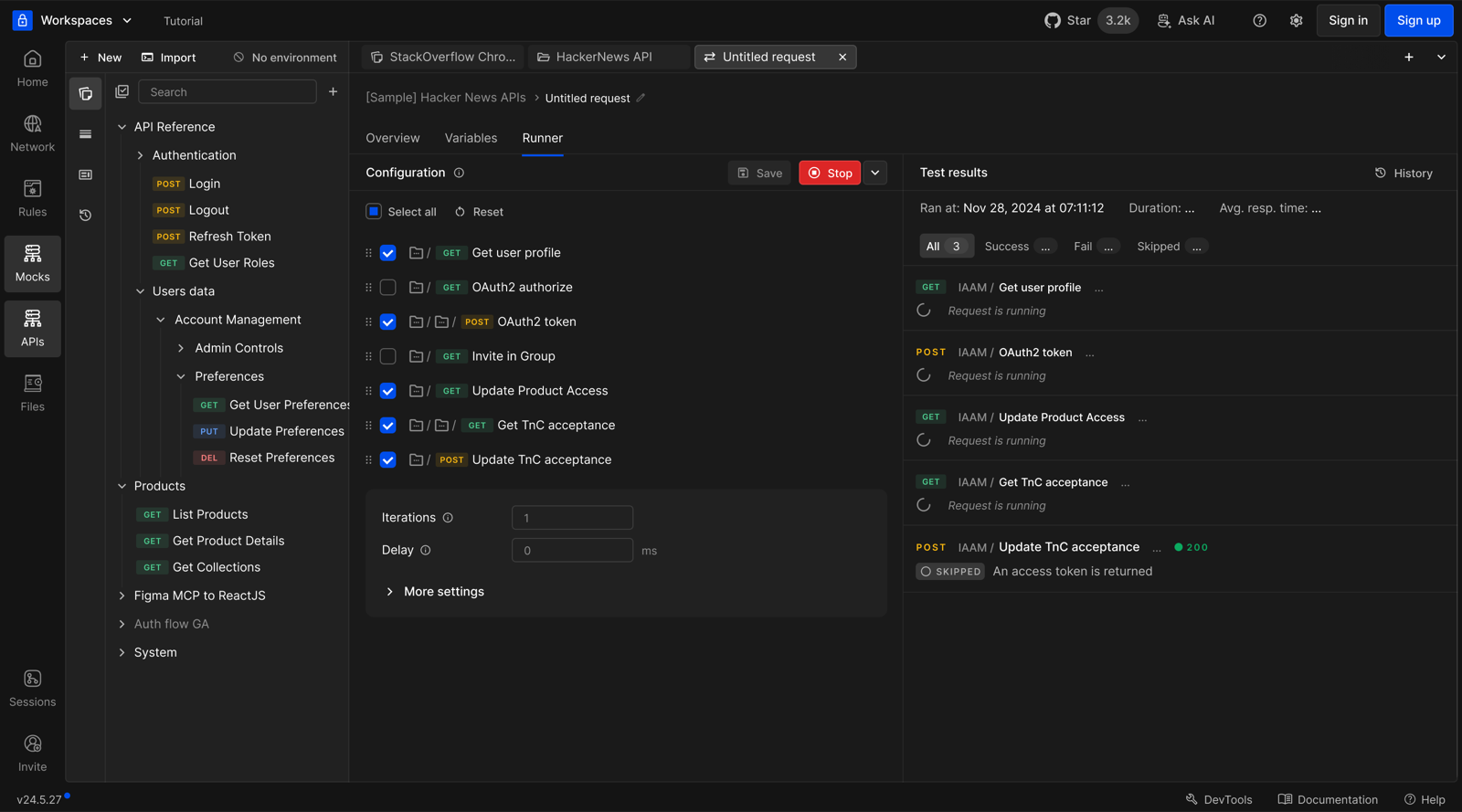
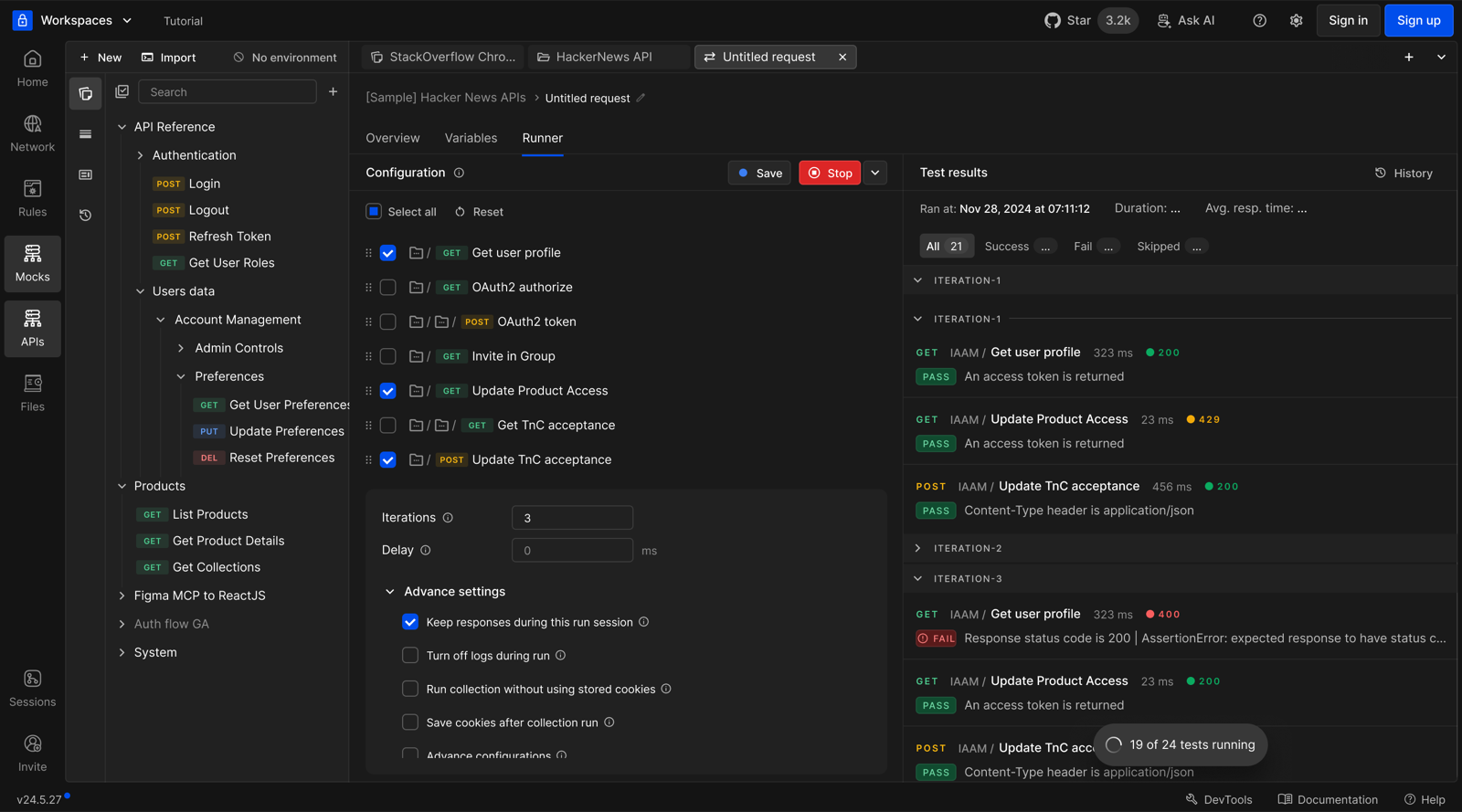
Collection runner
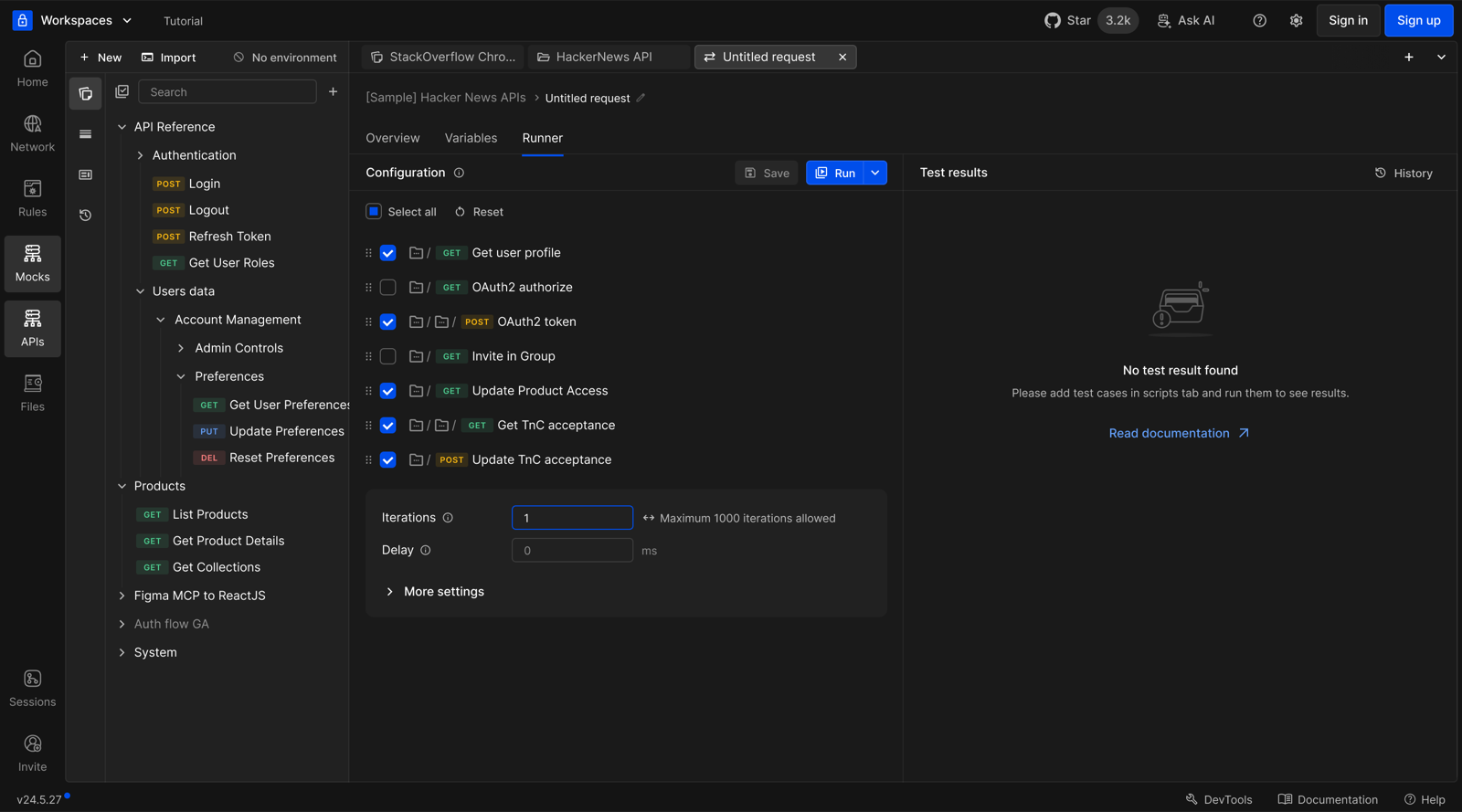
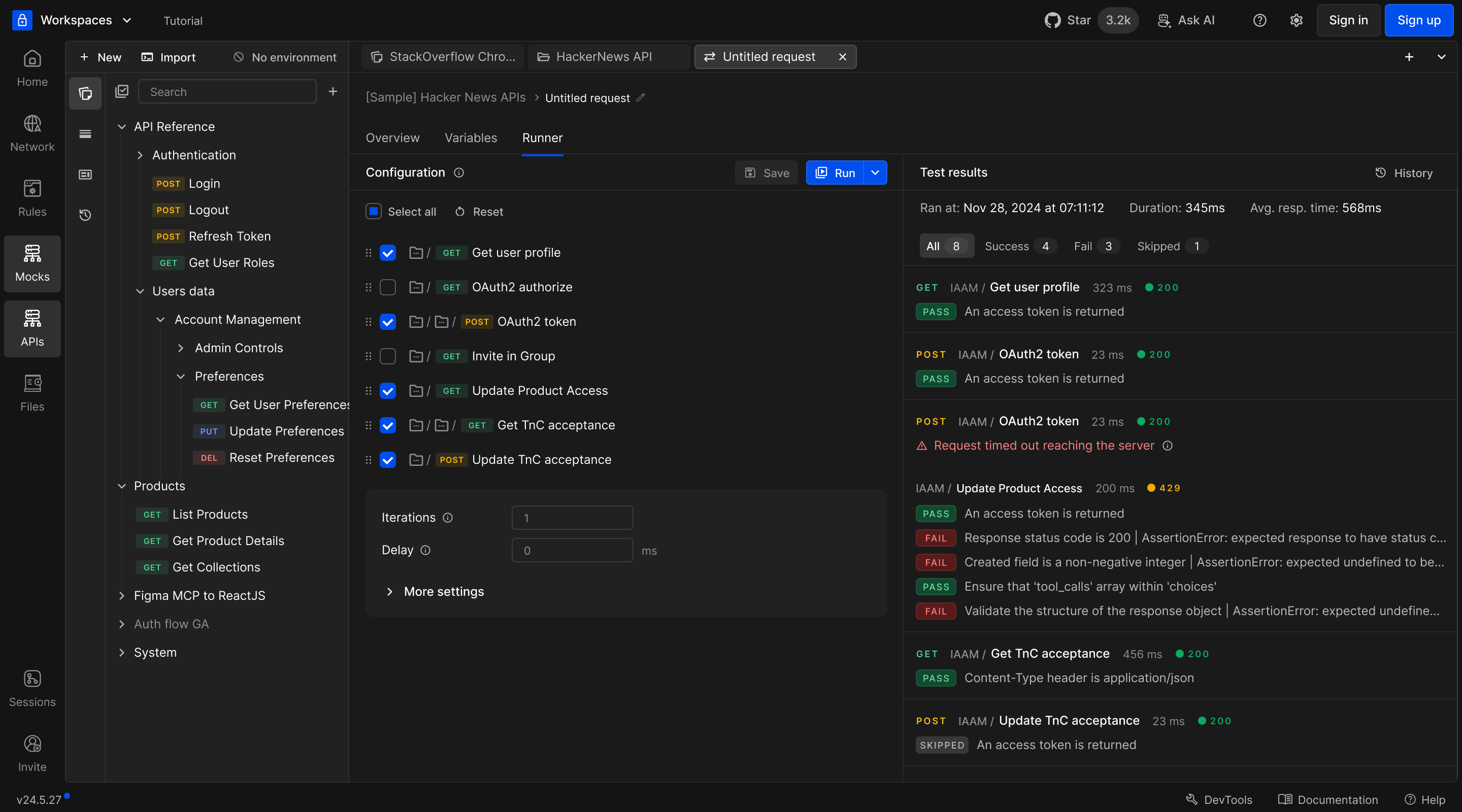
I designed the flow from choosing requests to reviewing a run. Developers could follow pass, fail, and skip results without leaving the workspace where they wrote their requests and tests.
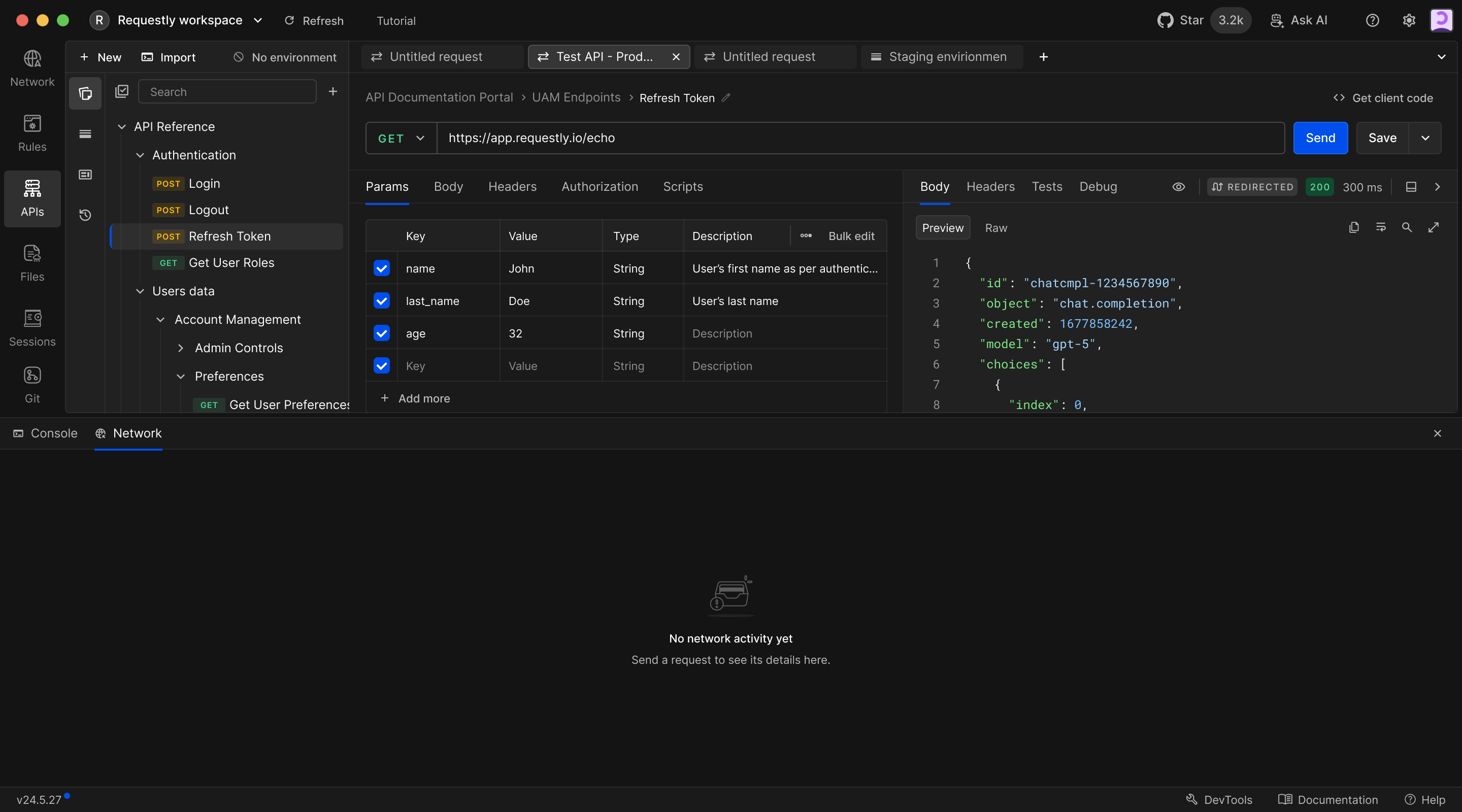
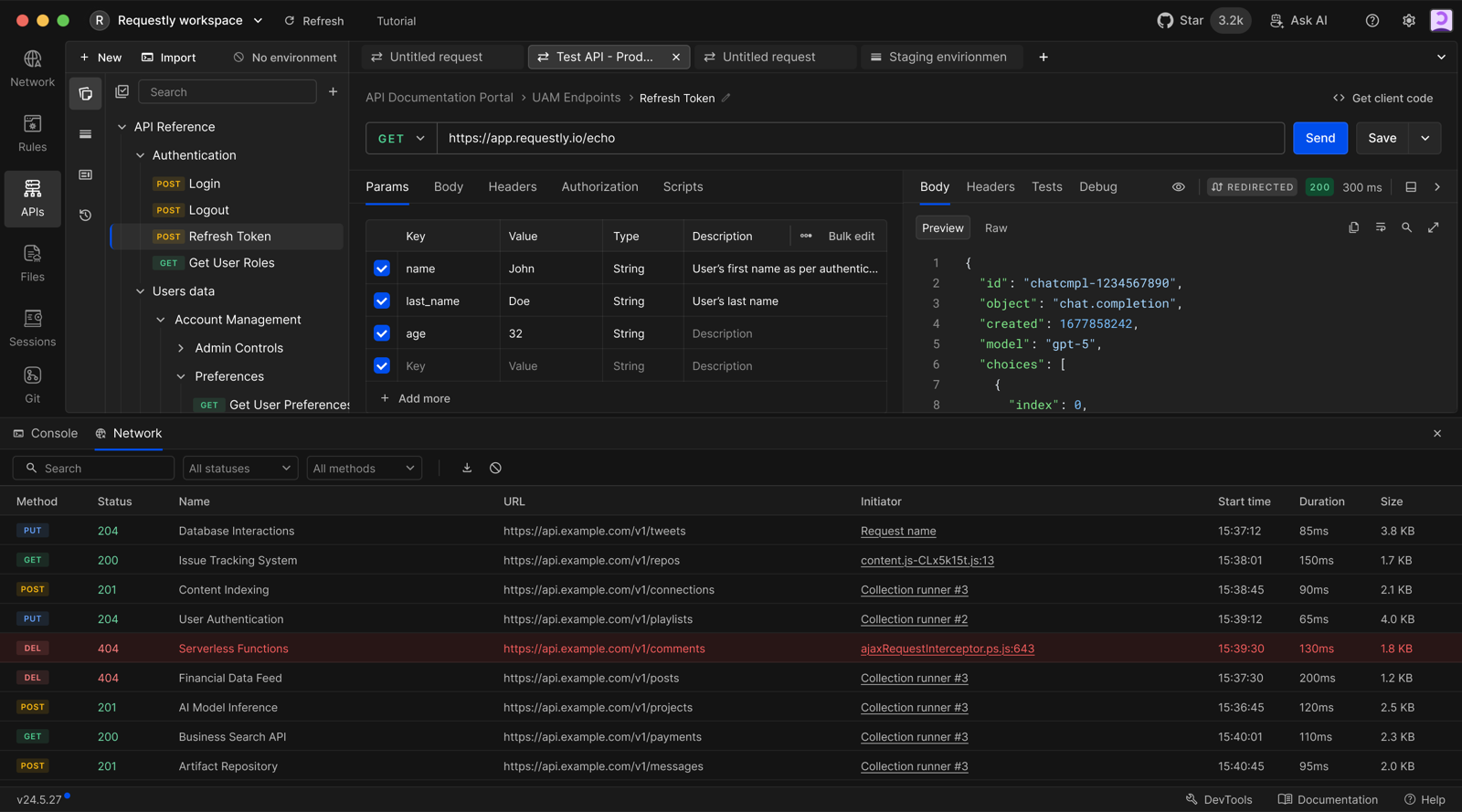
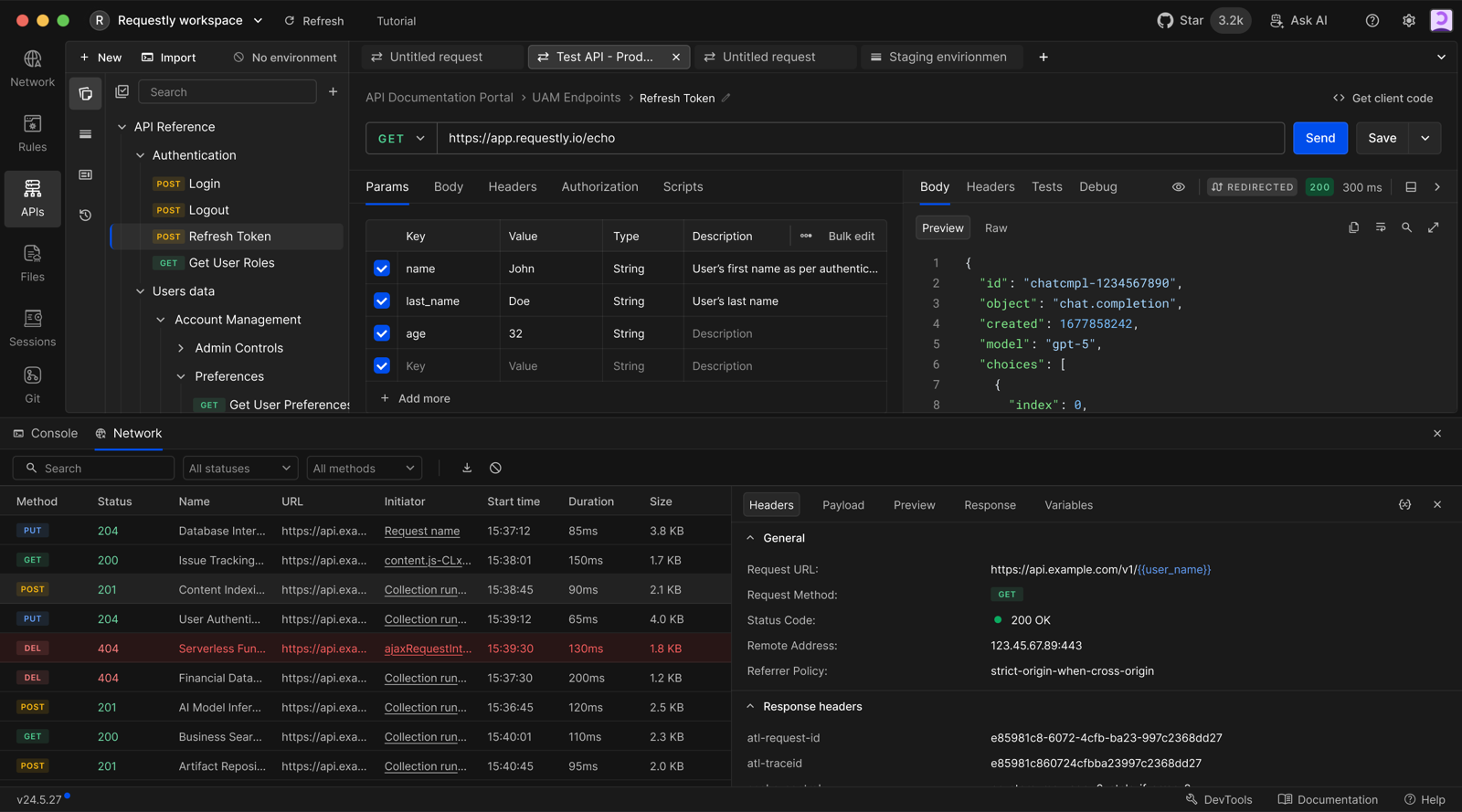
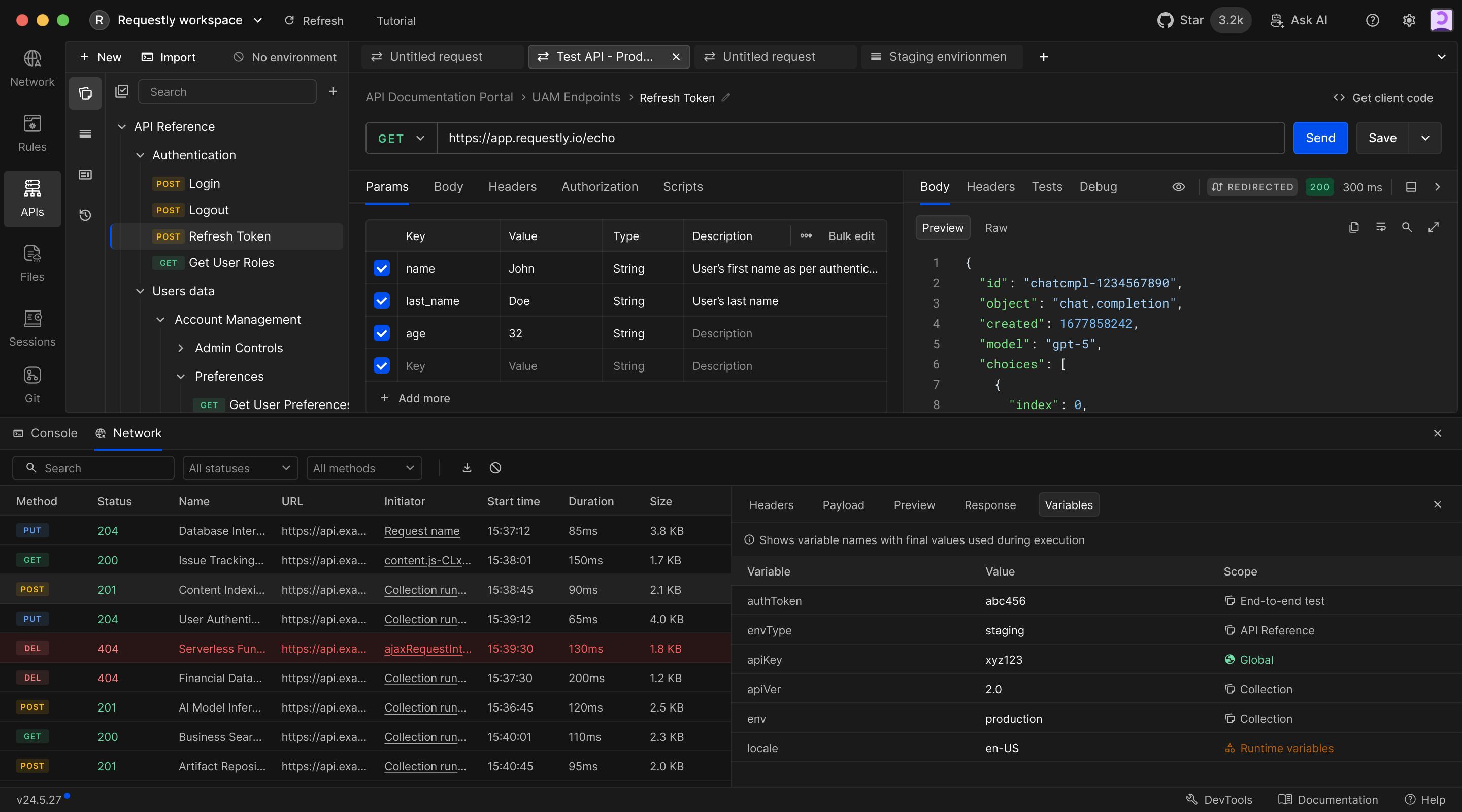
Network inspector
I designed the network panel alongside the request workspace, with headers and variables available for each call. This connected Requestly’s existing network tools with the new API client.
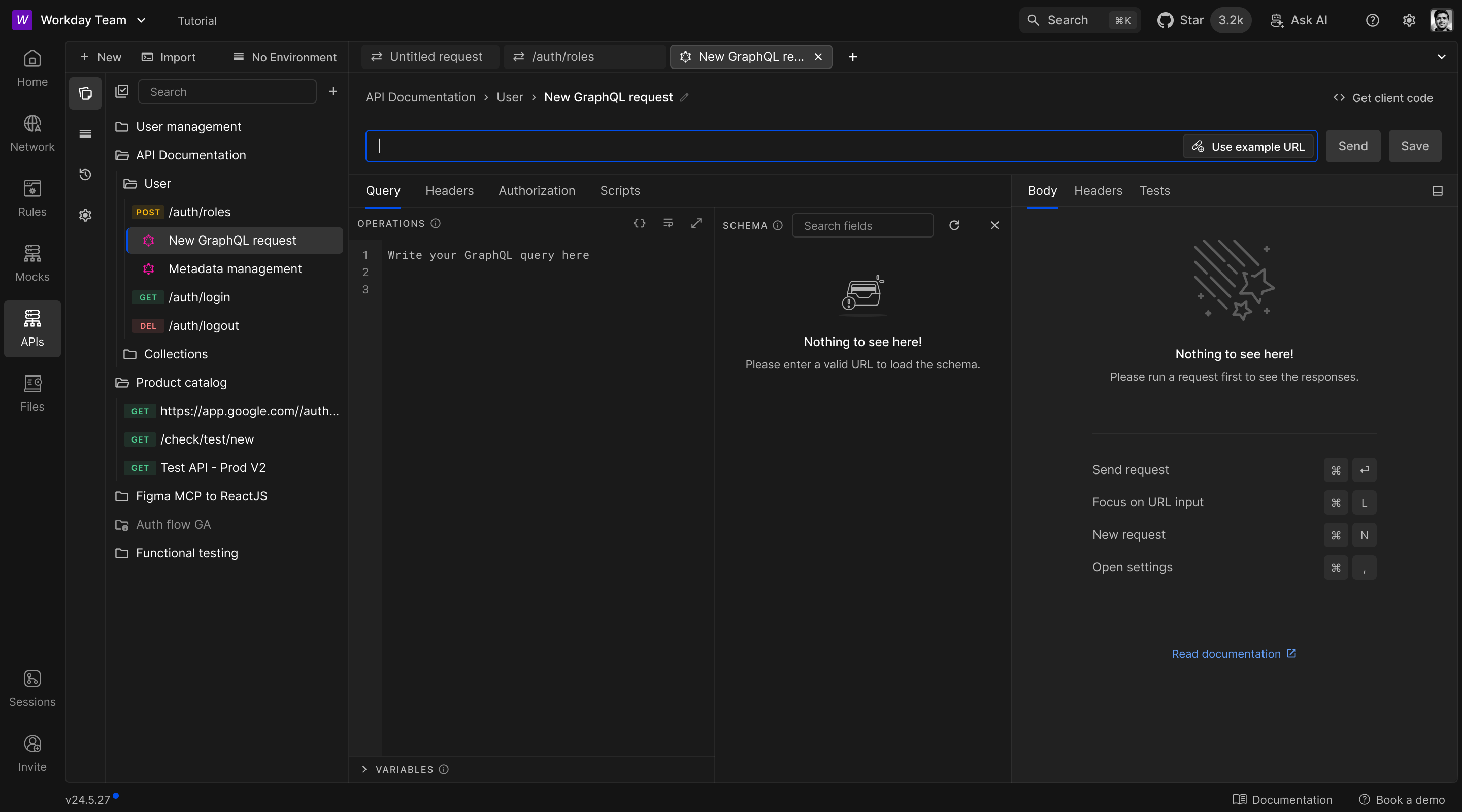
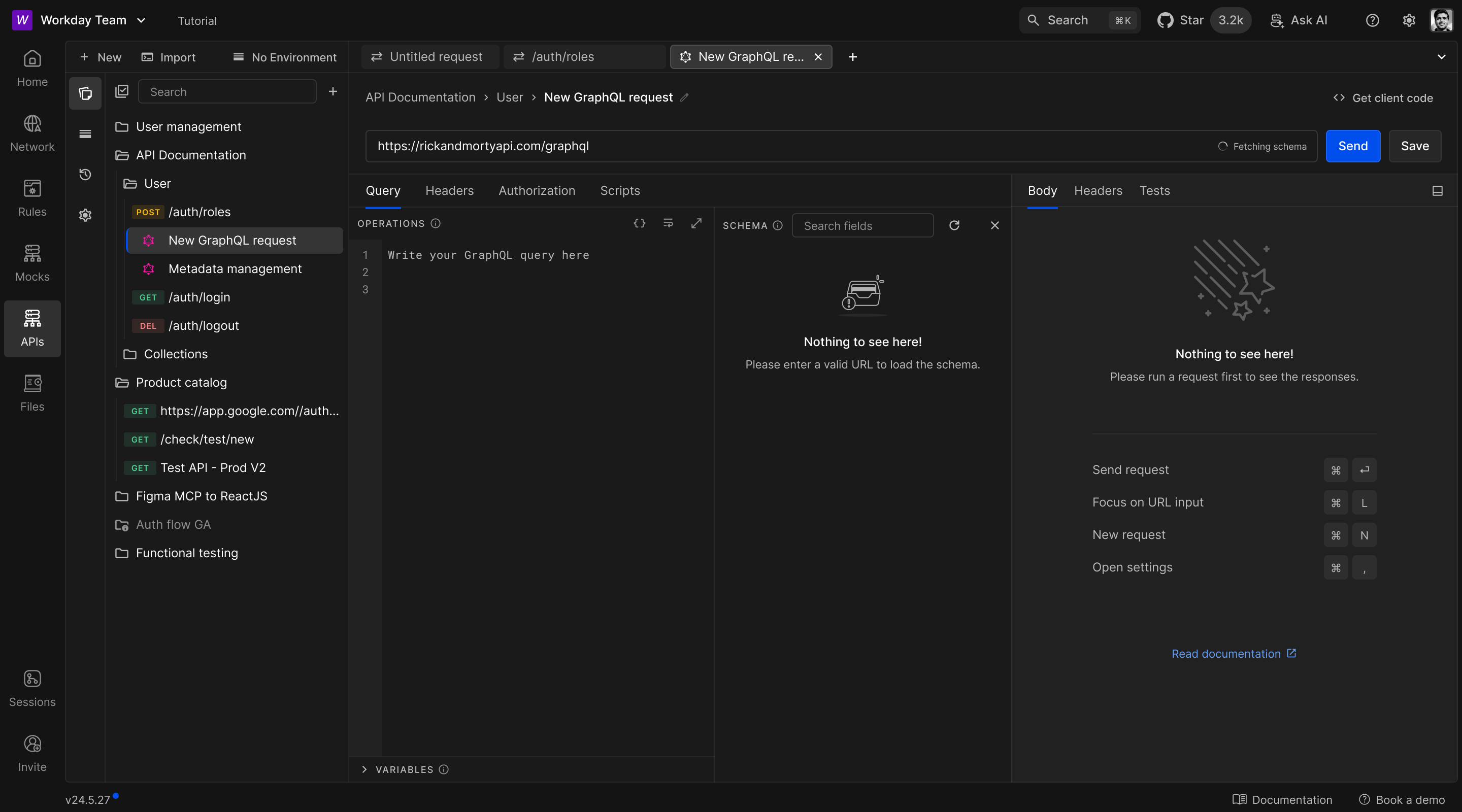
GraphQL
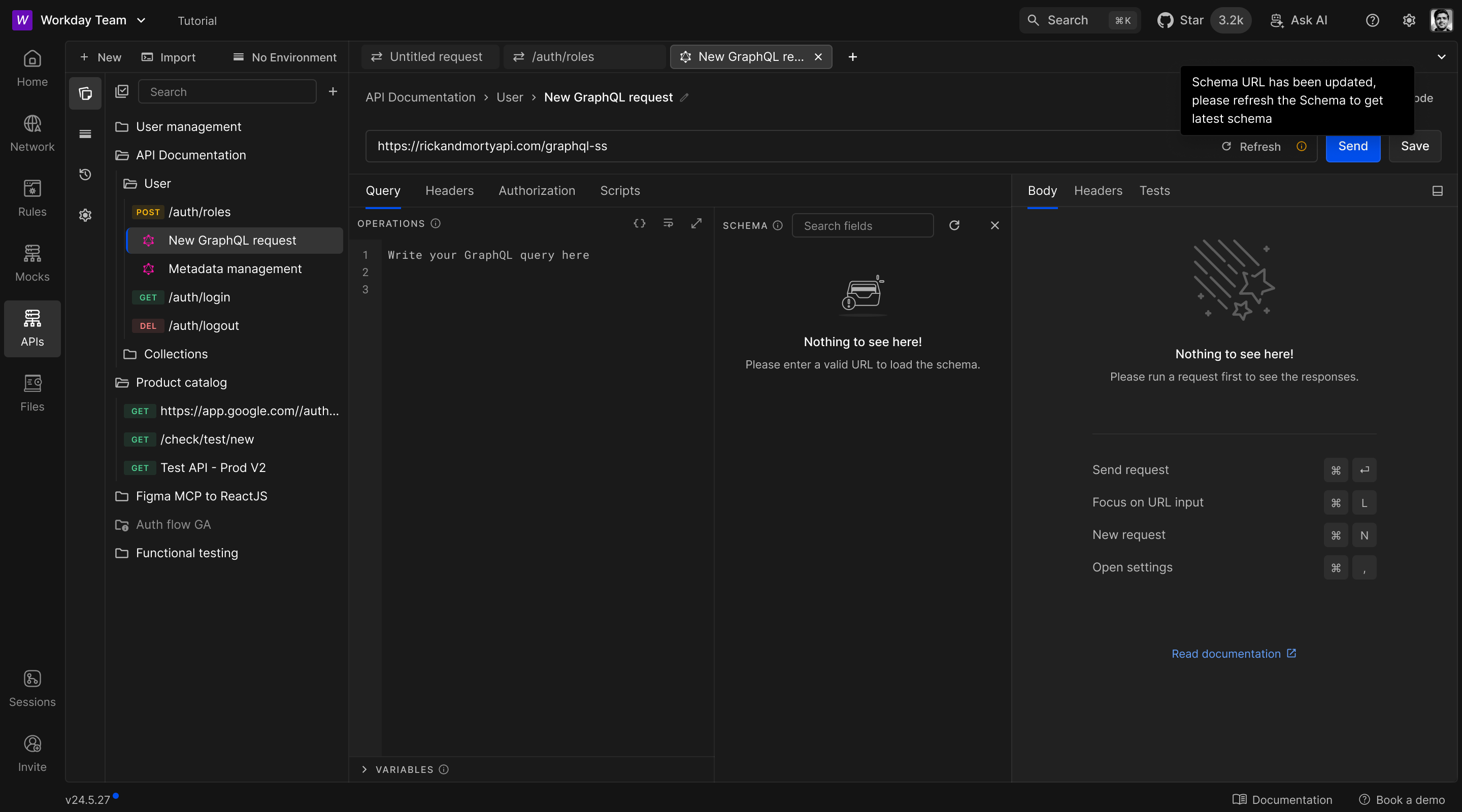
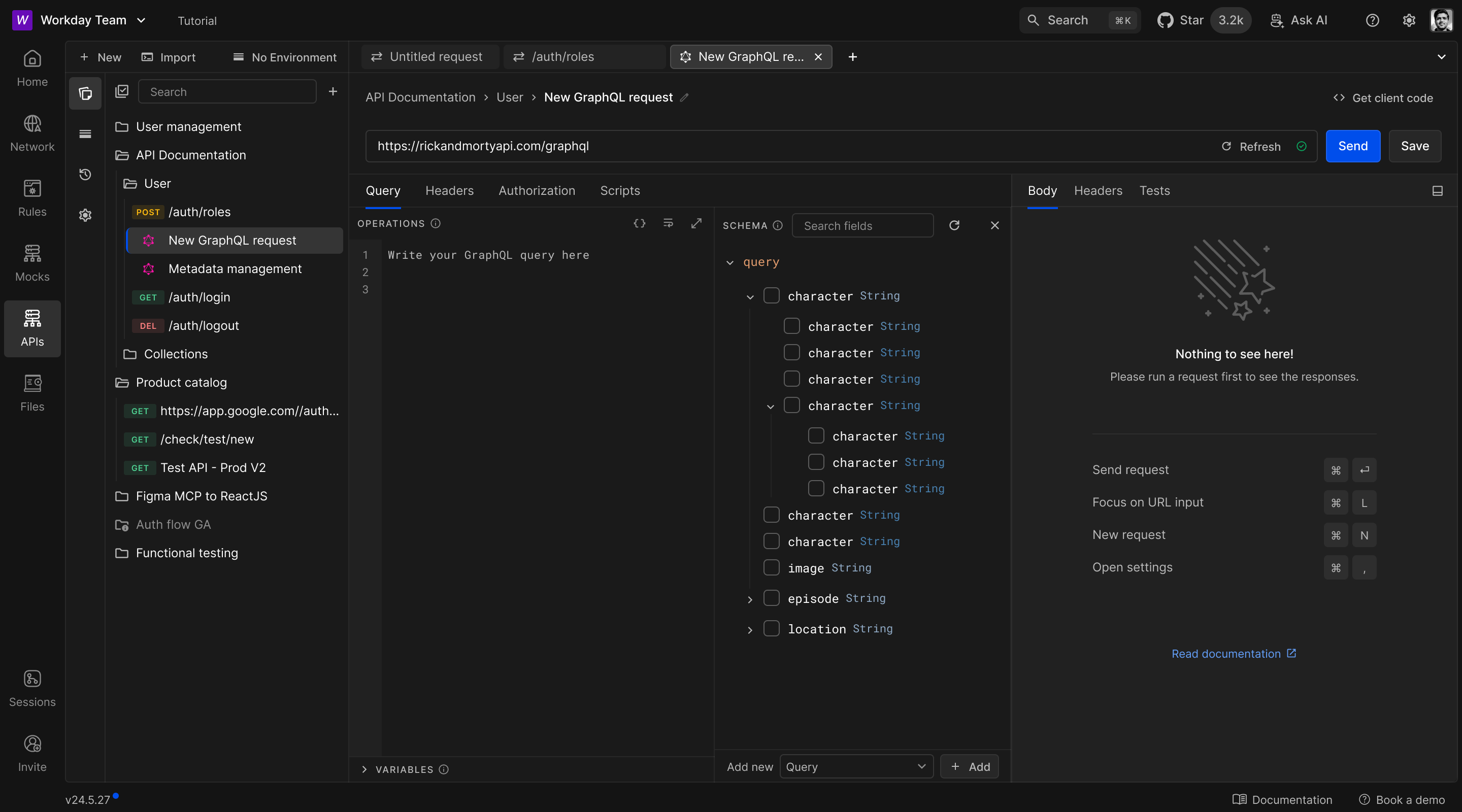
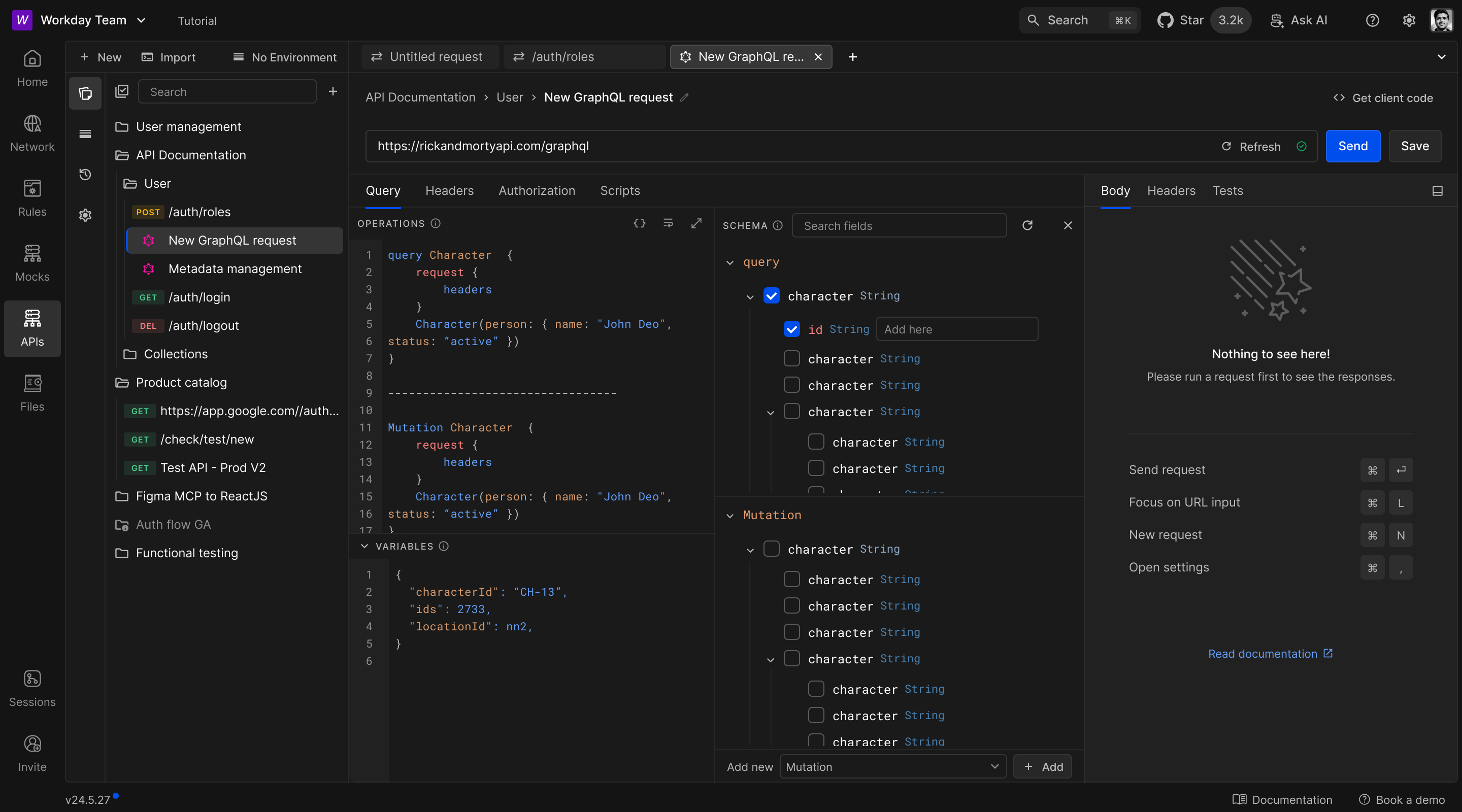
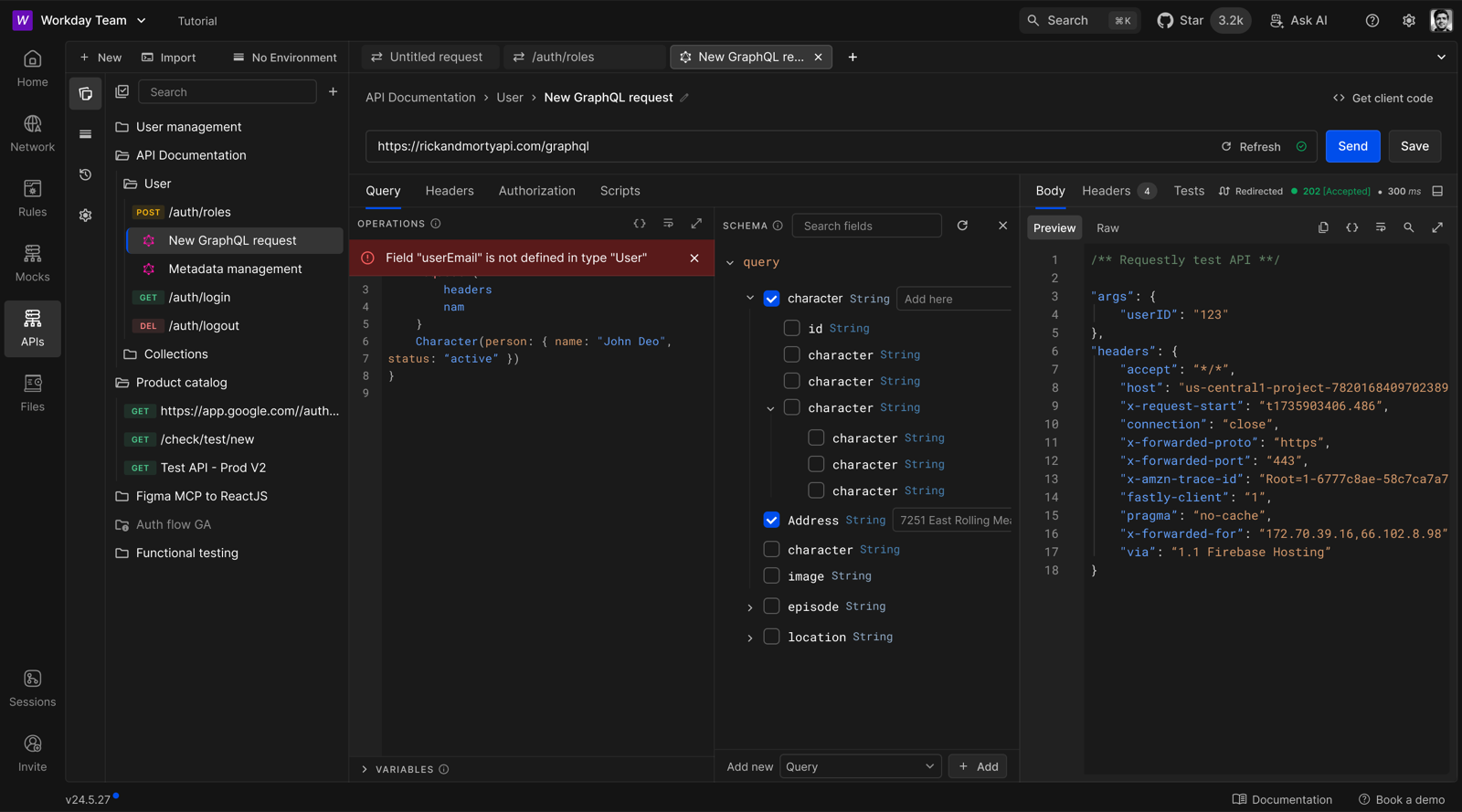
I designed the GraphQL workspace with a schema explorer beside the query editor. Developers could fetch the schema, browse fields, and see validation errors while writing a query.
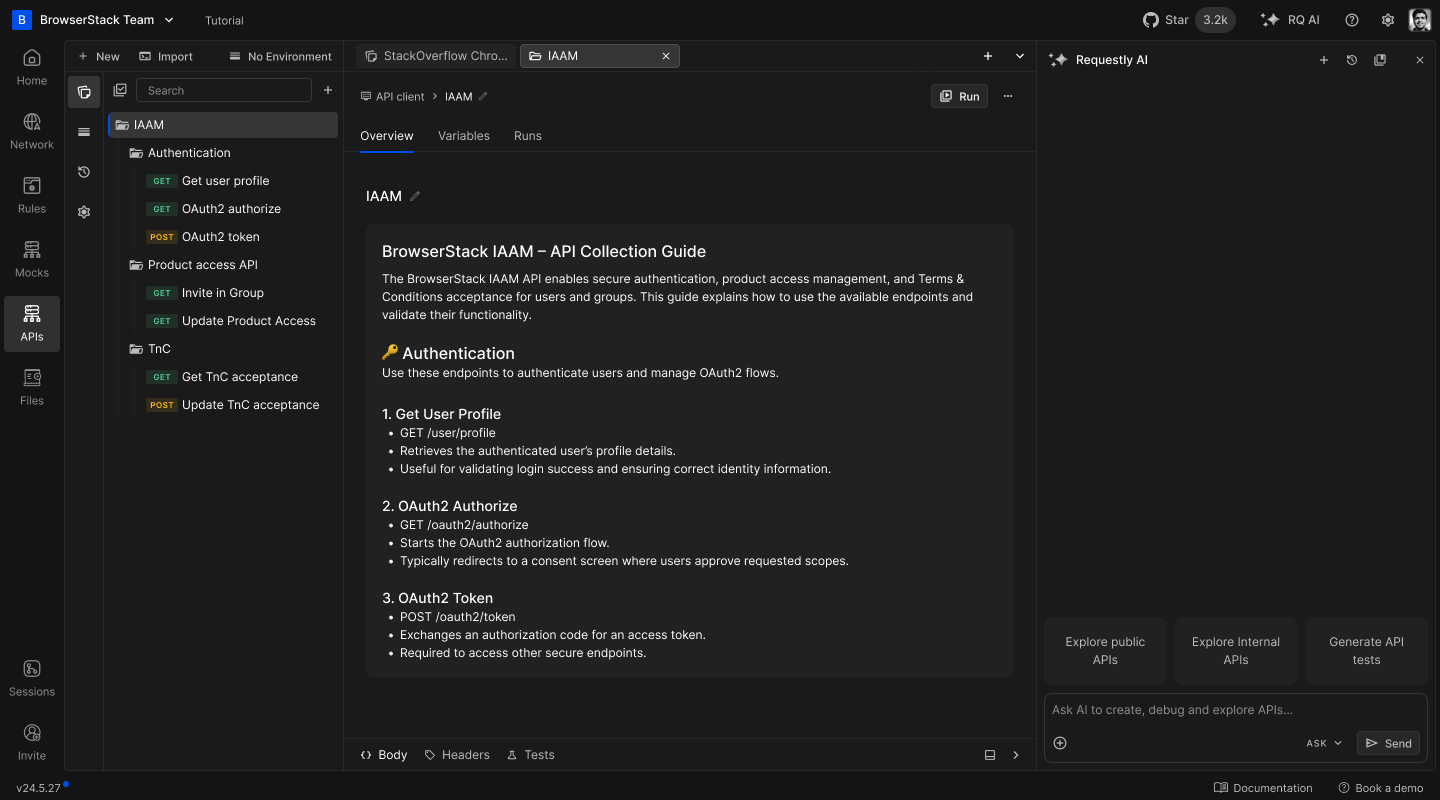
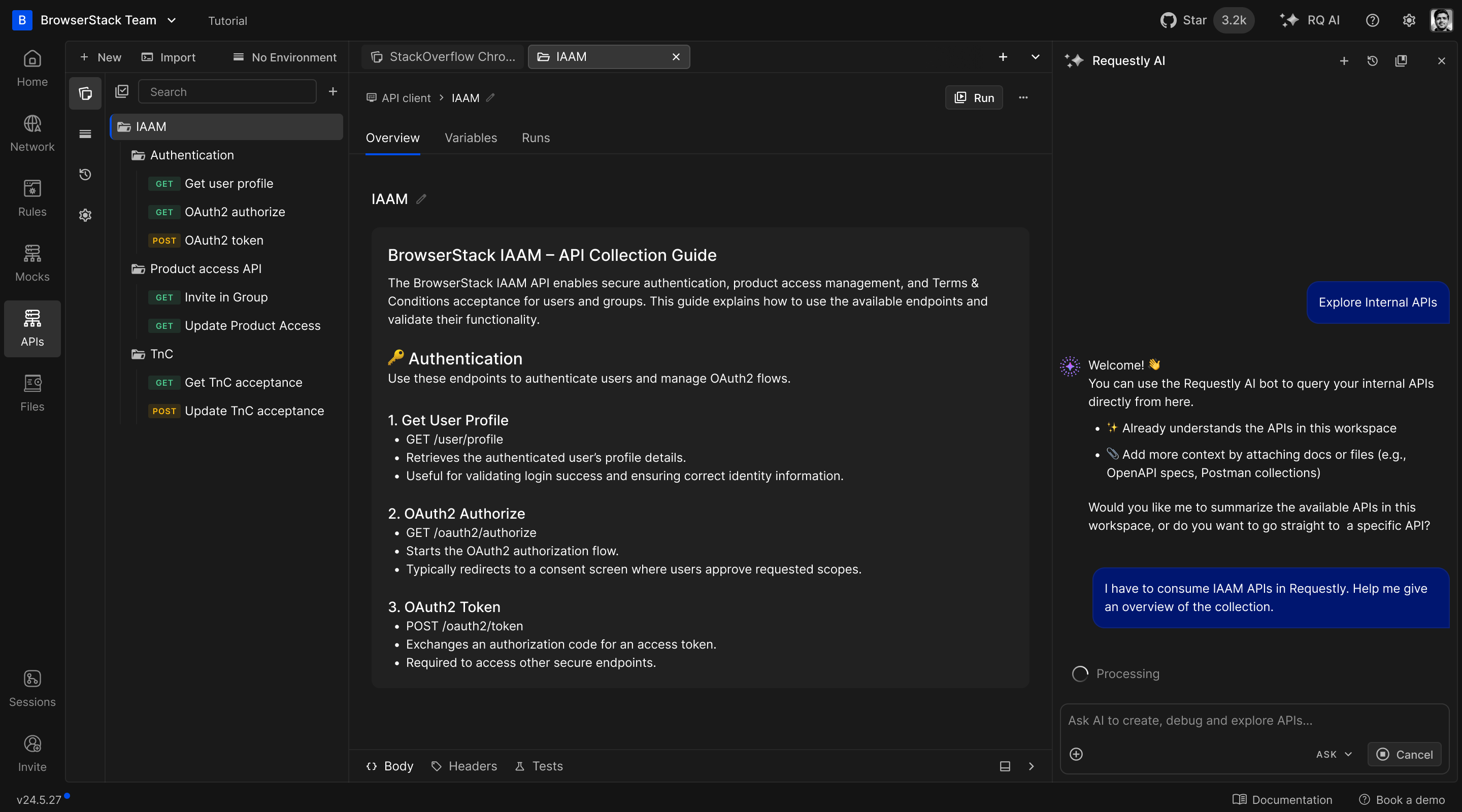
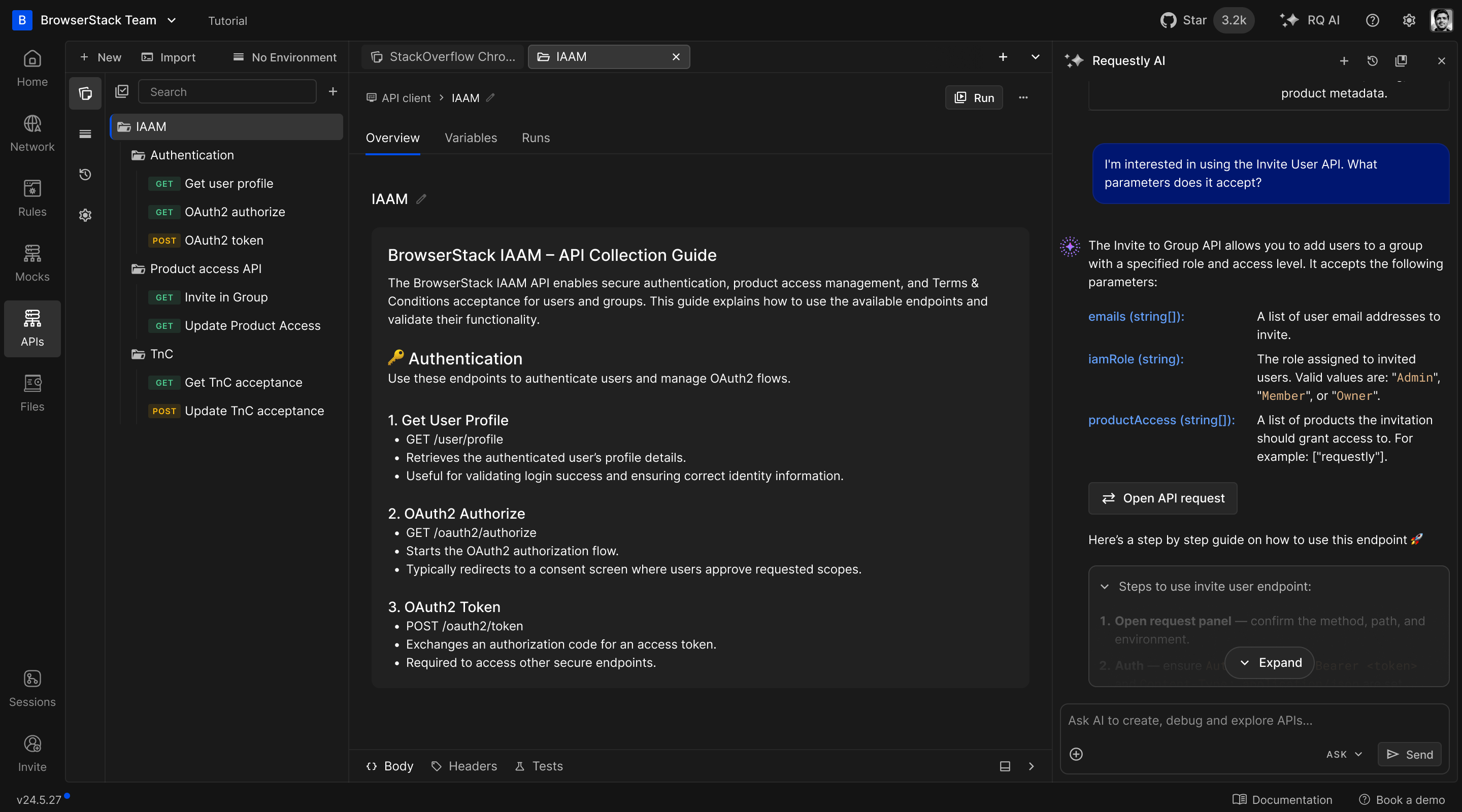
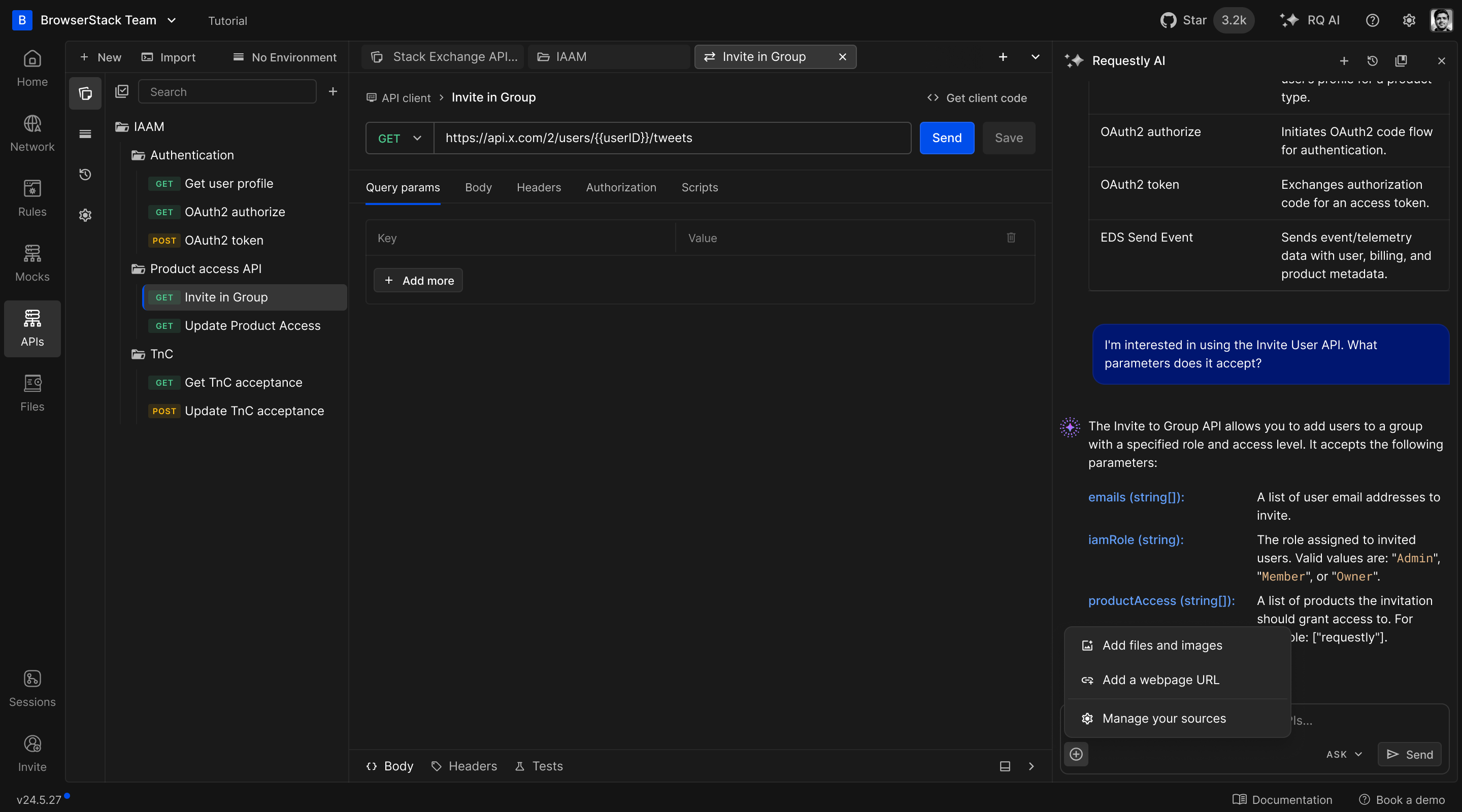
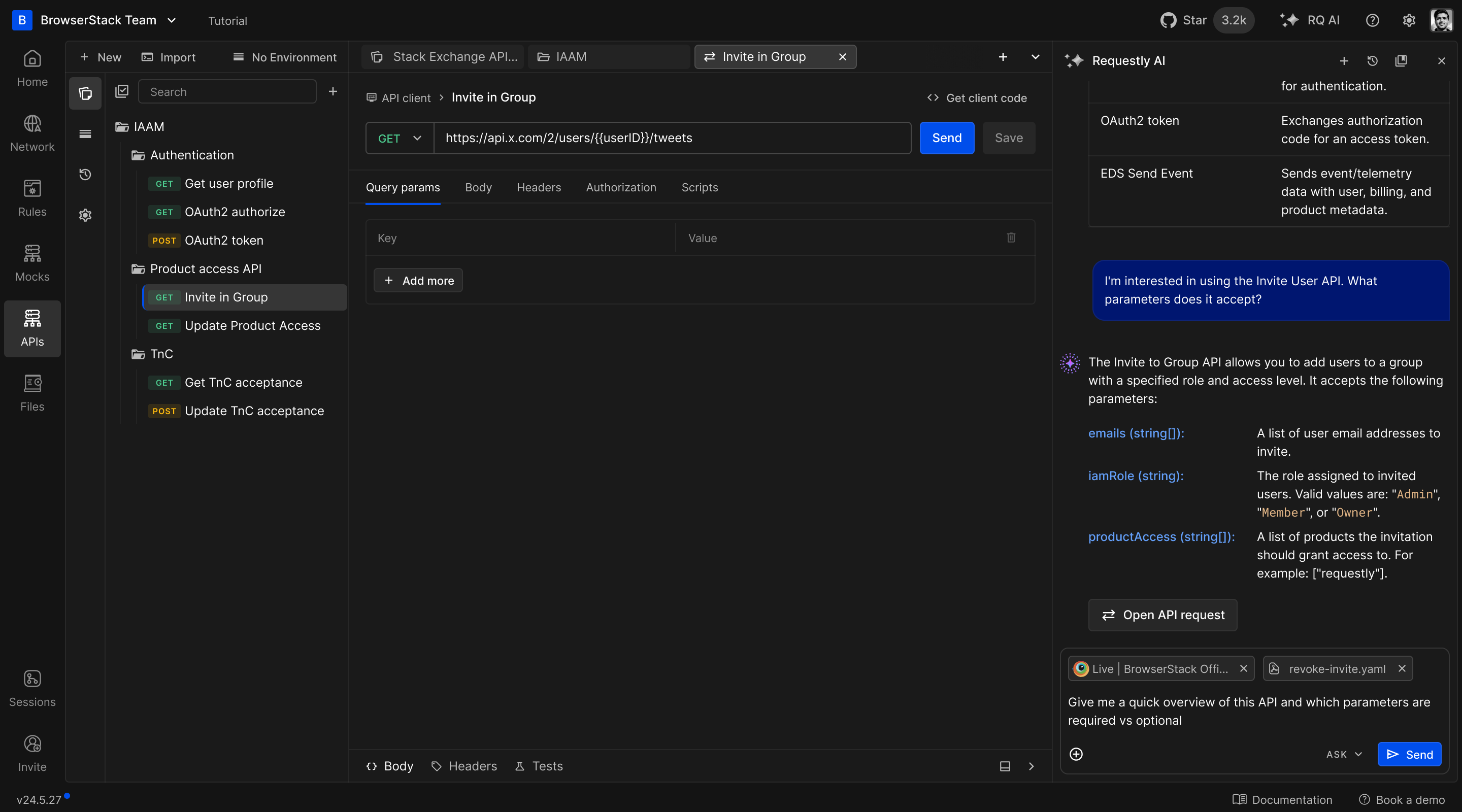
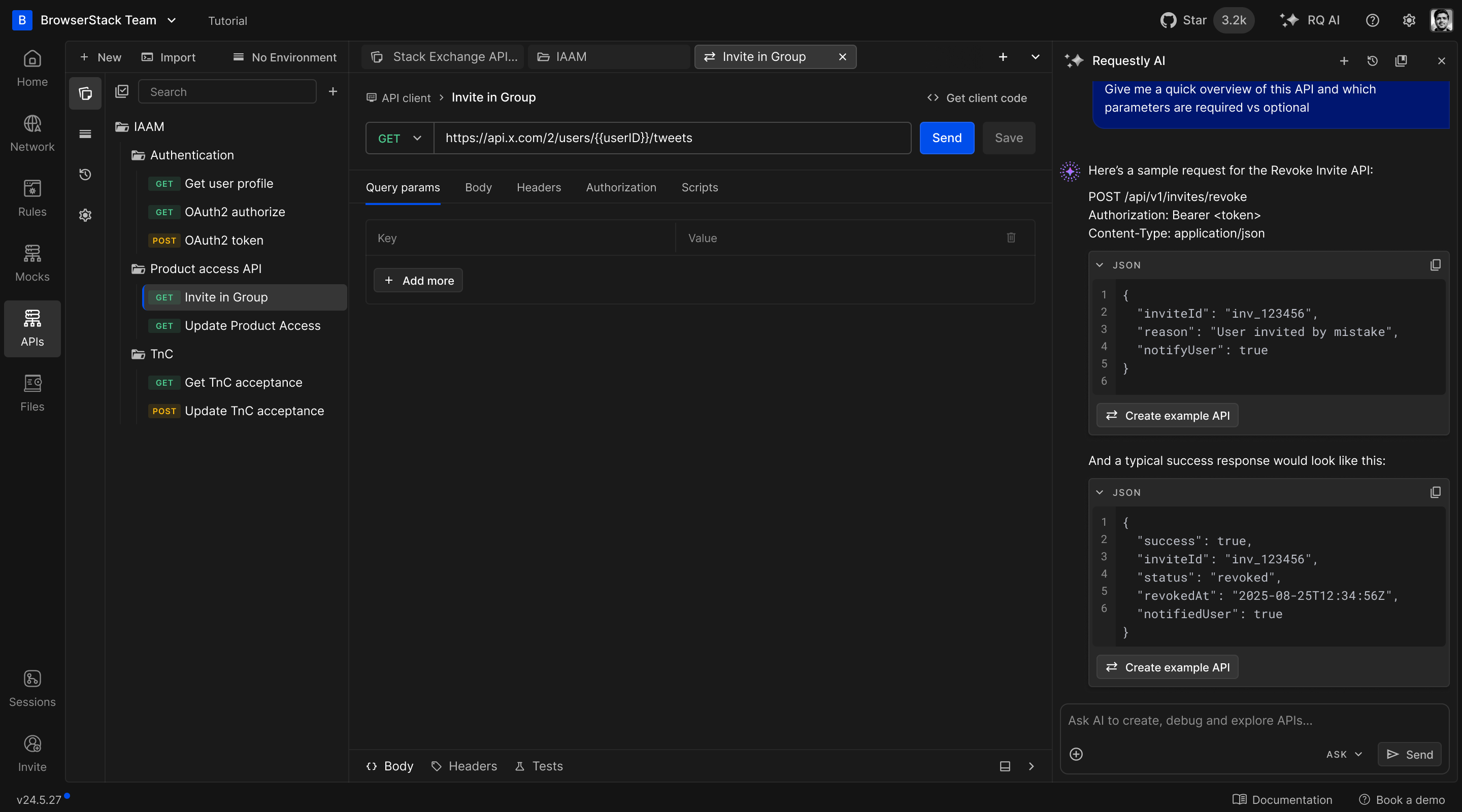
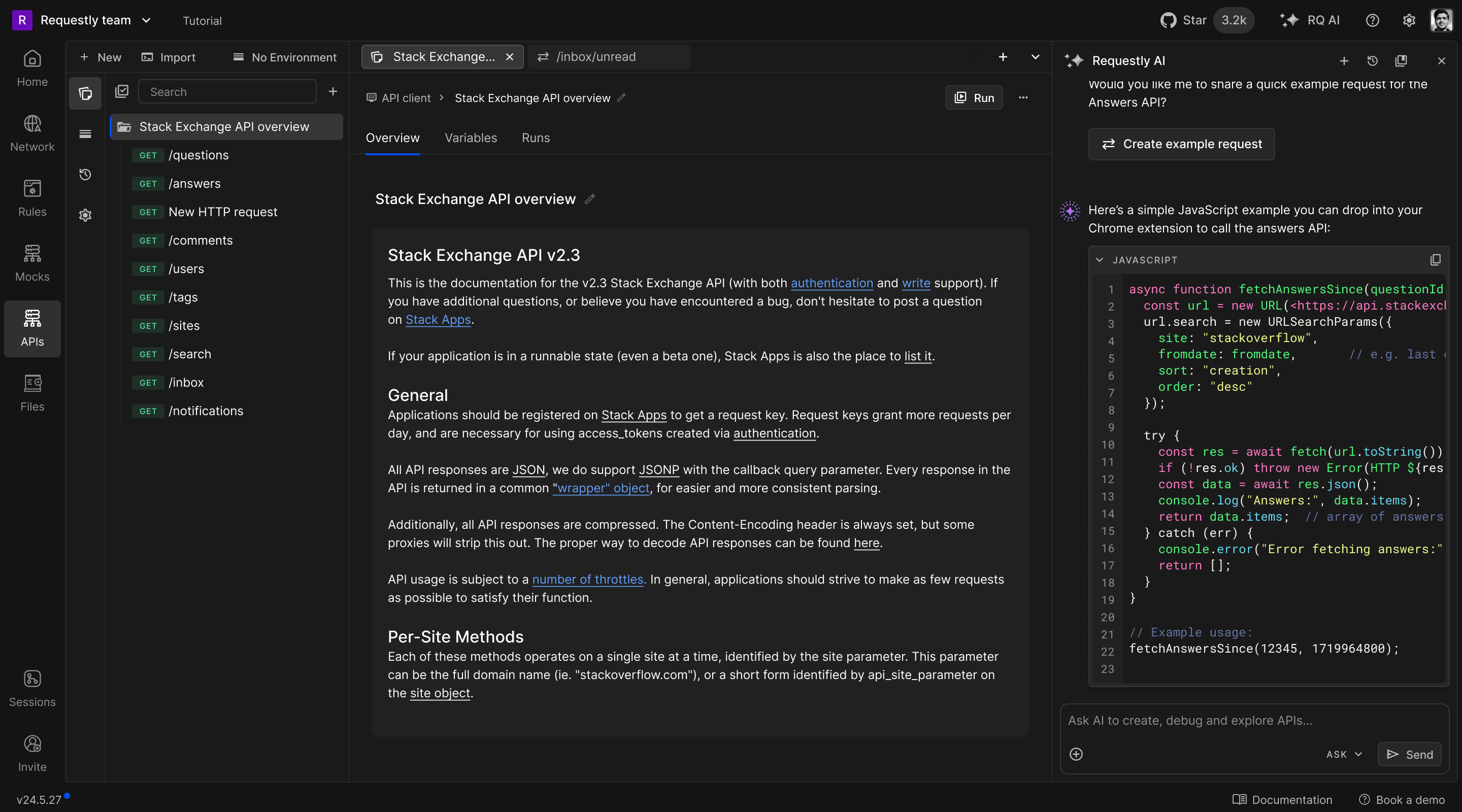
AI assistant
I designed the AI chat panel around the open workspace. Developers could ask it to create requests and collections, write tests, or update existing requests, then review the proposed changes before applying them.
Impact & reception
Requestly already had a large developer community, now with 300,000+ developers using its tools. The API platform expanded what that community could do in Requestly, from interception and mocking to managing and testing APIs end-to-end.
- End-to-end API management platform: Customers could organise requests, run tests, mock APIs, and debug live traffic in one platform, with local collections managed through Git.
- Recommended by developers: Influential developers shared the API client on YouTube and in open-source communities, recommending it as an alternative to established API tools.
- Higher day-one activation: Letting people use the app without signing up made it easier to try. We saw adoption grow and a clear increase in day-one activation, our main onboarding metric.
- Control over API data: Early feedback showed that developers felt more in control of their API data with local workspaces and Git, especially those concerned about privacy.
- Moving from paid API tools to one connected Requestly platform: Customers valued having testing, mocking, and debugging together. The connected workflow helped them move from paid tools to Requestly for their end-to-end API work.
After Requestly became part of BrowserStack, we continued building on the API platform, adding AI features and expanding what developers could do in the app. We’re still working on it.