
Rebuilding an open-source Chrome extension for developers.
I joined Requestly as founding designer and redesigned the extension end to end. I led the research, information architecture, interaction and visual design, iteration, and a lightweight design system built for startup speed. The extension now serves 300,000+ developers and has a 4.5-star rating on the Chrome Web Store.
- Role
- Founding product designer
- What I designed
- Extension, rules, onboarding, and the design system
- Company
- Requestly, now part of BrowserStack
- Built around
- Customer feedback, quick actions, and clear rule status
- Impact
- Simpler rule creation, better rule visibility, and positive customer reception
Goals
Turn an engineer-built extension into a clear, reliable product that helps developers create and access rules quickly, understand what is running on a website, and reach useful starting points without learning the whole Requestly product first.
Quick background
Before Requestly had a design function, engineers had built the extension feature by feature. It already had an active user base, but the interface had grown without a consistent information architecture, interaction model, or visual system.
I reviewed feedback from our internal customer channels, GitHub issues, and Chrome Web Store reviews. This secondary research showed recurring problems across navigation, rule discovery, system status, and first use. Based on that evidence, we decided to rebuild the extension from scratch instead of continuing to patch it.
Used by 300,000+ developers at these companies, and 50,000+ more.





The problems
Fragmented information architecture: Features had been added as the product grew, but the extension did not give developers a clear hierarchy or a predictable path between common tasks.
Unclear system status: It was difficult to tell whether the extension was enabled, which rules were active on the current website, or whether a recording was running.
A slow path to the first rule: New users had to understand the product before they could act. There were not enough templates, onboarding cues, or quick-start options to guide them.
Disconnected rule workflows: Creating, finding, and checking a rule required too much movement between the extension and the full application, with little feedback on the website being tested.
Key design decisions
Start with the information architecture:
I mapped the product from common developer jobs outward, then reorganised the extension around quick actions, active rules, recording, and a clear route into the full application.
Make the extension a quick-start dashboard:
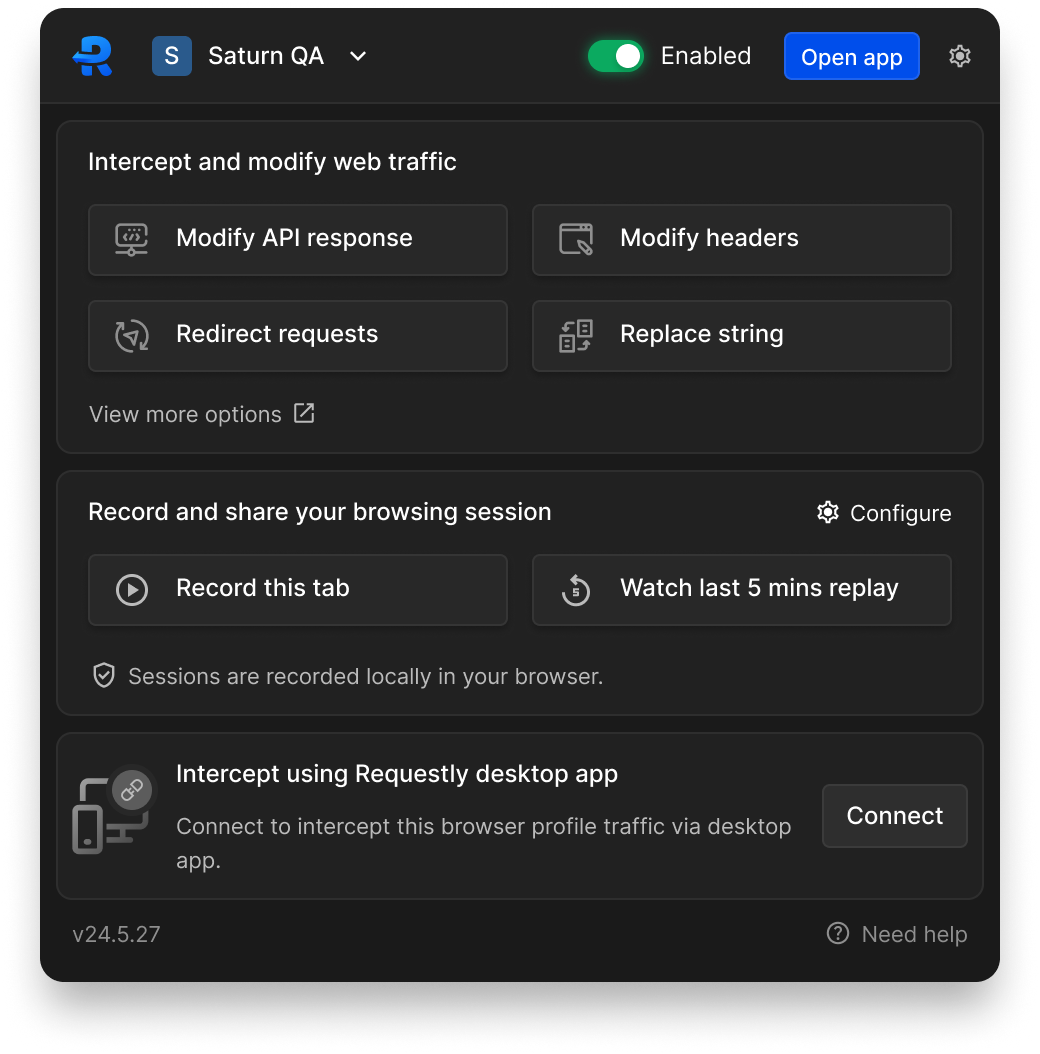
The home panel surfaces frequent actions and templates so developers can start from an intent instead of first learning Requestly's feature taxonomy.
Keep rules one step away:
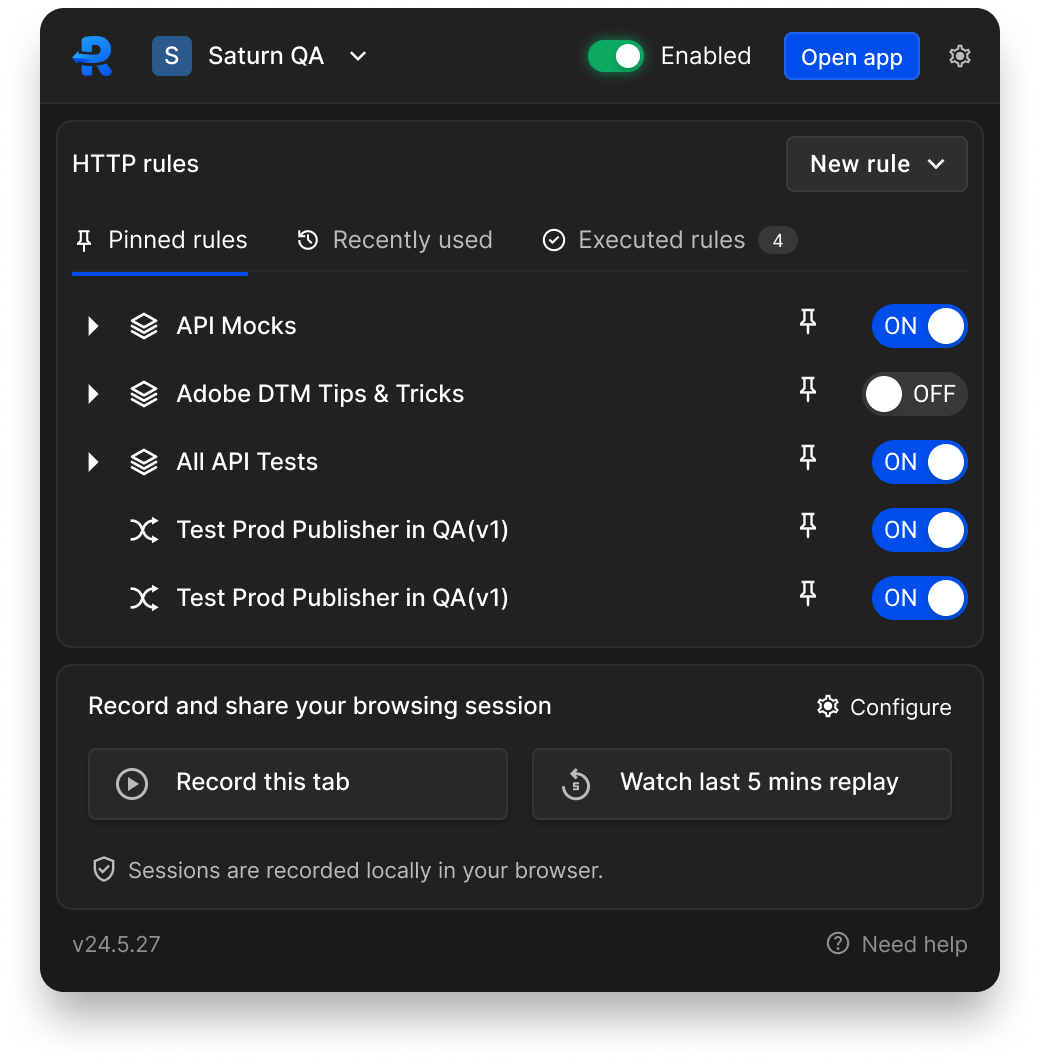
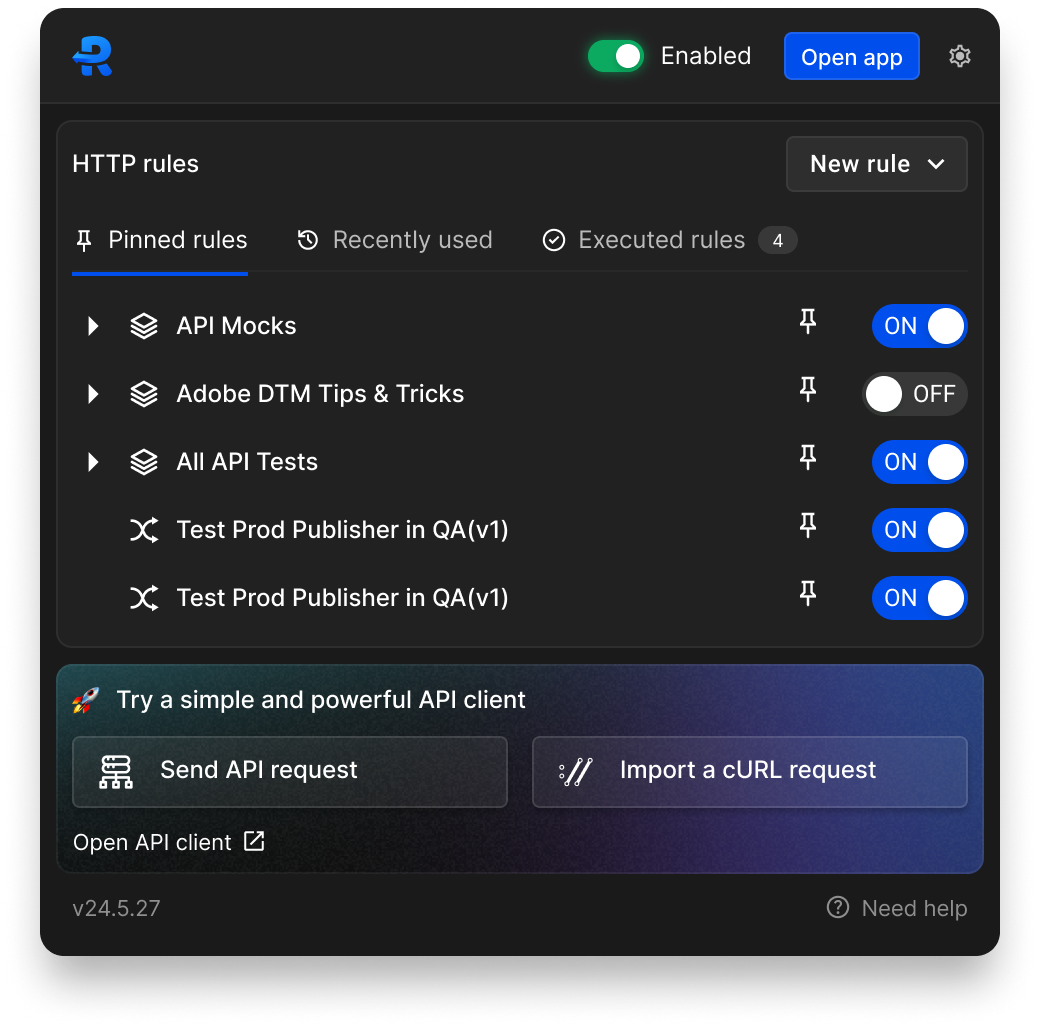
I rebuilt the rules application panel and added faster access through the sidebar, with clearer listing and details views for managing rule state.
Carry feedback onto the website:
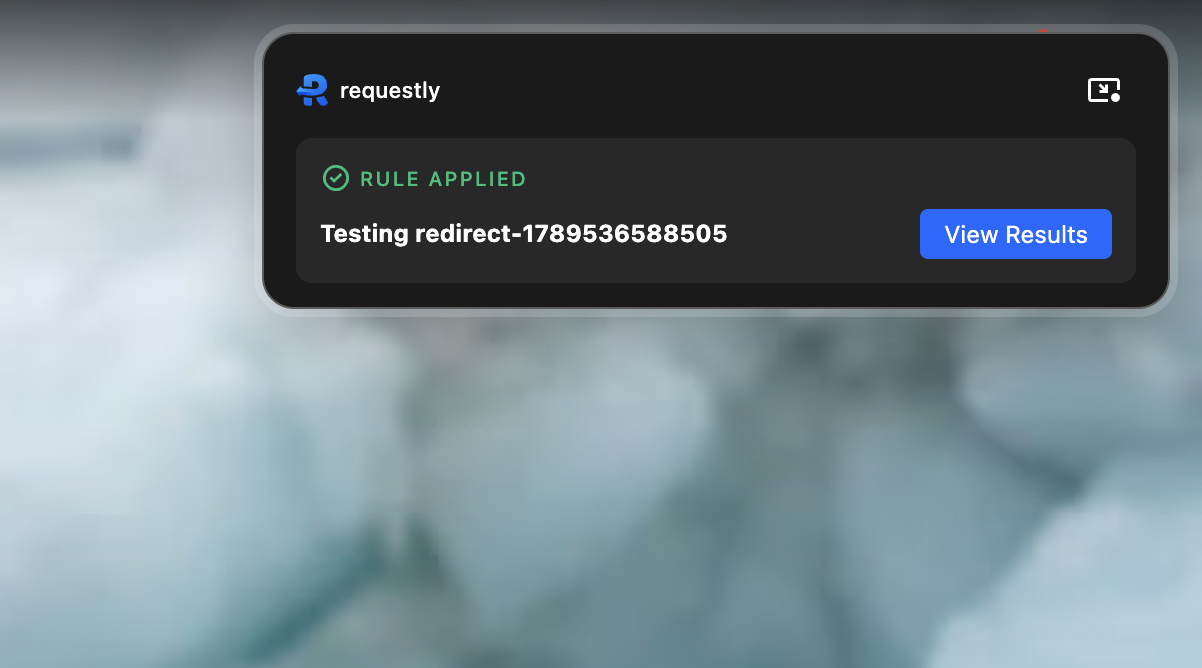
A compact on-page widget shows when Requestly is active. Its expanded state confirms which rule ran and gives developers a direct path to the result.
Build only the design system we needed:
I created a lightweight visual system for colour, type, spacing, and reusable components. It gave the redesign consistency without slowing a small startup team with a large standalone design-system project.
Iterate before polishing:
I explored multiple structures and interaction models, narrowed them to one direction, and then completed the visual design. This kept early decisions inexpensive to change.
Extension home & guided first use
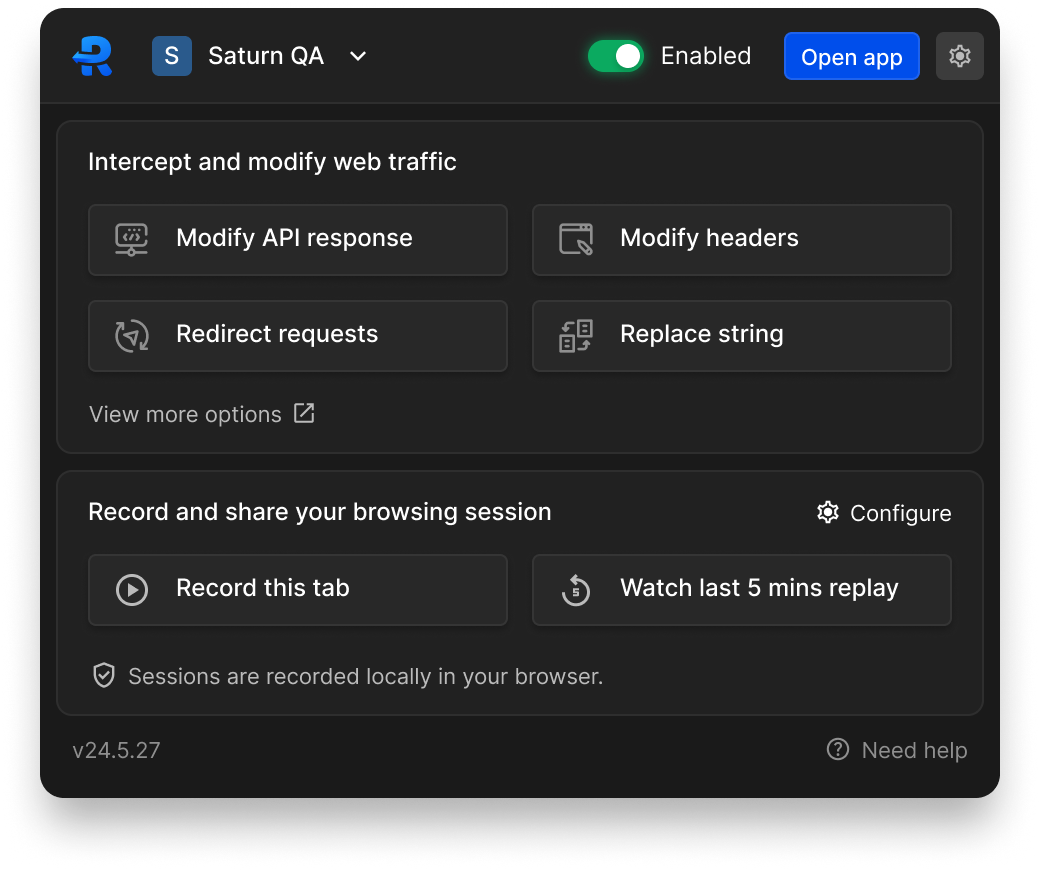
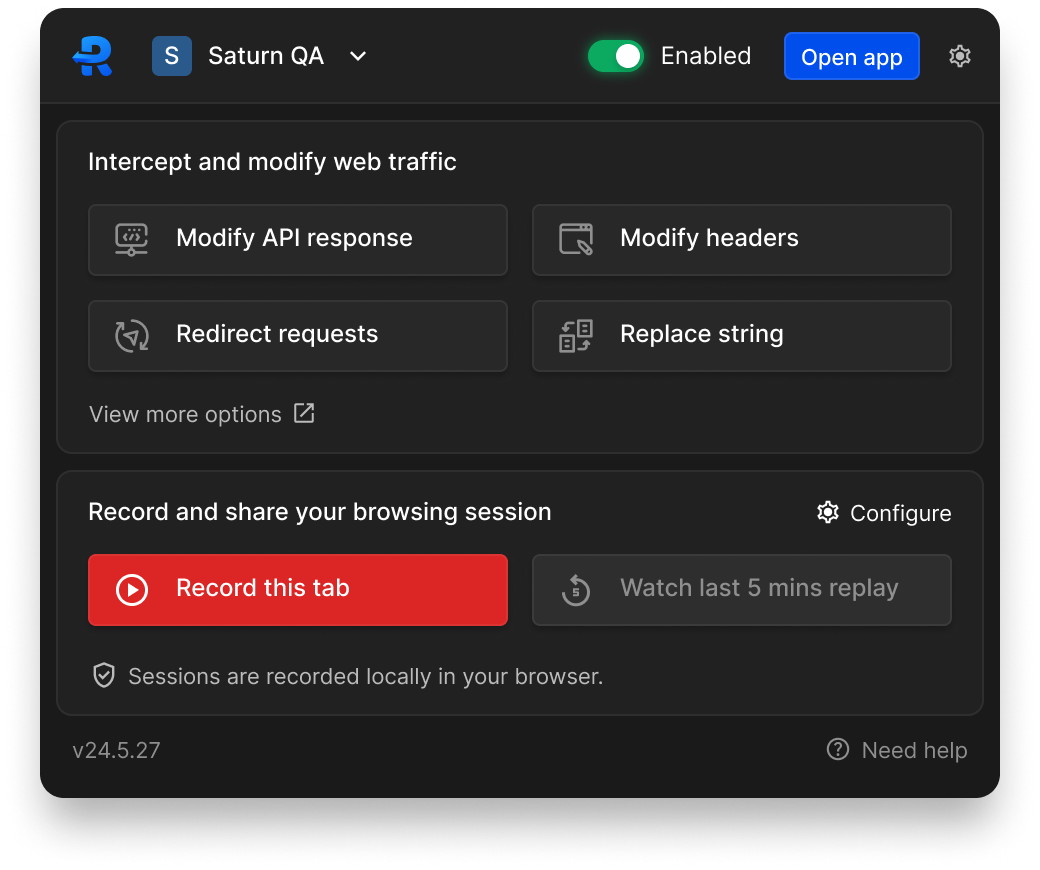
The redesigned home panel gives developers direct access to common rule templates, recording, active states, and the full application. Onboarding and quick-start choices help new users begin with a task, while experienced users can reach their rules without extra navigation.

Rules from setup to live feedback
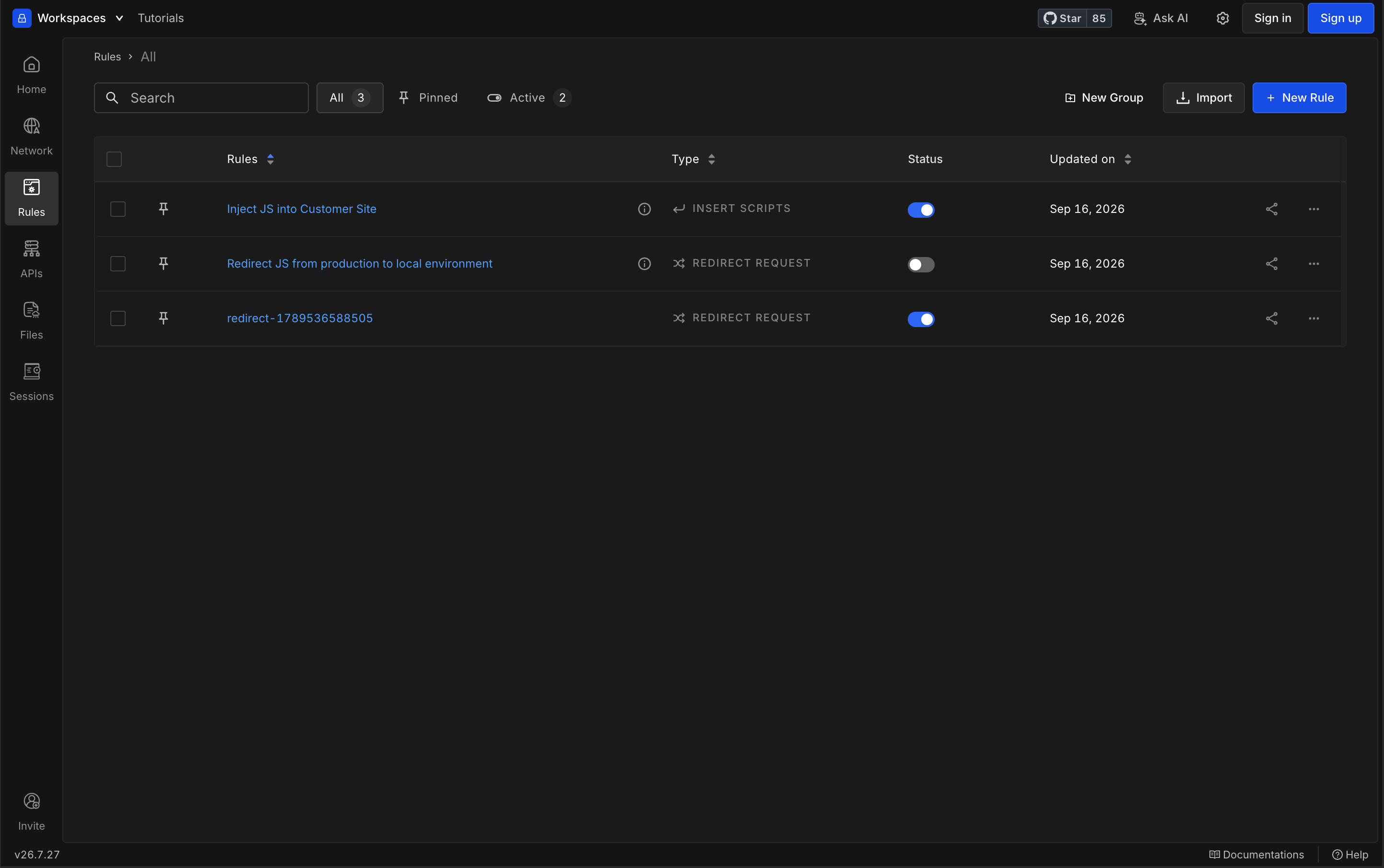
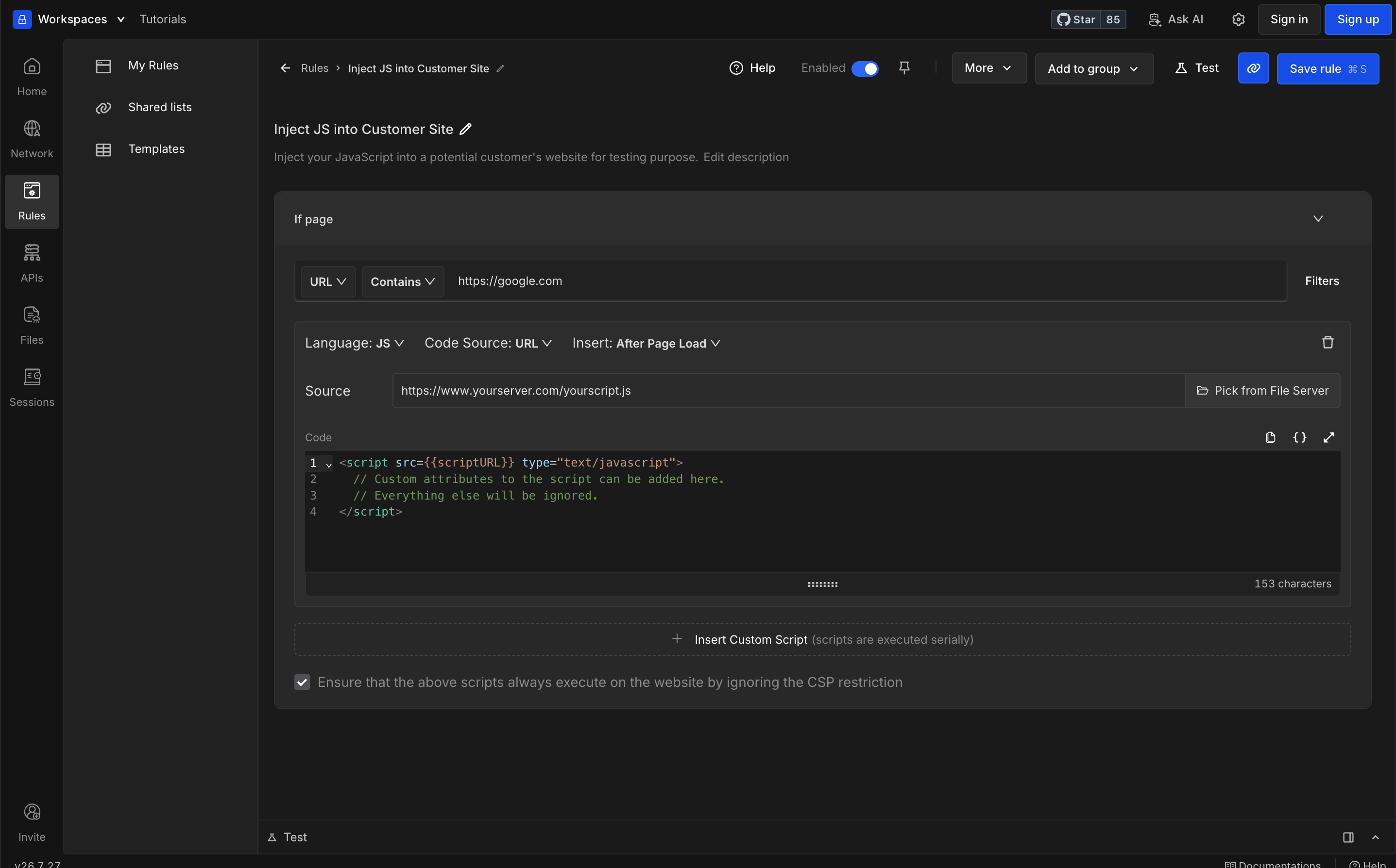
The rules experience connects the application and the website being tested. Developers can scan rule status in the listing, configure an individual rule in the details view, and then confirm on the website that it was applied. The collapsed widget stays out of the way until more detail is needed.

Impact & reception
- A simpler rule-creation workflow
Quick actions, templates, onboarding, and a clearer information architecture gave developers more direct paths to create a new rule.
- Better rule discoverability and access
Developers could discover, create, access, and verify active rules from clearer entry points in the extension.
- Positive Chrome Web Store reception
The redesigned extension received positive Chrome Web Store reviews after launch.
- Positive customer response
Customers responded positively to the clearer extension, easier navigation, and more visible rule status.