
Designing a customer support platform for businesses.
I designed Saturn’s MVP end to end, connecting the business admin workspace with a branded customer widget. Saturn was an experiment outside Requestly’s existing product line. We combined Slack-like channels with Intercom-style customer support, bringing public discussions, private channels, and help requests into one experience. We built a working MVP to test whether the concept was useful and understandable with a few internal users.
- Role
- Designed the MVP end to end
- Company
- Requestly
- Scope
- Admin workspace · Channels · Onboarding · Mobile views · Customer widget

Problems & opportunities
Saturn needed to bring conversations and customer support into one experience, while giving support teams the structure and controls they needed.
- Support could feel like a series of isolated tickets. We wanted it to feel closer to an ongoing conversation between a business and its customers.
- Public discussions, private customer channels, direct messages, and help requests needed different spaces. A shared channel structure could bring them together while keeping their purpose clear.
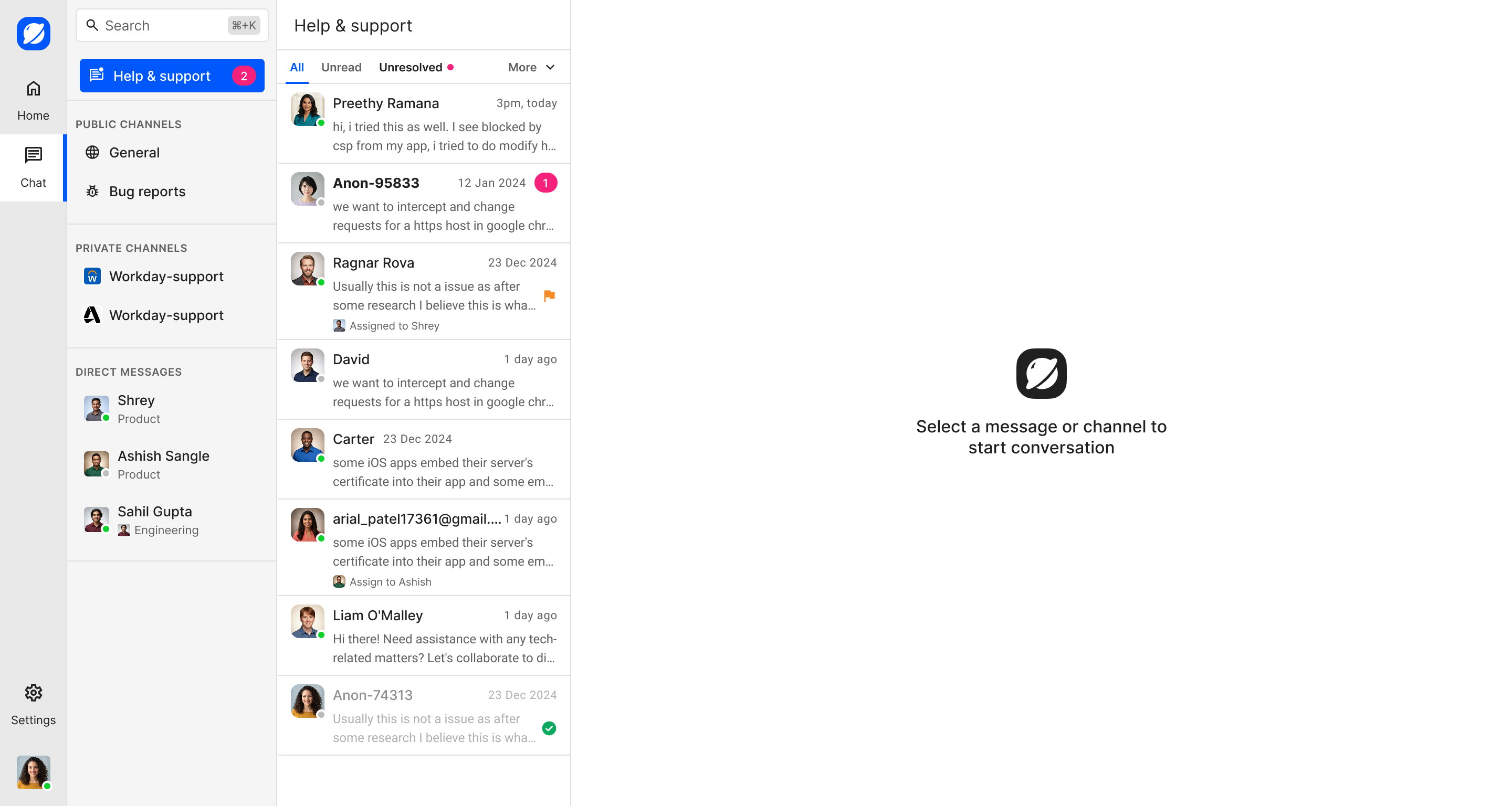
- Support teams still needed operational control. Filtering, assigning, flagging, resolving, and customer information could sit alongside the conversation.
- The customer experience needed to work inside a business’s website or product. A branded widget could support both signed-in customers and public visitors.
What I did
MVP definition
I translated the early product idea into connected workflows for business admins and their customers.
Onboarding and setup
I designed sign-up, first-time setup, widget installation, and appearance settings.
Admin and support workflows
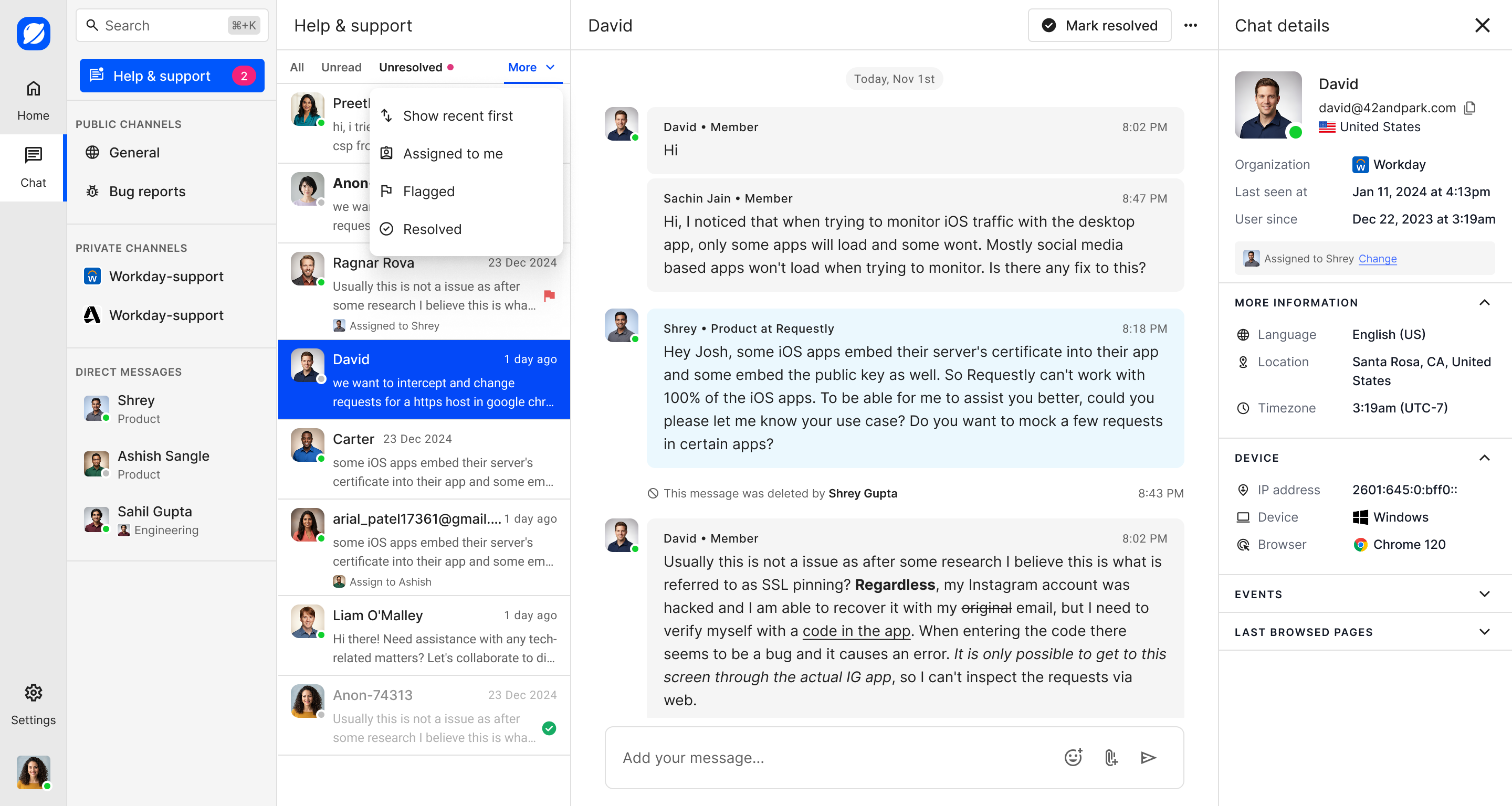
I designed conversations, inbox actions, channels, and customer details in one admin workspace.
Customer widget
I designed the embedded experience for support, private customer channels, public discussions, and outbound messages.
Interaction states and mobile
I covered empty and loading states, assignment and resolution feedback, email capture, and mobile navigation, conversations, profiles, and threads.
MVP validation
We shared the working product with a few internal users and collected their reviews and comments to validate the concept.
The solution
We built a connected admin-and-widget experience around familiar channels and conversations. These flows show how a business sets up Saturn, manages support, and connects with customers.
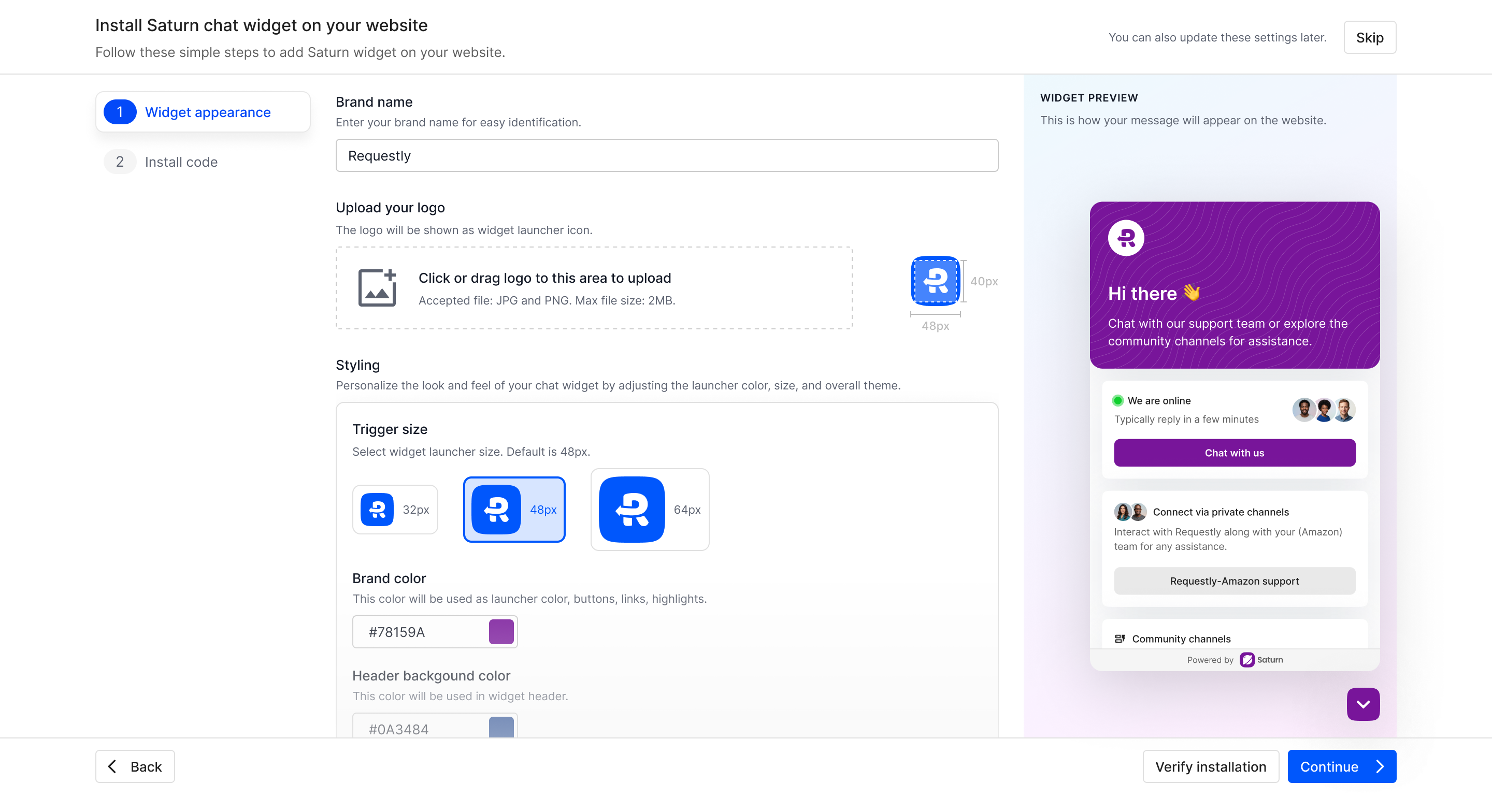
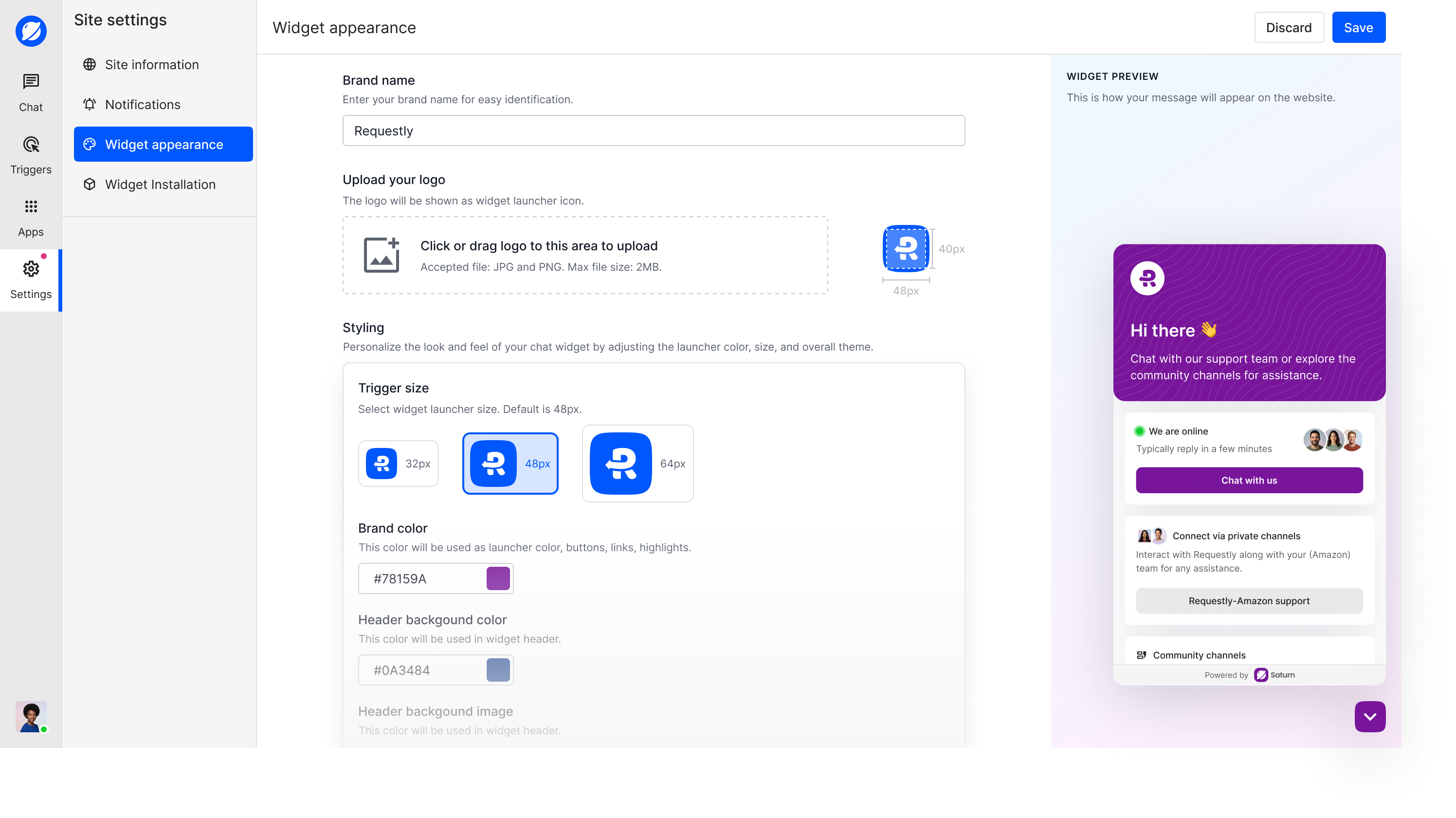
- Let businesses brand and install the widget during setup, with appearance controls available later.
- Keep support, channels, direct messages, and customer context in one workspace.
- Give support teams clear controls and feedback for managing conversations.
- Use a familiar channel structure across support, private spaces, and community discussions.
- Support public visitors with email capture and continued conversations.
- Let customers respond to outbound messages from the collapsed widget.
Sign-up and first-time setup
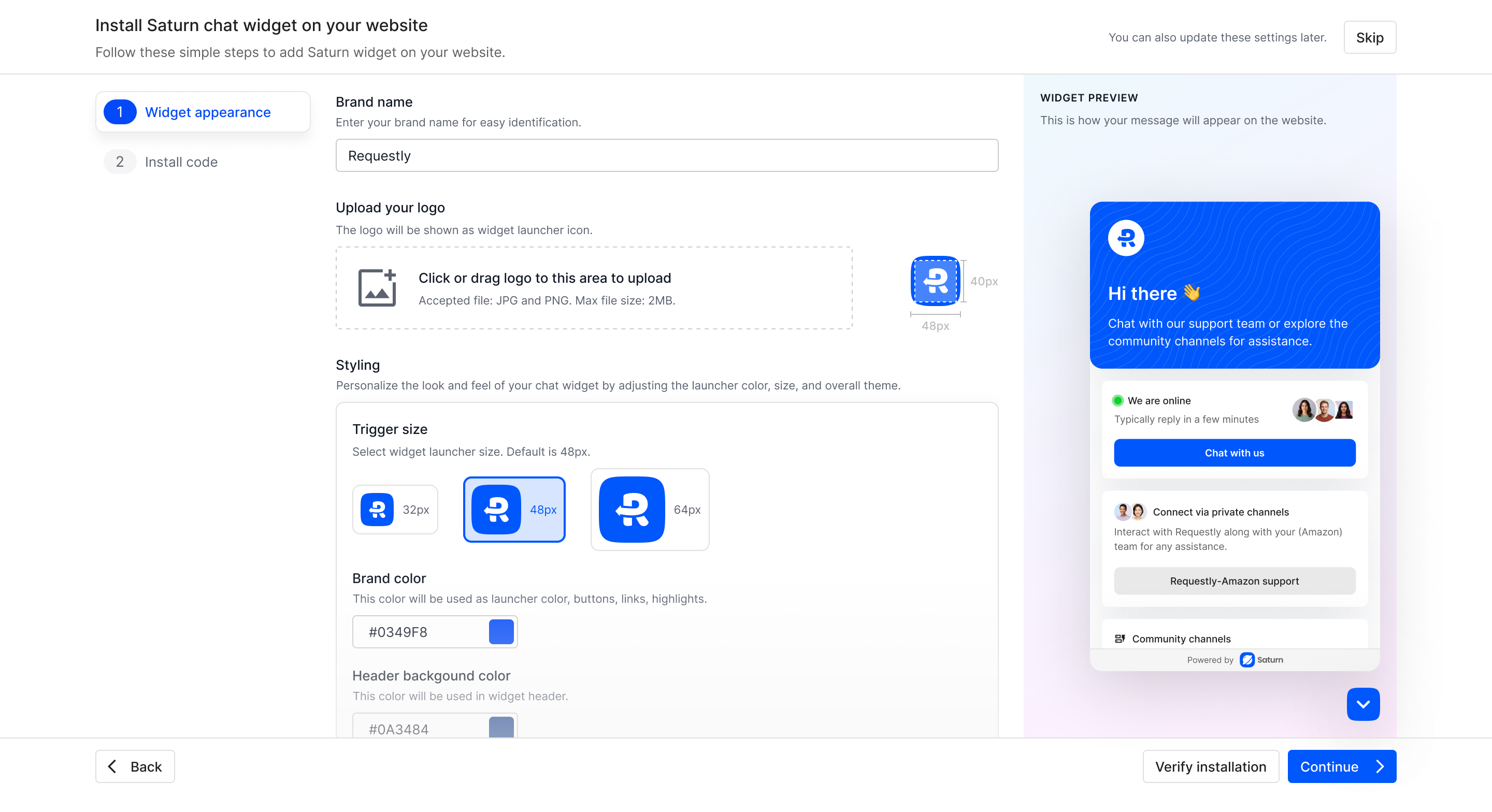
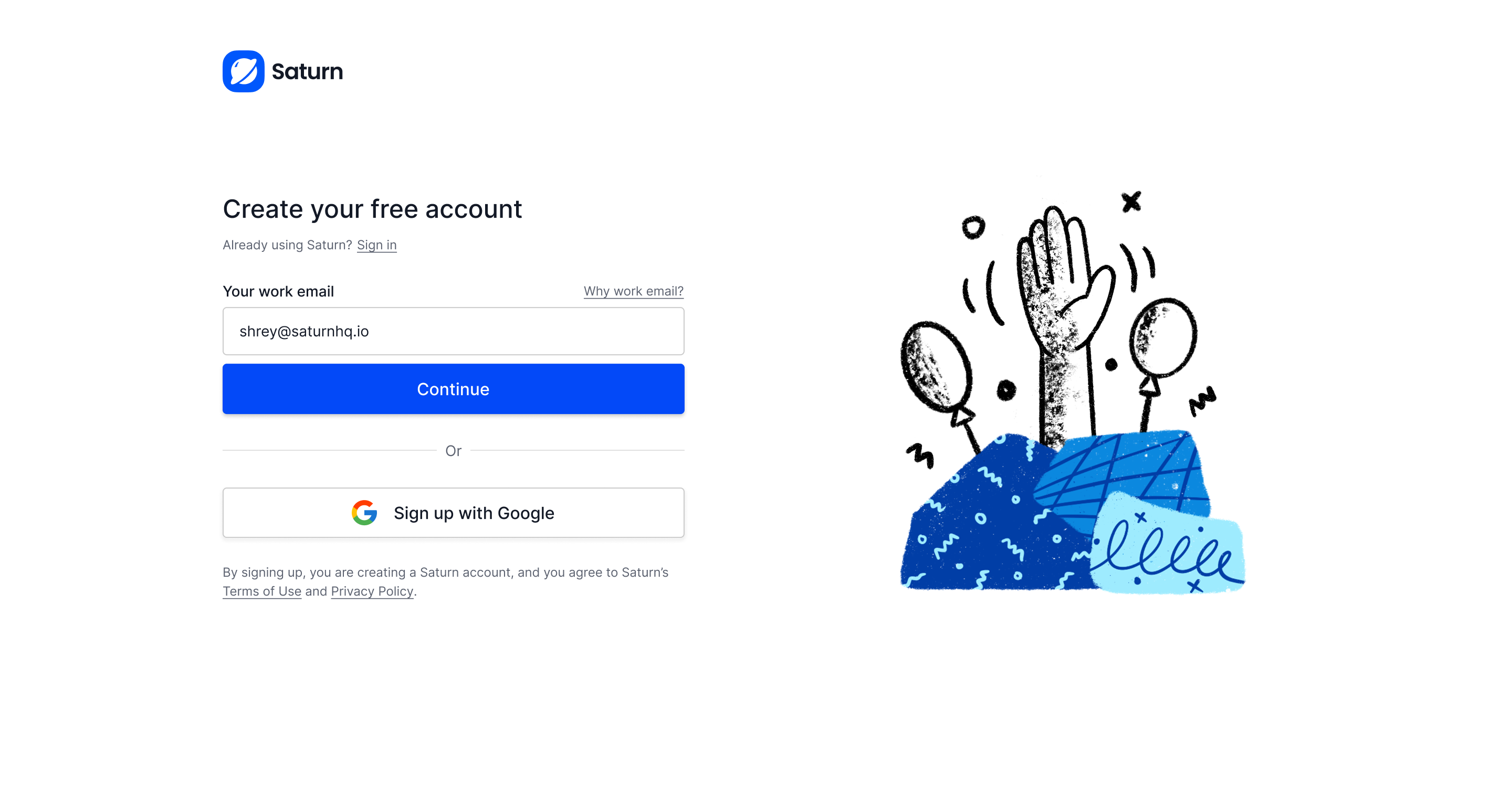
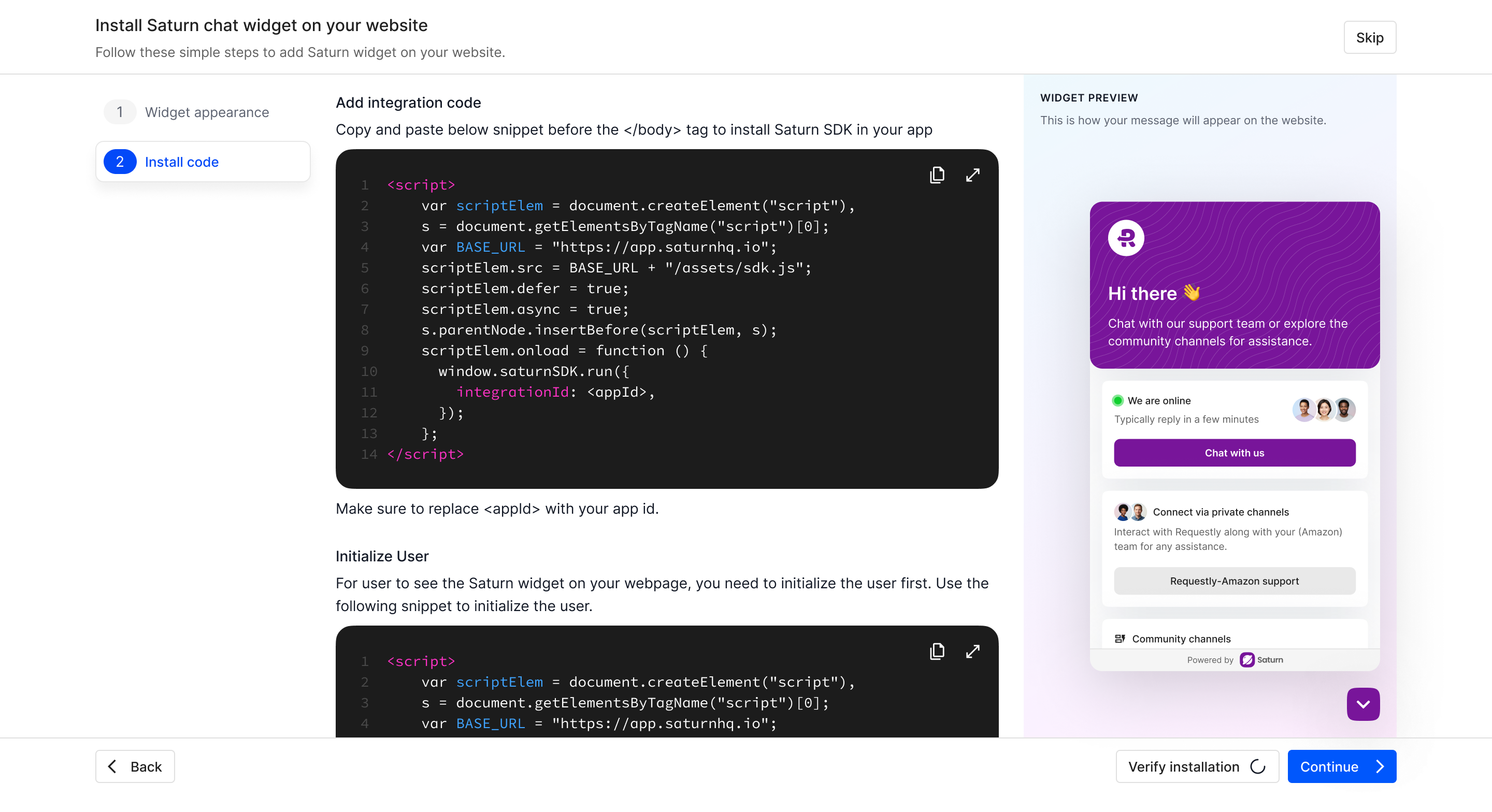
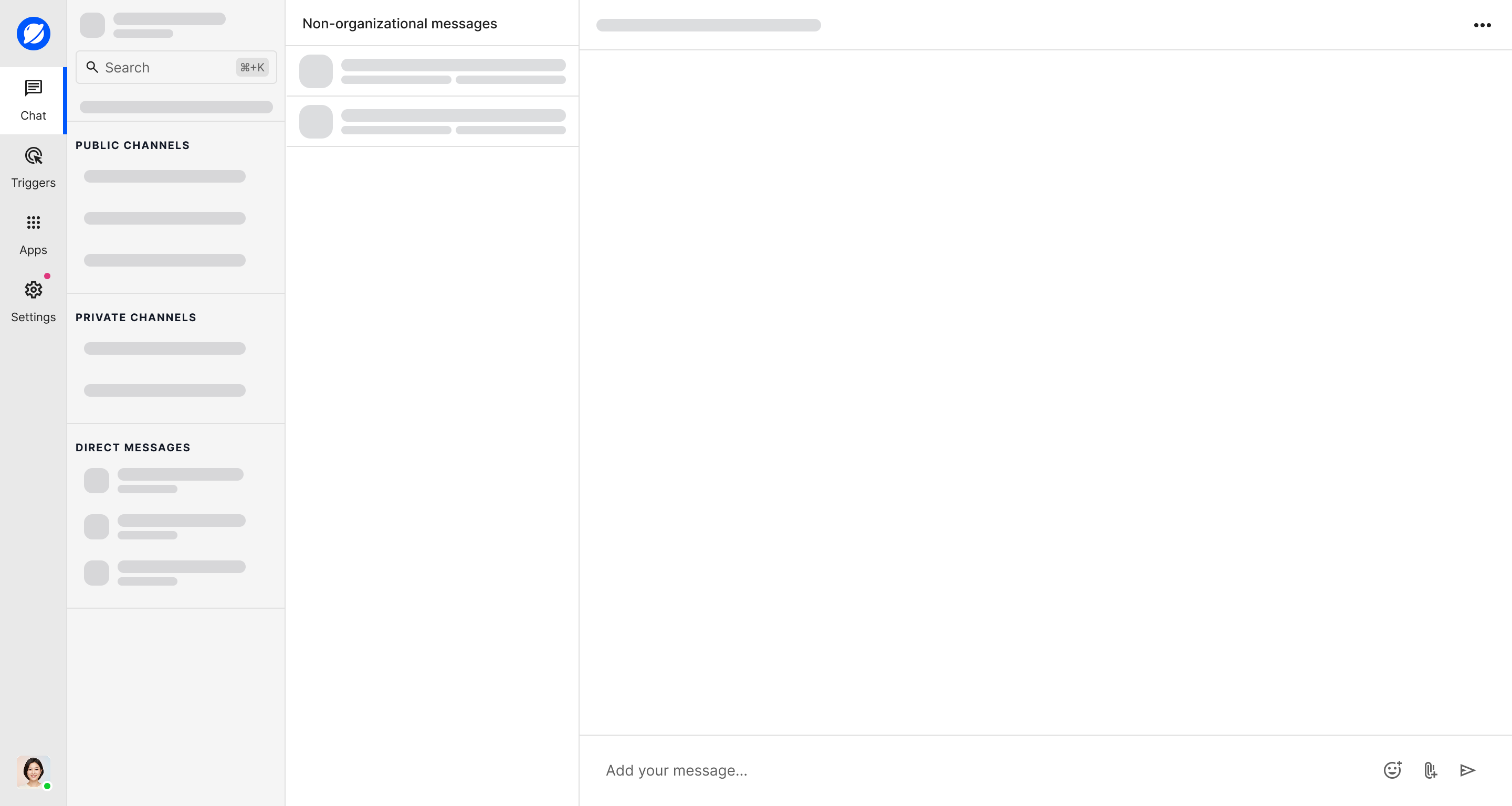
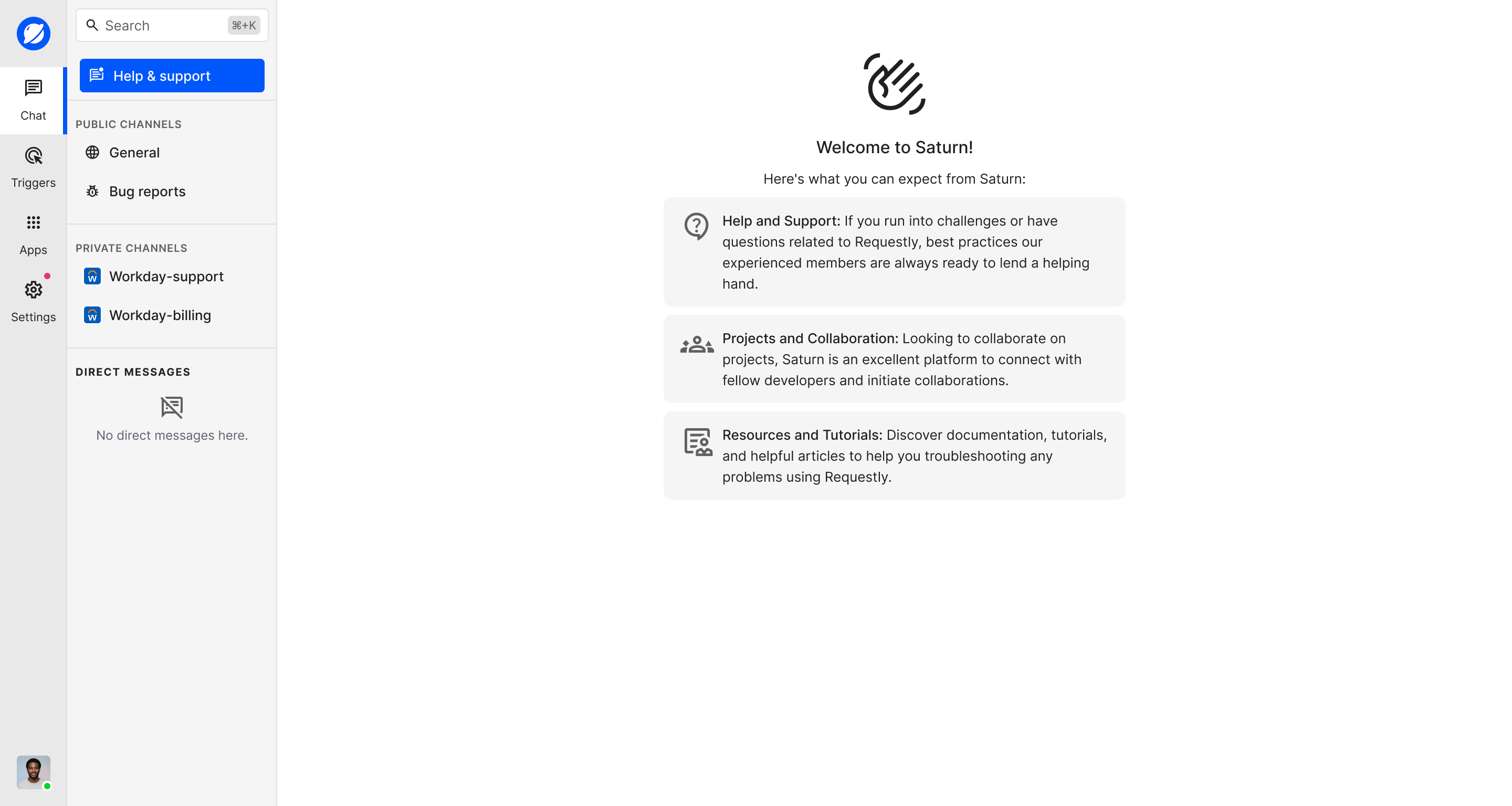
The setup flow helps a business create an account, adjust the widget to match its brand, install the provided code, and enter a new workspace. The same appearance controls stay available later in settings.
Admin workspace and customer context
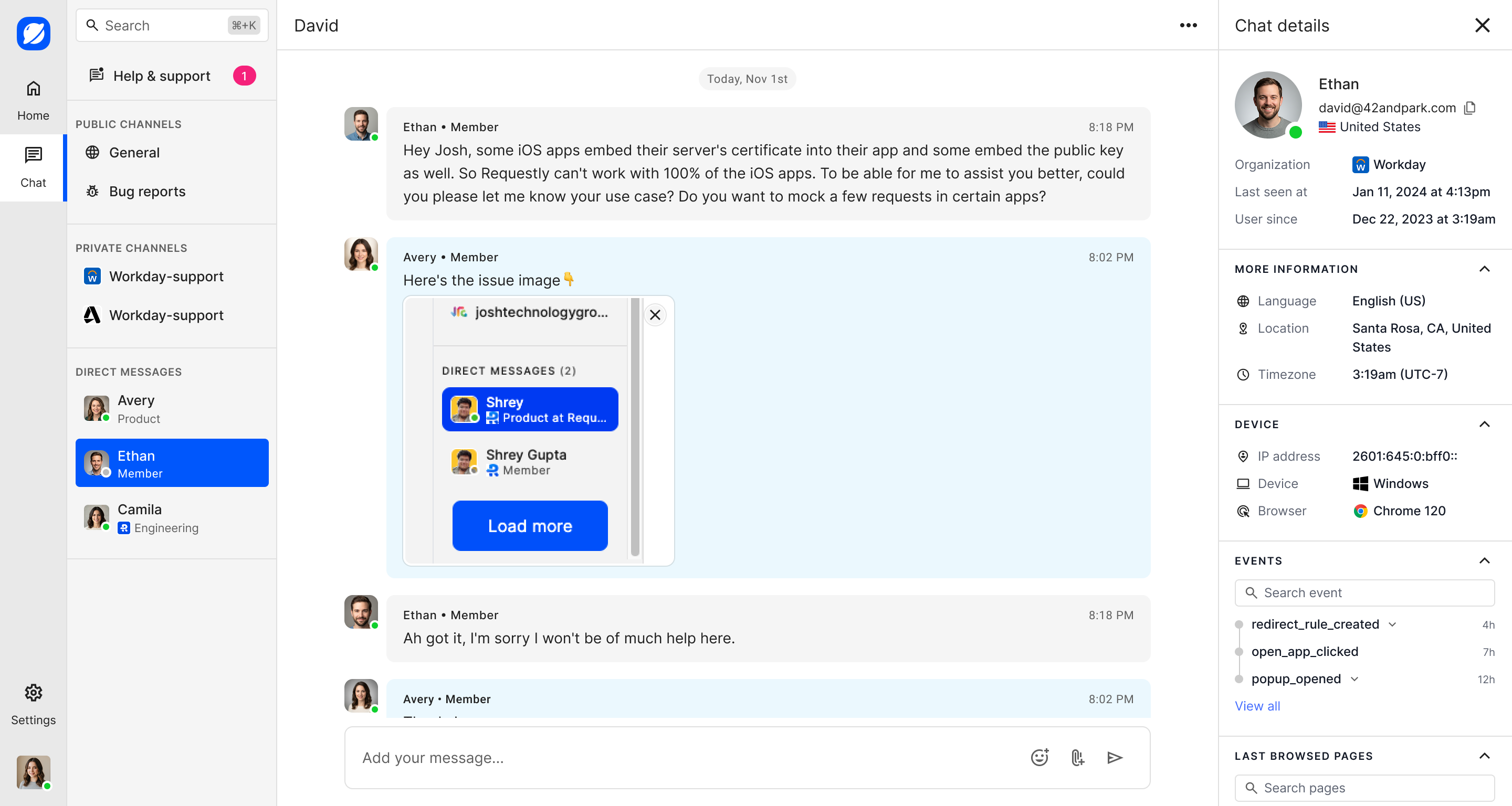
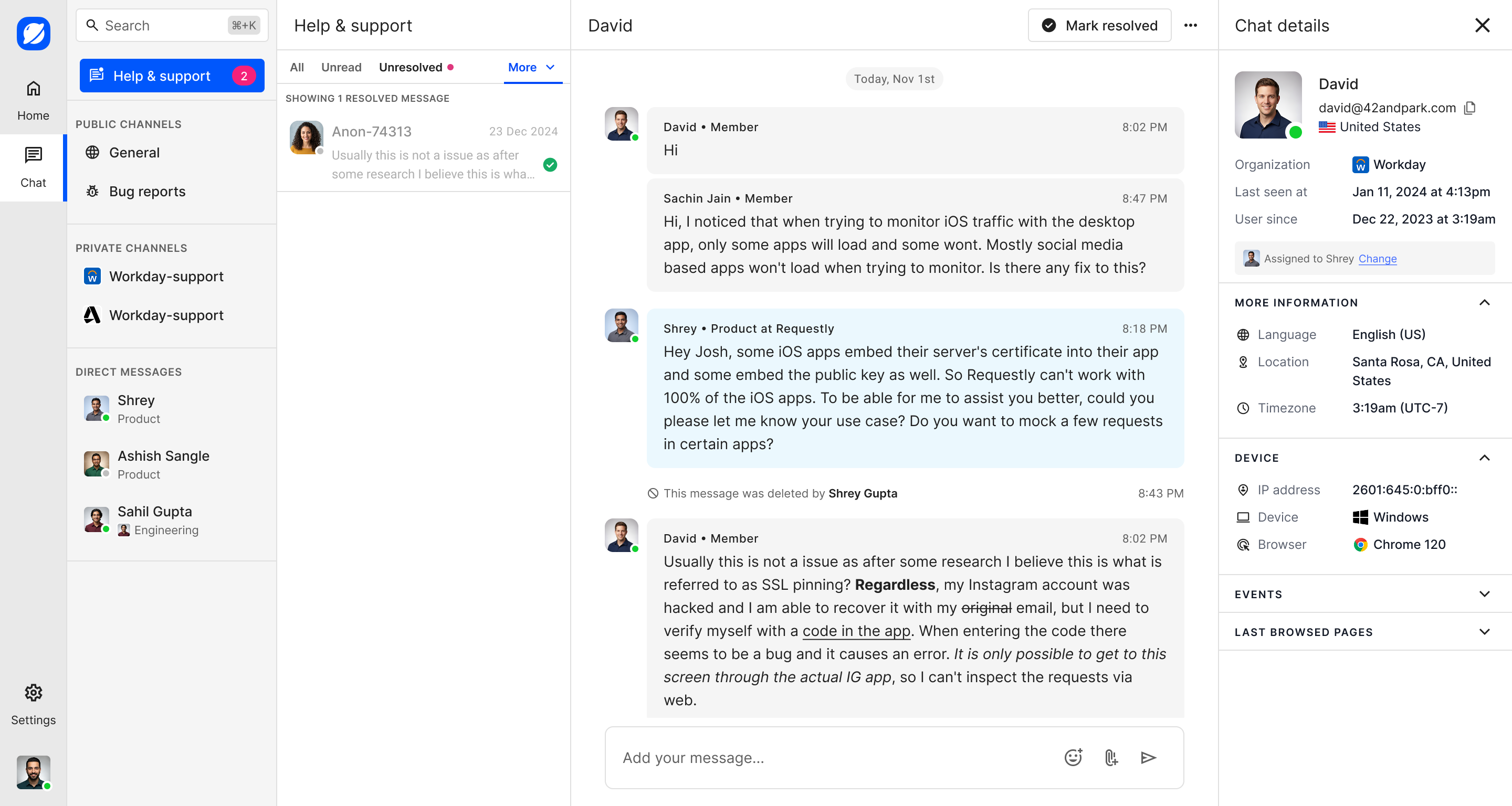
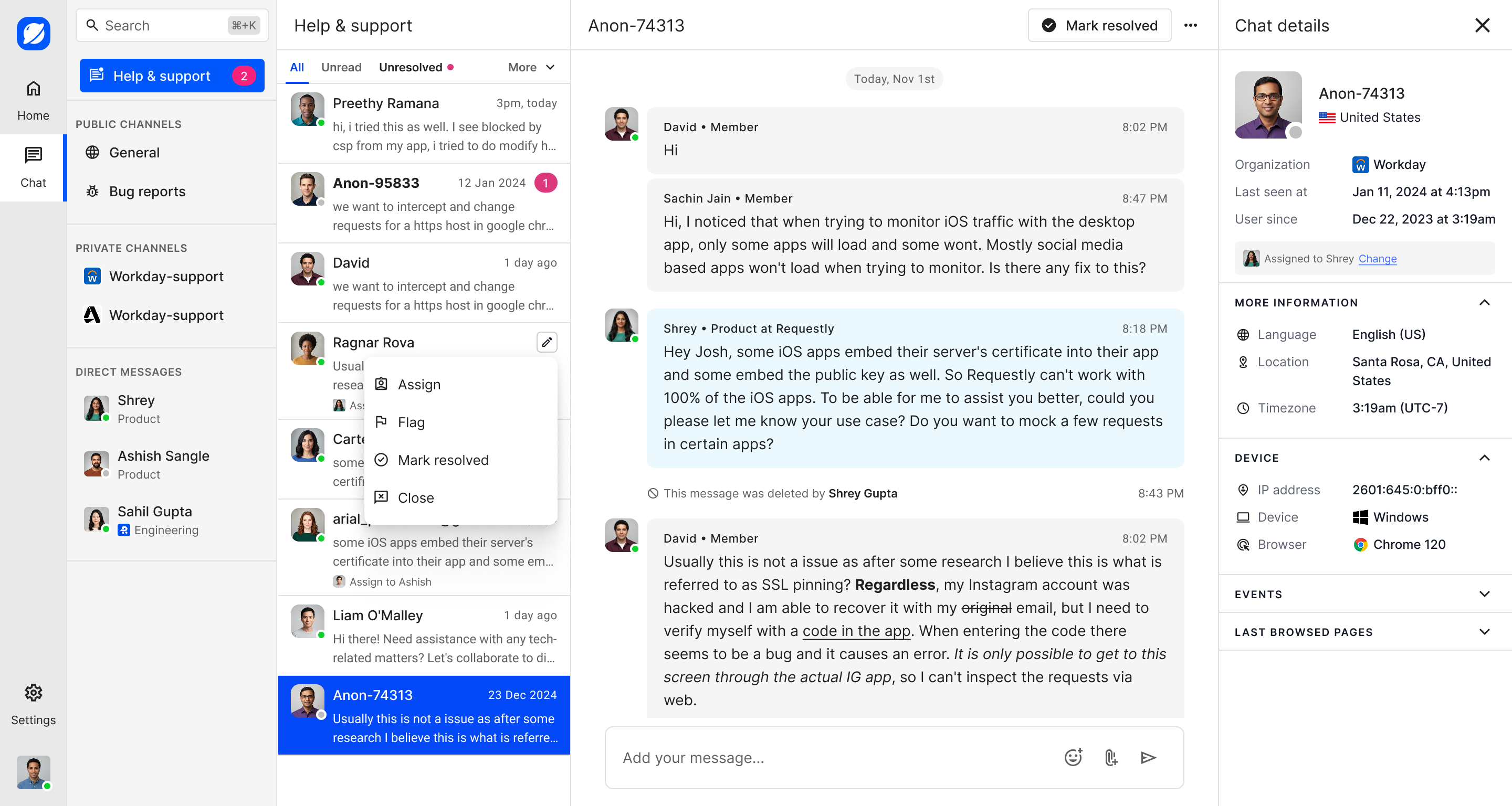
The admin workspace brings support, channels, and direct messages into one place. A support person can open a conversation and view the customer's profile, contact information, device details, and recent activity alongside the discussion. The responsive views keep the main conversation, navigation, user details, and threads available on mobile.
Support inbox and message management
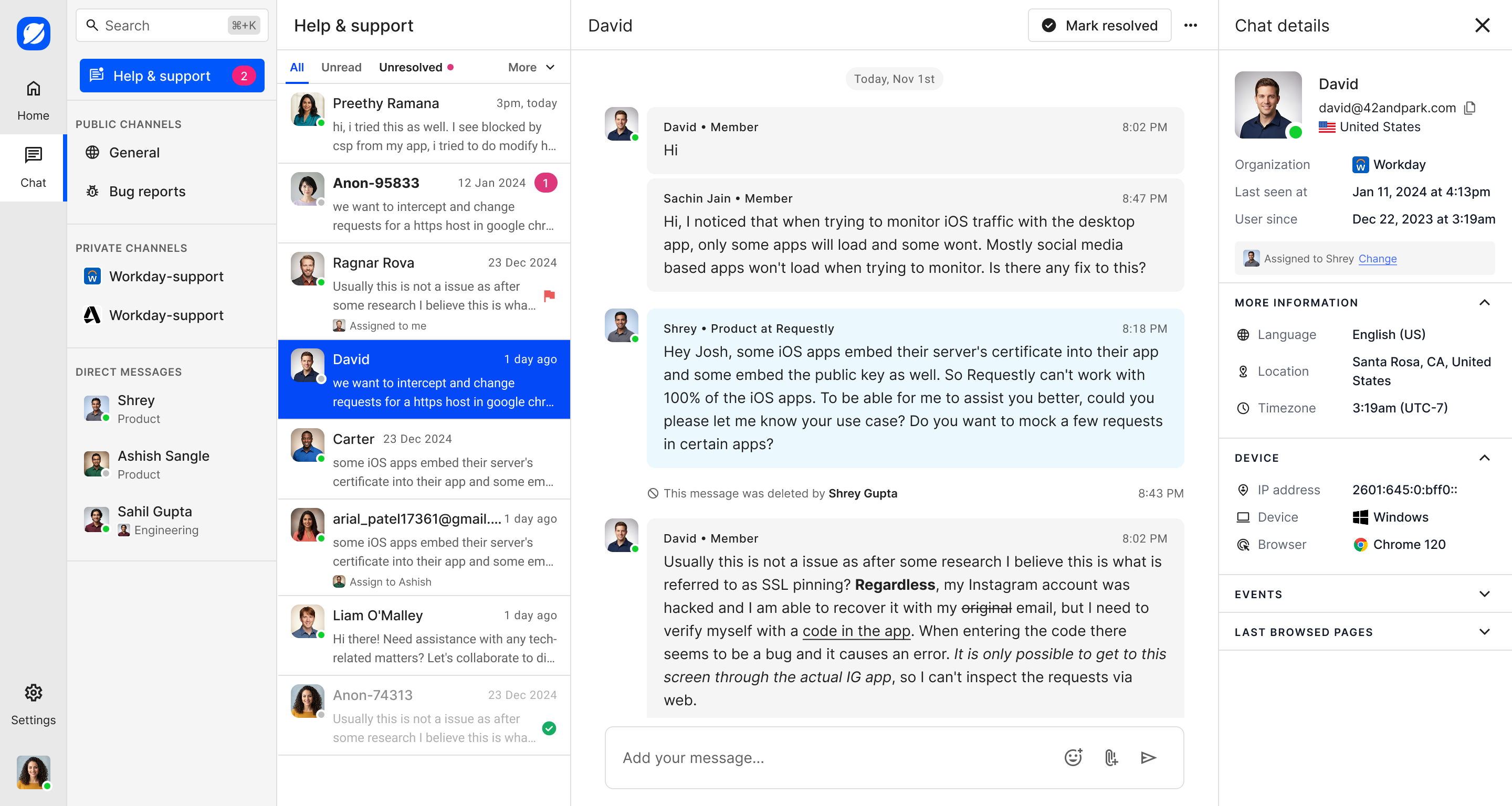
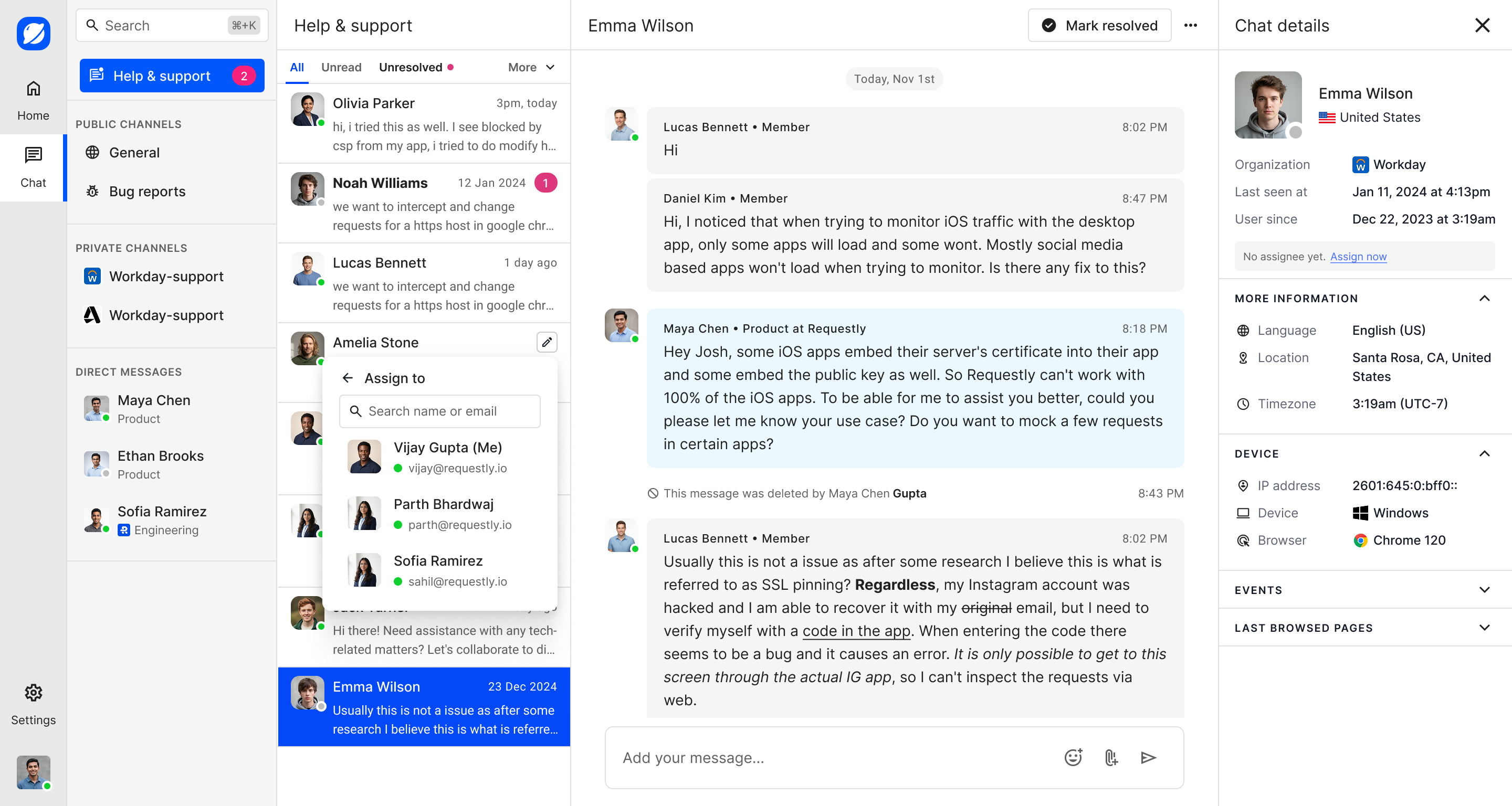
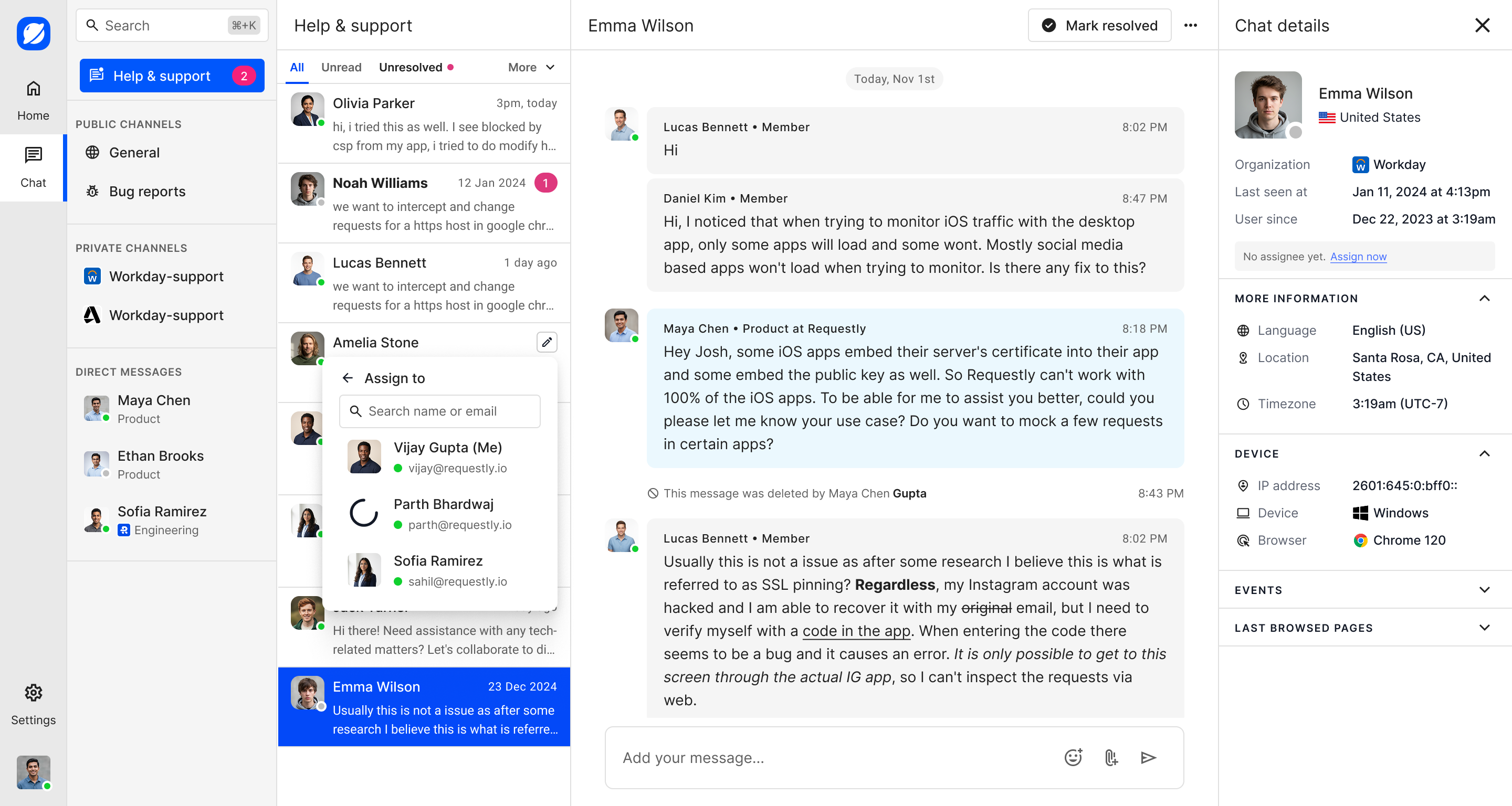
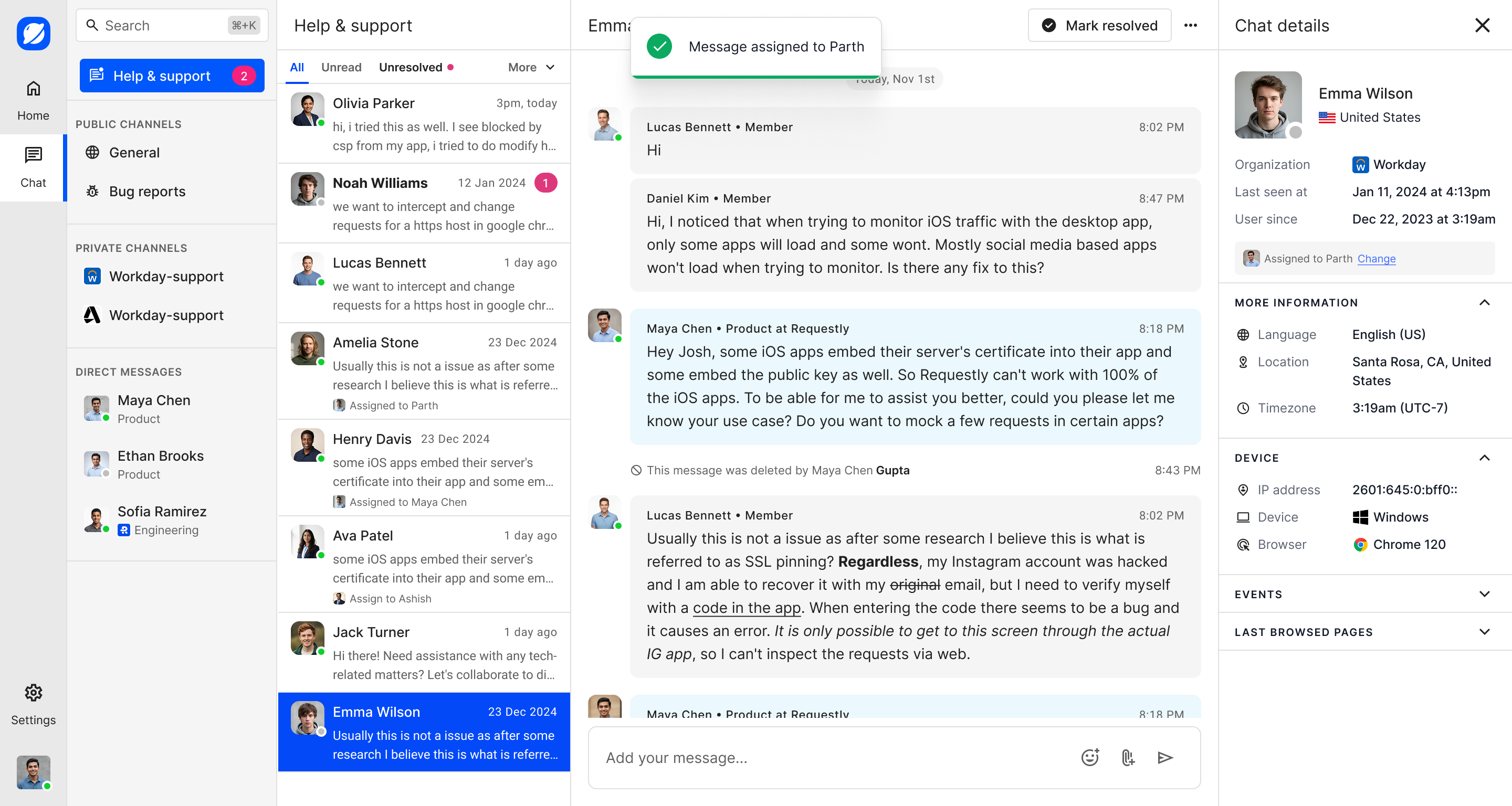
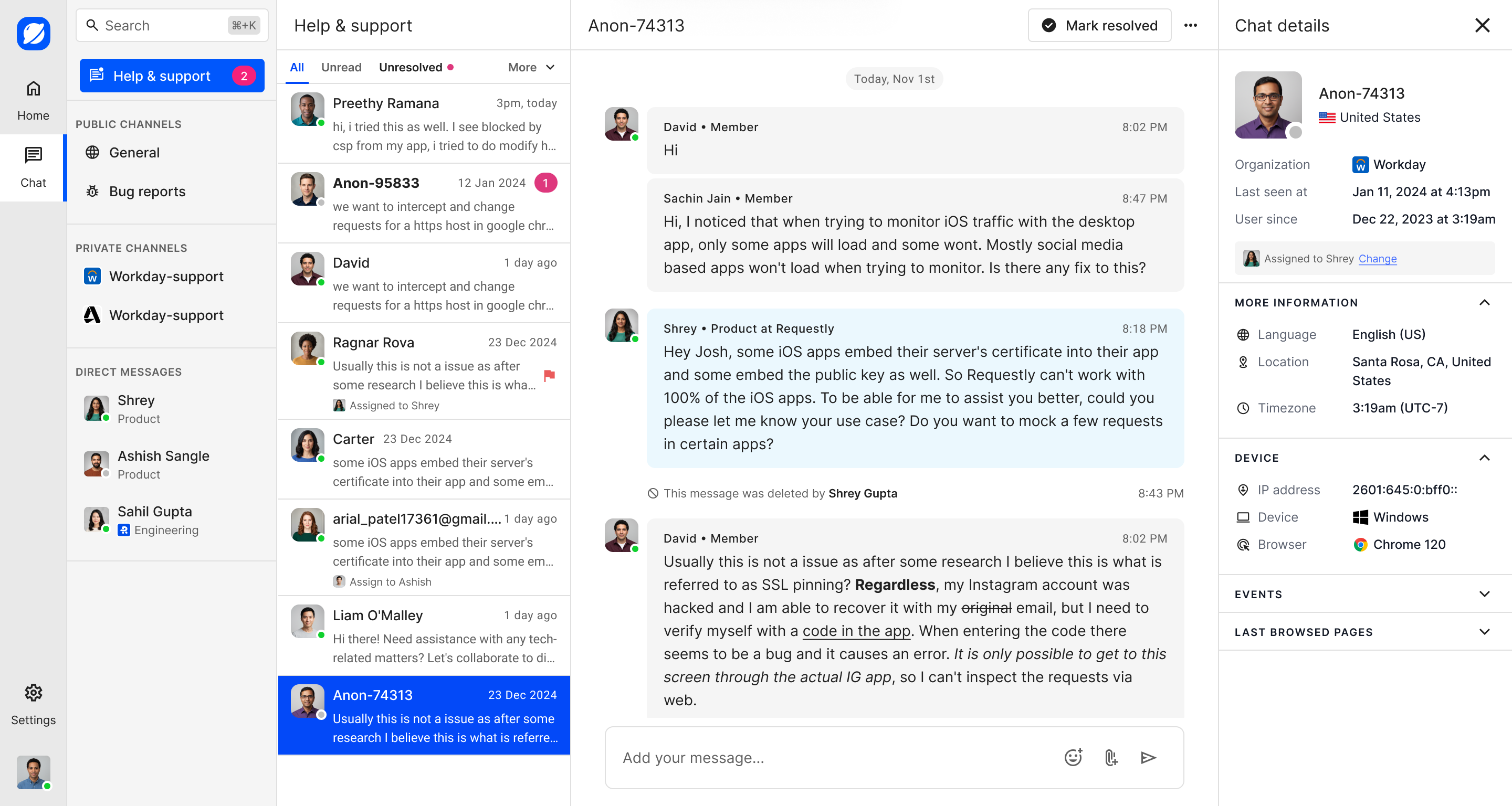
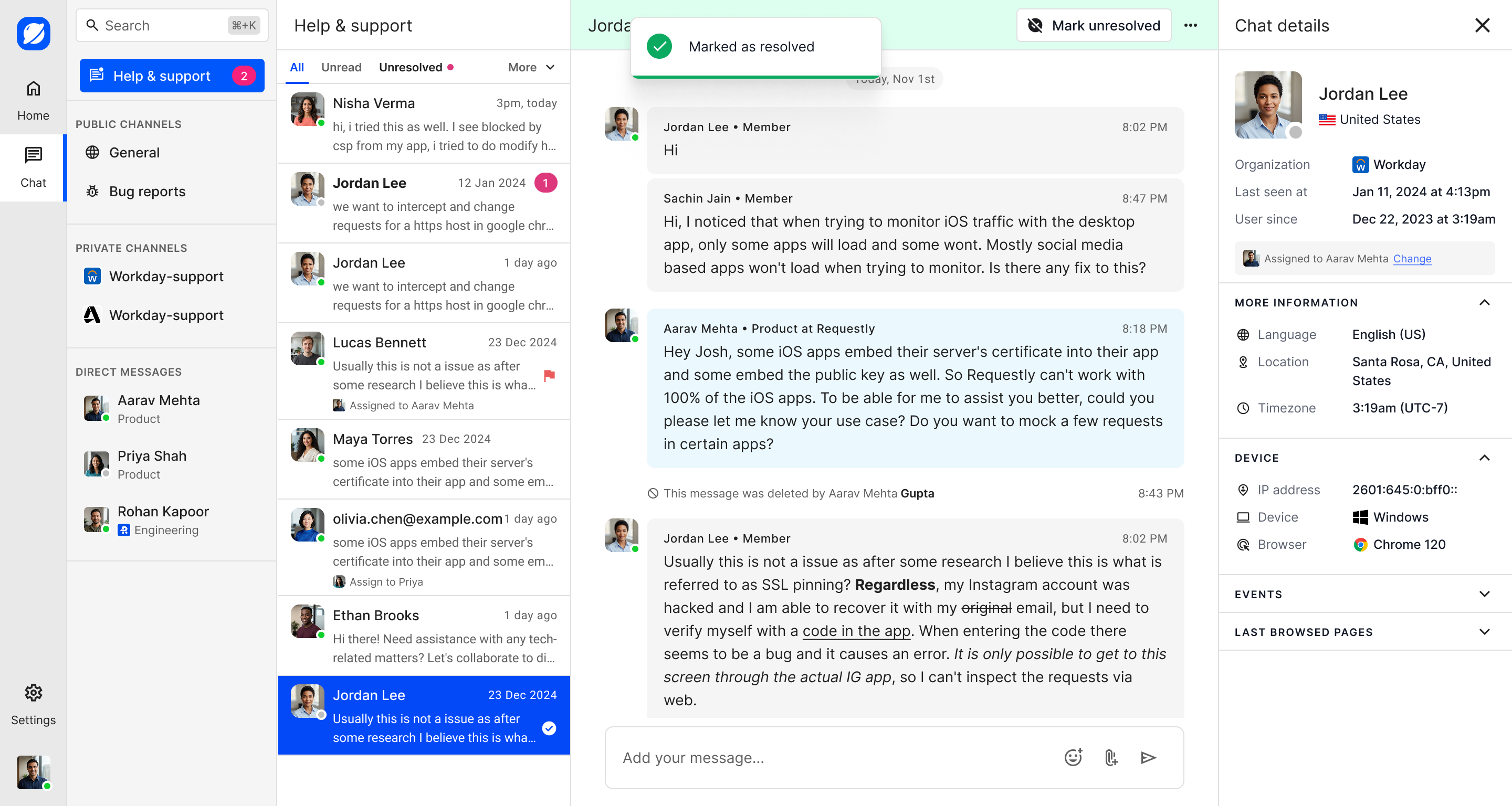
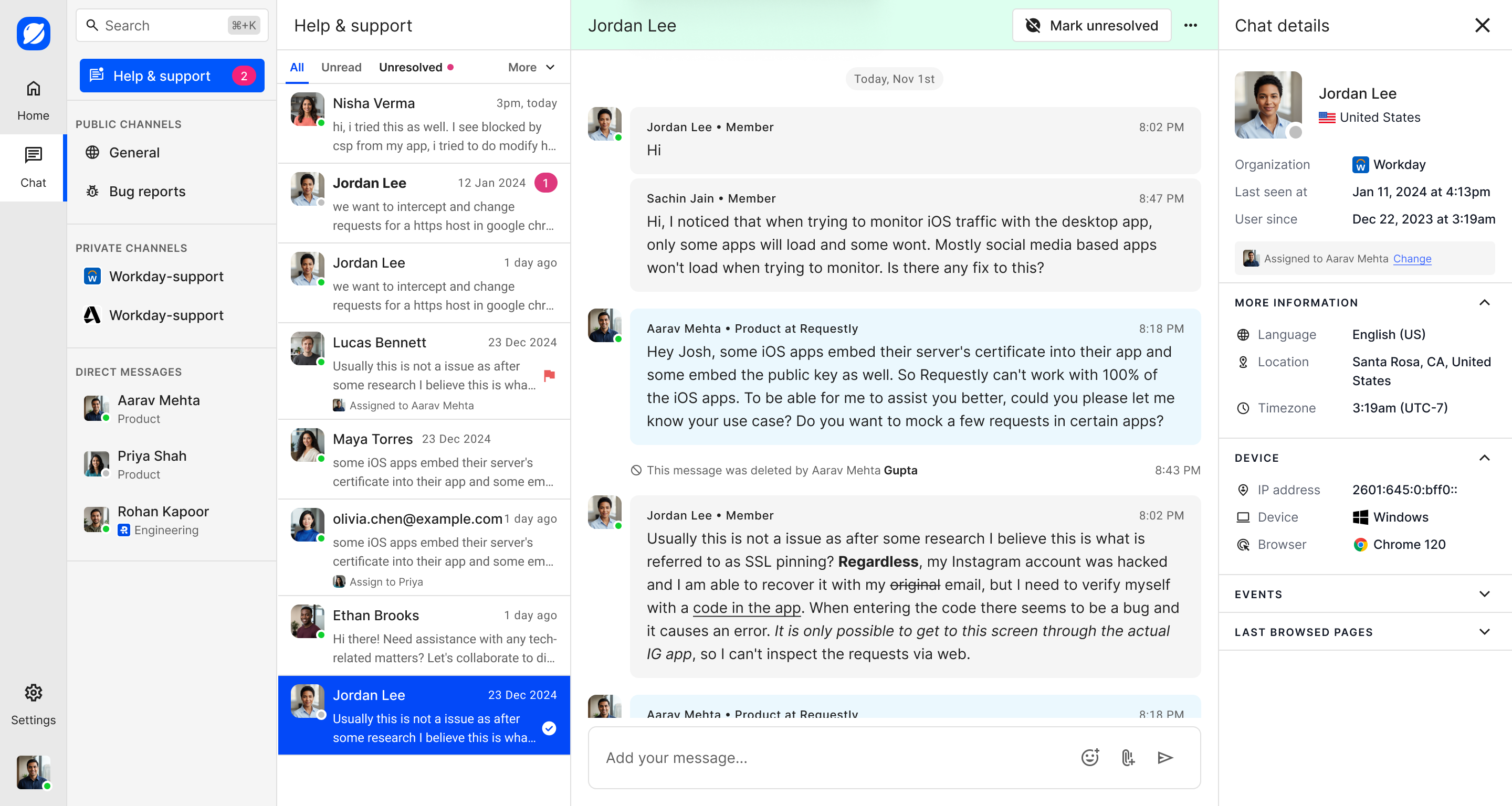
The support inbox gives the team practical controls without turning the product into a traditional ticket table. Conversations can be filtered, assigned to a teammate, flagged for attention, marked as resolved, or reopened. Clear menus, badges, and confirmation messages show what changed.
Channels inside the customer widget
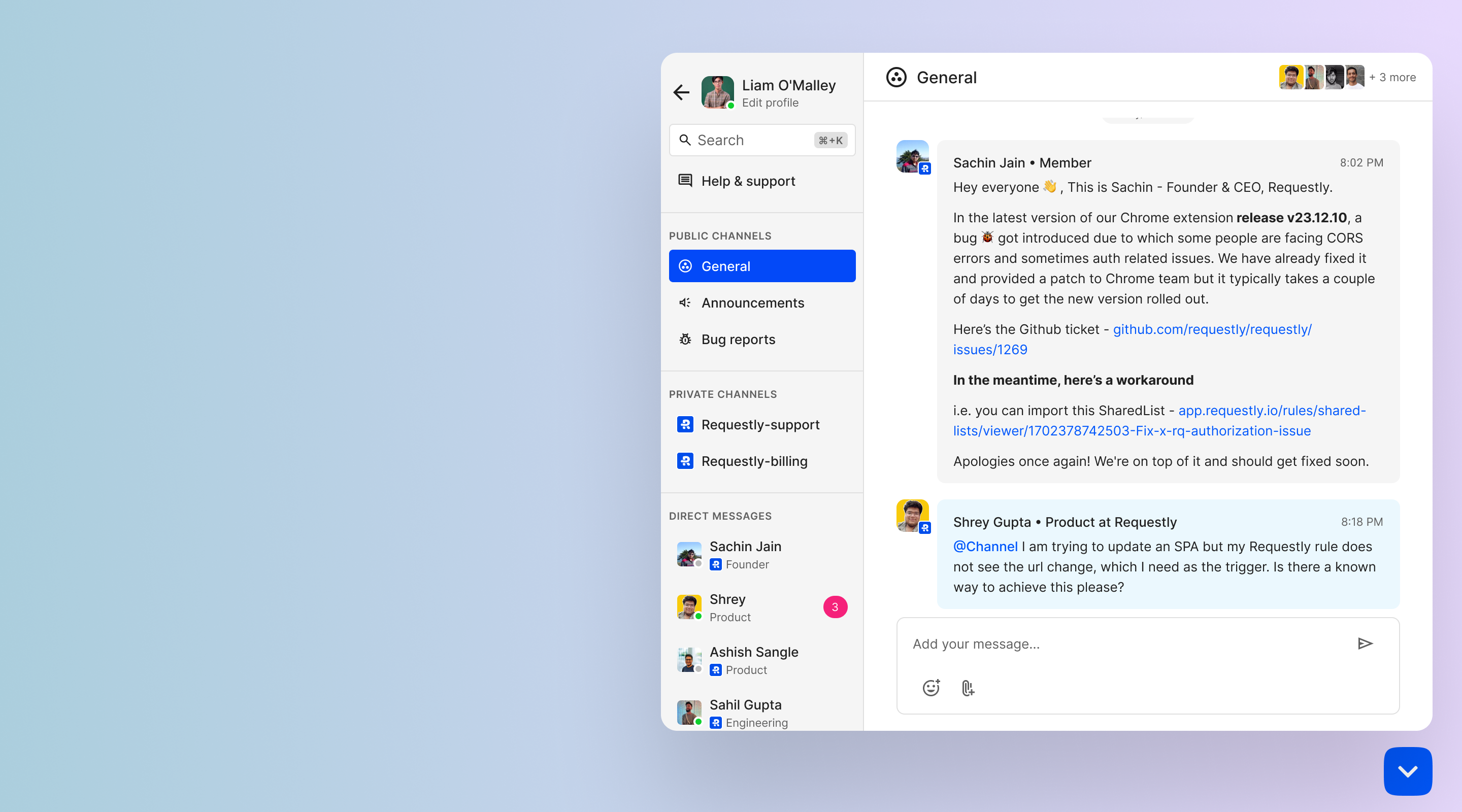
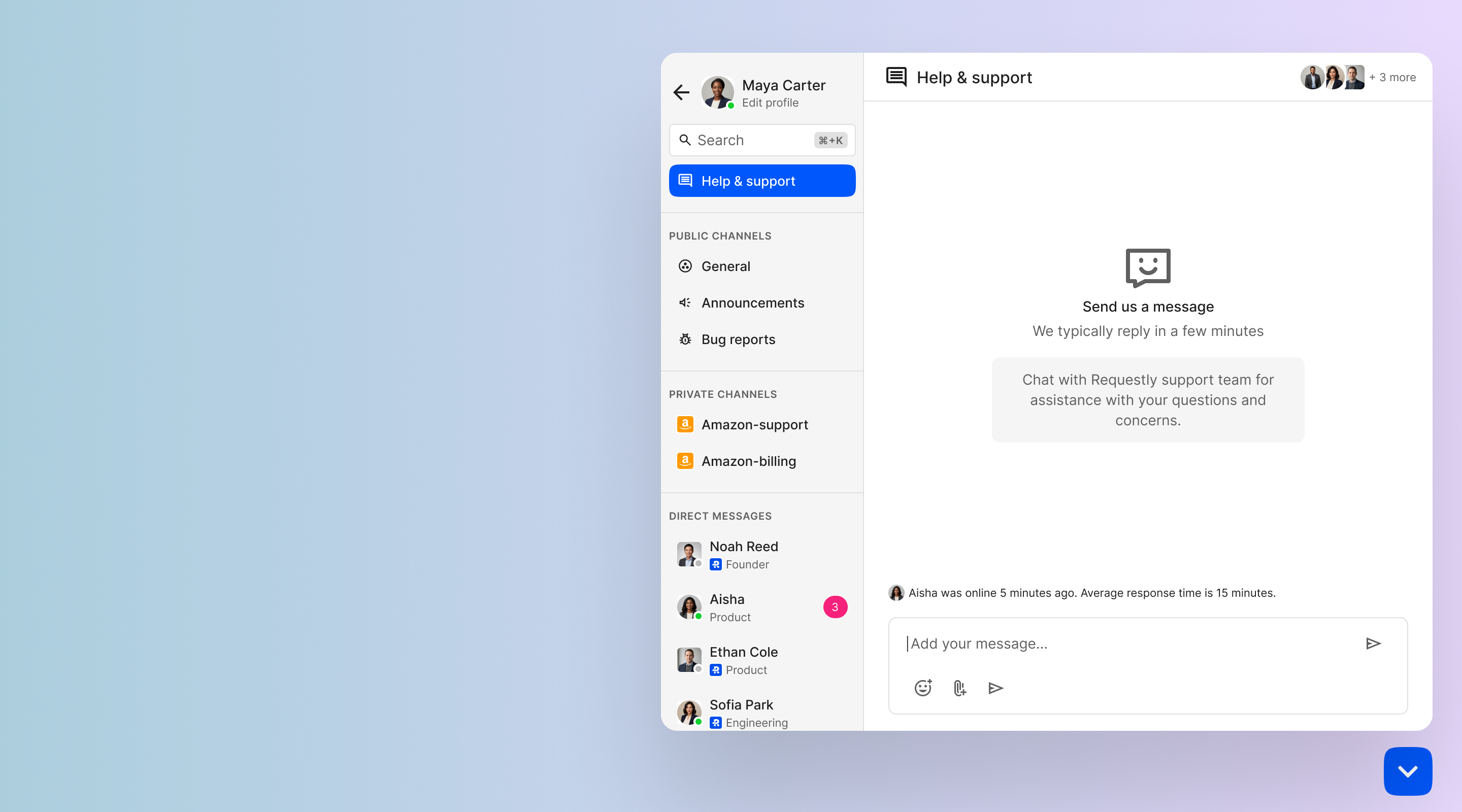
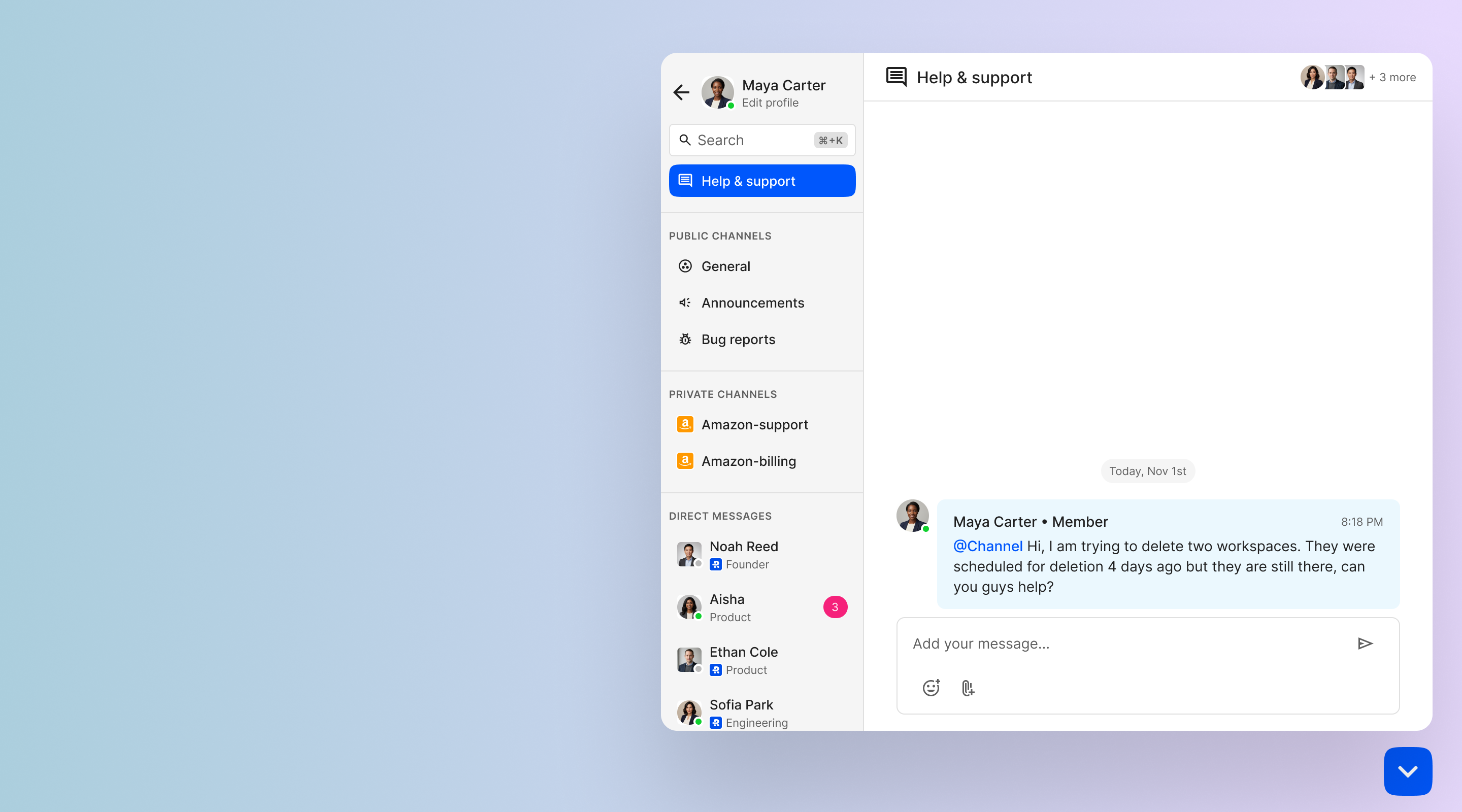
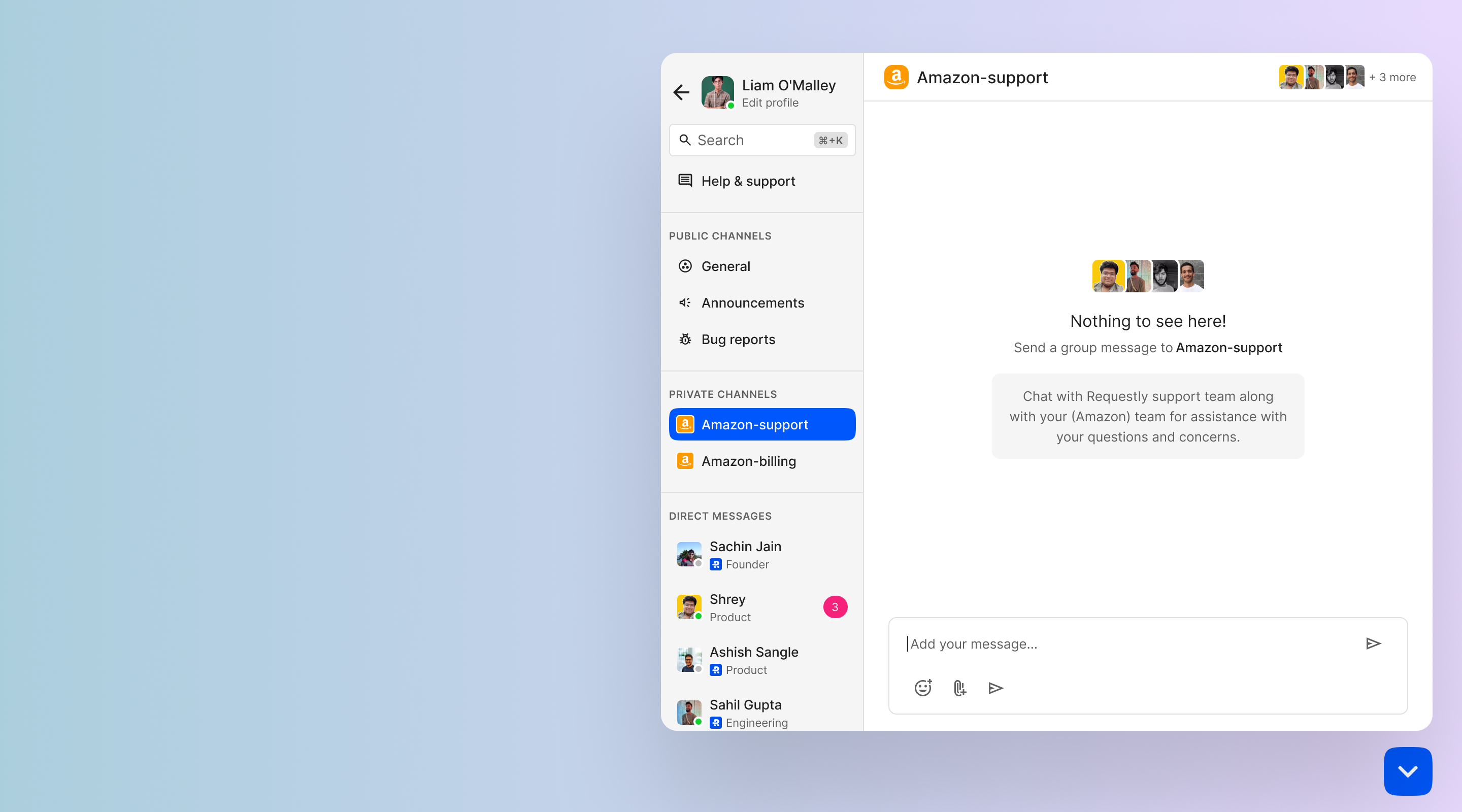
The embedded widget gives customers one place to contact support and join other conversations. Its home screen connects help and support, private company channels, and public community channels. Each space uses the same familiar message composer and channel structure.
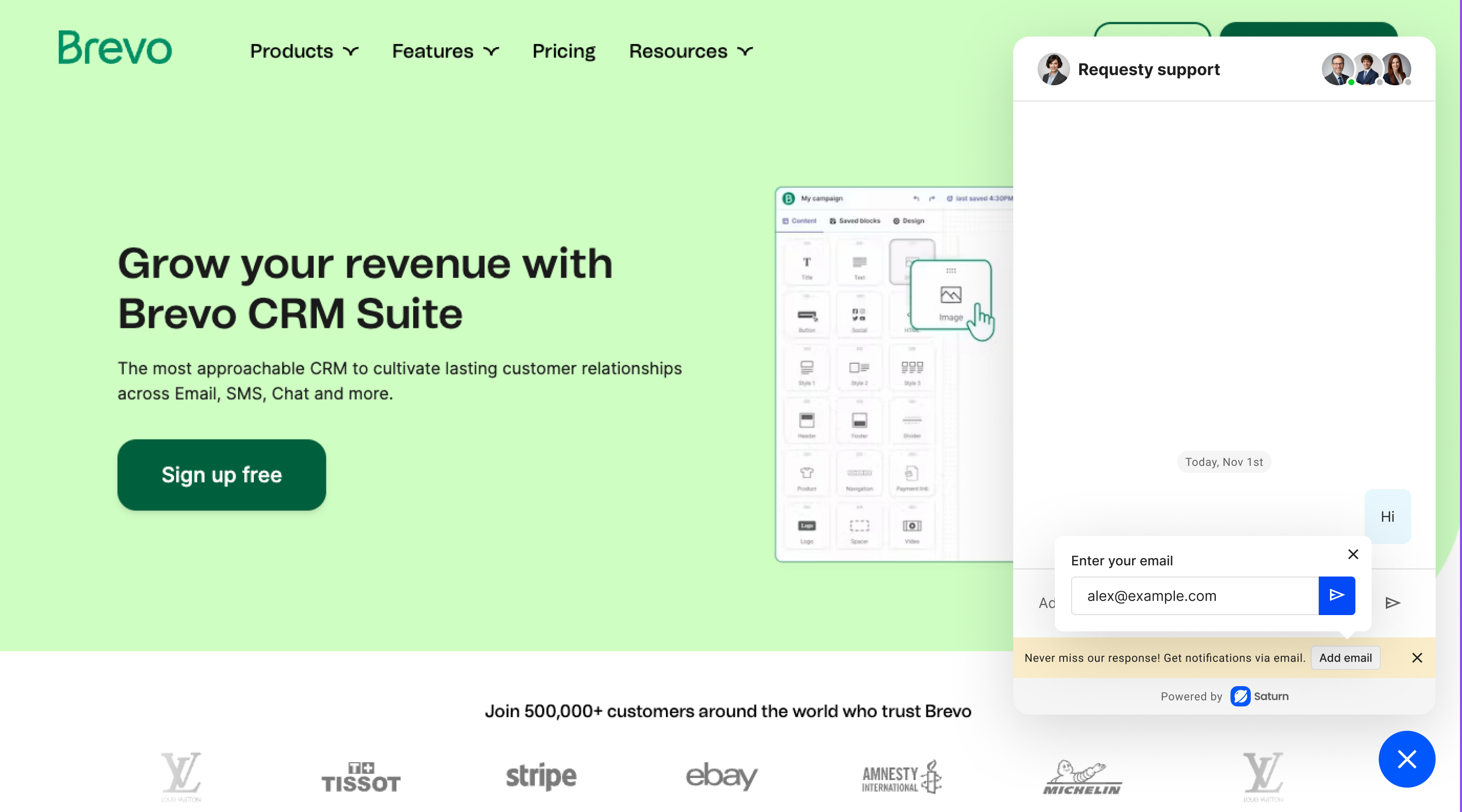
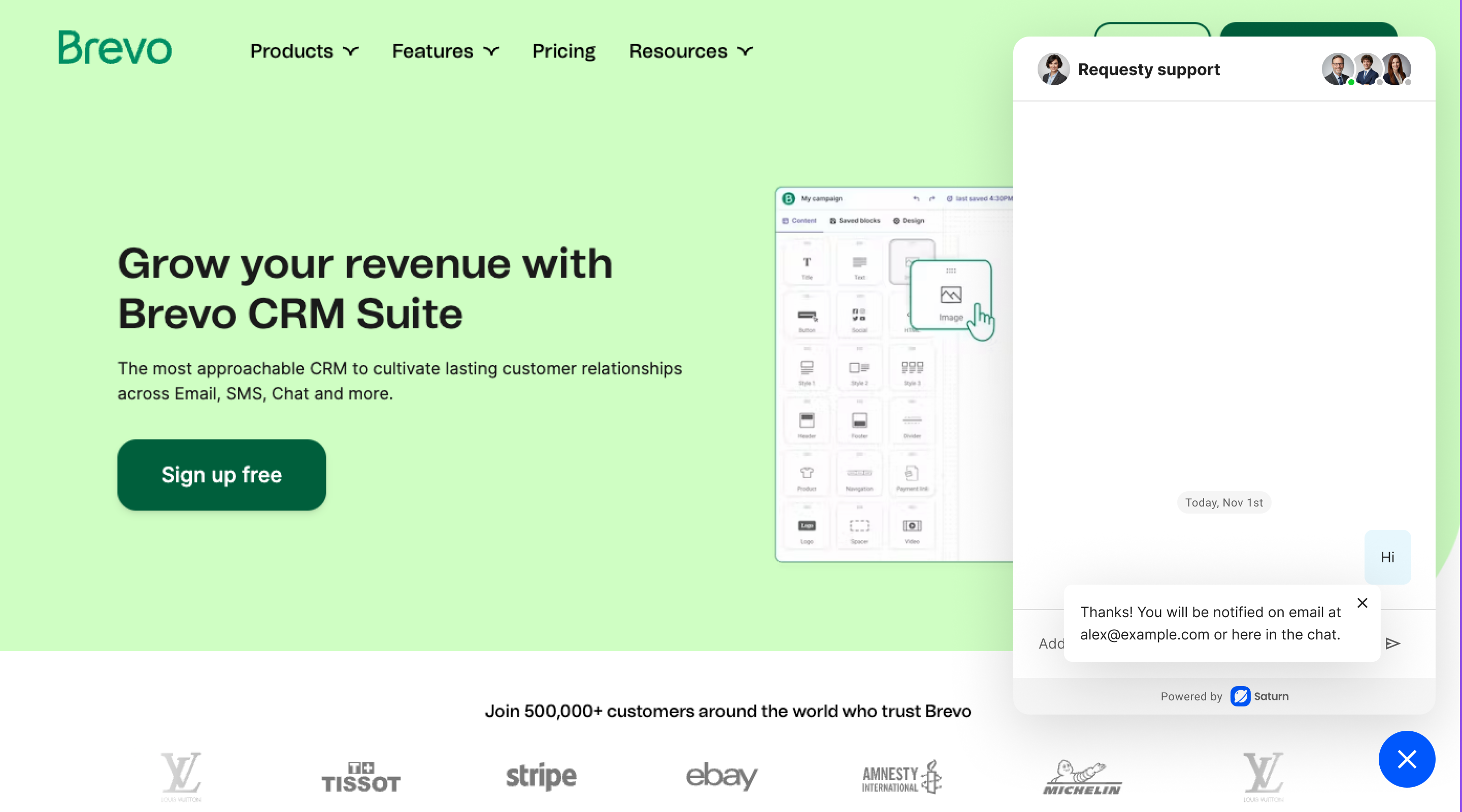
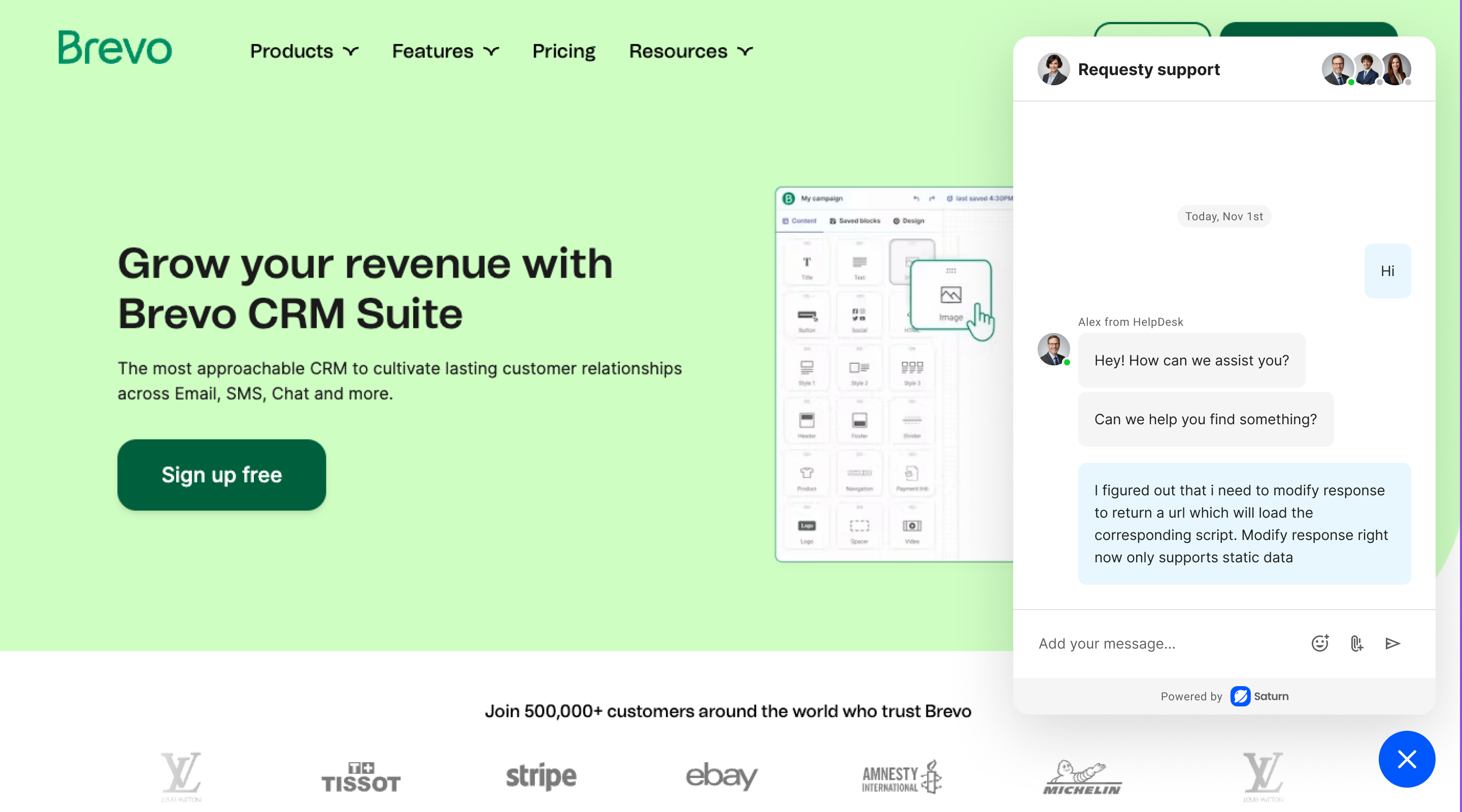
Support for public website visitors
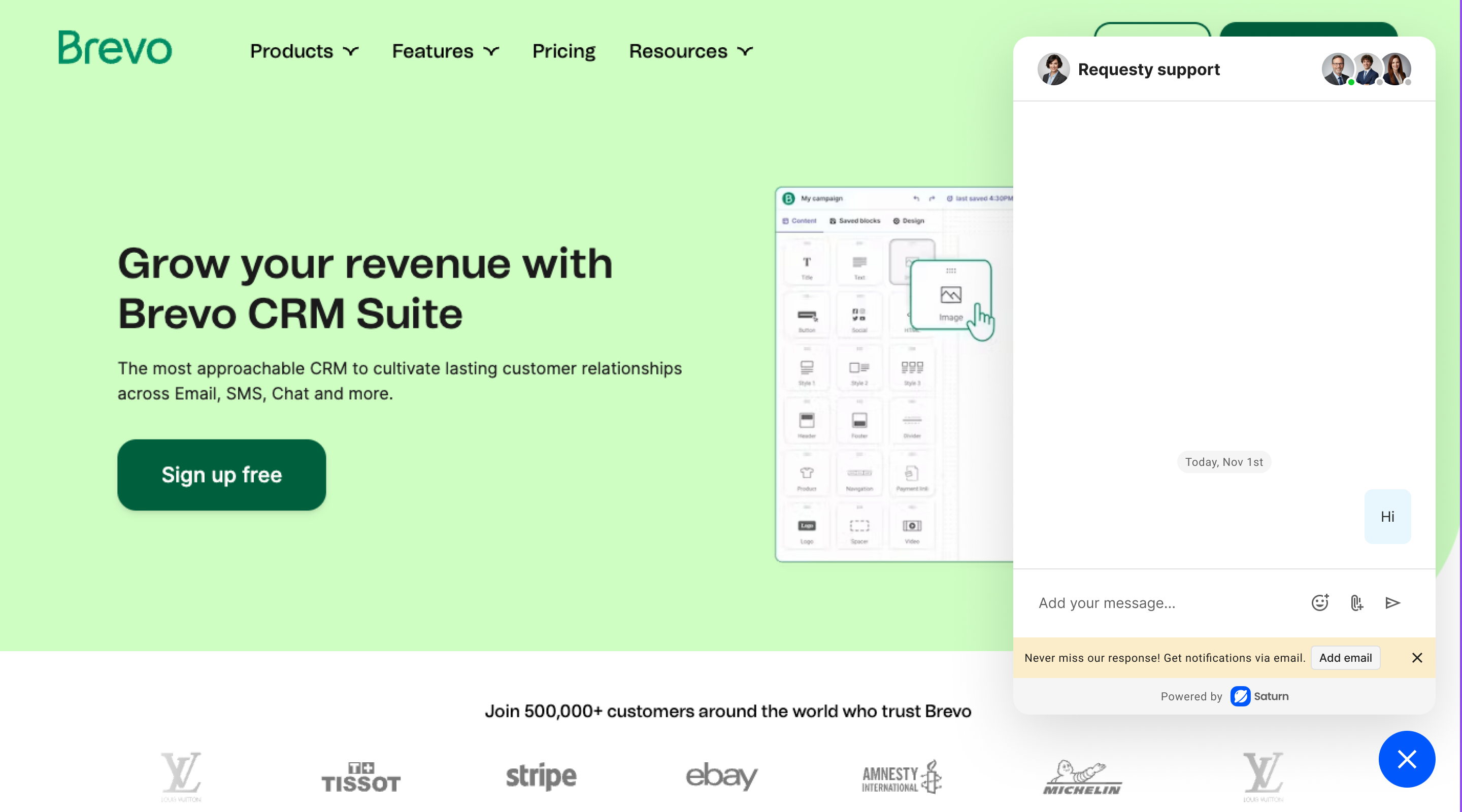
Public visitors can start a support conversation from the website widget. The flow can ask for an email address, confirm that updates will be sent there, and continue the discussion when a support person replies.
Outbound messages without opening the widget
Businesses can also start a conversation from the collapsed widget. A short outbound message can include quick replies or a direct option to respond, so the customer can act without first navigating through the full widget.


Impact & reception
Saturn became a complete working MVP. The experiment let us test the connected support concept beyond static designs.
- A complete working concept: The MVP covered setup, the admin workspace, support operations, channels, and the customer-facing widget.
- Positive internal feedback: A few internal users tried the MVP and liked the direction. Their reviews and comments helped us validate the basic concept.
- A clearer view of the investment: Building the MVP showed that taking Saturn further would need significant product, engineering, and operational effort.
Why we shelved Saturn: The MVP was successful as an experiment, but Saturn was outside our existing product line. Evolving it into a full product would require substantial time, effort, and cost. Our running products also needed more focus, so we decided to shelve Saturn after the MVP and continue investing in the products already in the market.