
Making session recordings easier to create, review, and share.
I redesigned Requestly's Session Recording experience from the ground up. What began as a basic tab recorder became a faster, clearer workflow for capturing a problem, trimming or cropping the clip, commenting at the exact moment something broke, inspecting technical logs, and sharing everything in one link.
- Role
- Founding product designer
- What I designed
- Capture, editing, replay, debugging, comments, and sharing
- Company
- Requestly, now part of BrowserStack
- Built around
- Online feedback, fast capture, and contextual bug reports
- Impact
- Turned recordings into clear, actionable bug reports
Goals
Make Session Recording quick to find and start from the Chrome extension, easy to edit before sharing, and simple for another person to understand. A recording should carry the visual evidence, technical context, and conversation needed to act on a bug.
Quick background
The original feature recorded a browser tab and played the video back. It proved the basic idea, but the experience was hard to discover, visually unfinished, and slow to consume. The recipient still had to guess what mattered in a long clip and ask for the logs or reproduction details separately.
I reviewed feedback shared online, studied adjacent bug-reporting products, and worked with our engineers to understand where recording and handoff broke down. The redesign shifted the product from “record a video” to “capture a useful bug report.”
Session Recording was part of Requestly's Chrome extension, used by 300,000+ developers with a 4.5-star Chrome Web Store rating.





The problems
Recording was difficult to reach: The entry point did not feel like a natural part of the extension workflow, so starting a capture took more effort than it should.
A raw video was not a bug report: The clip showed what happened, but console errors, network activity, environment details, and the reporter's explanation lived elsewhere.
Long clips were hard to consume: Reporters could not quickly remove irrelevant setup or focus the recording on the exact part another person needed to see.
Feedback lost its moment: Comments were detached from playback, forcing people to describe where in the recording a problem appeared.
The interface lacked hierarchy: Recording, replay, technical details, and sharing controls needed a clearer visual system so users could scan the page without working out the UI first.
Key design decisions
Start where developers already work:
I brought Session Recording into the Chrome extension so capture was visible and available without opening a separate workflow first.
Edit before sharing:
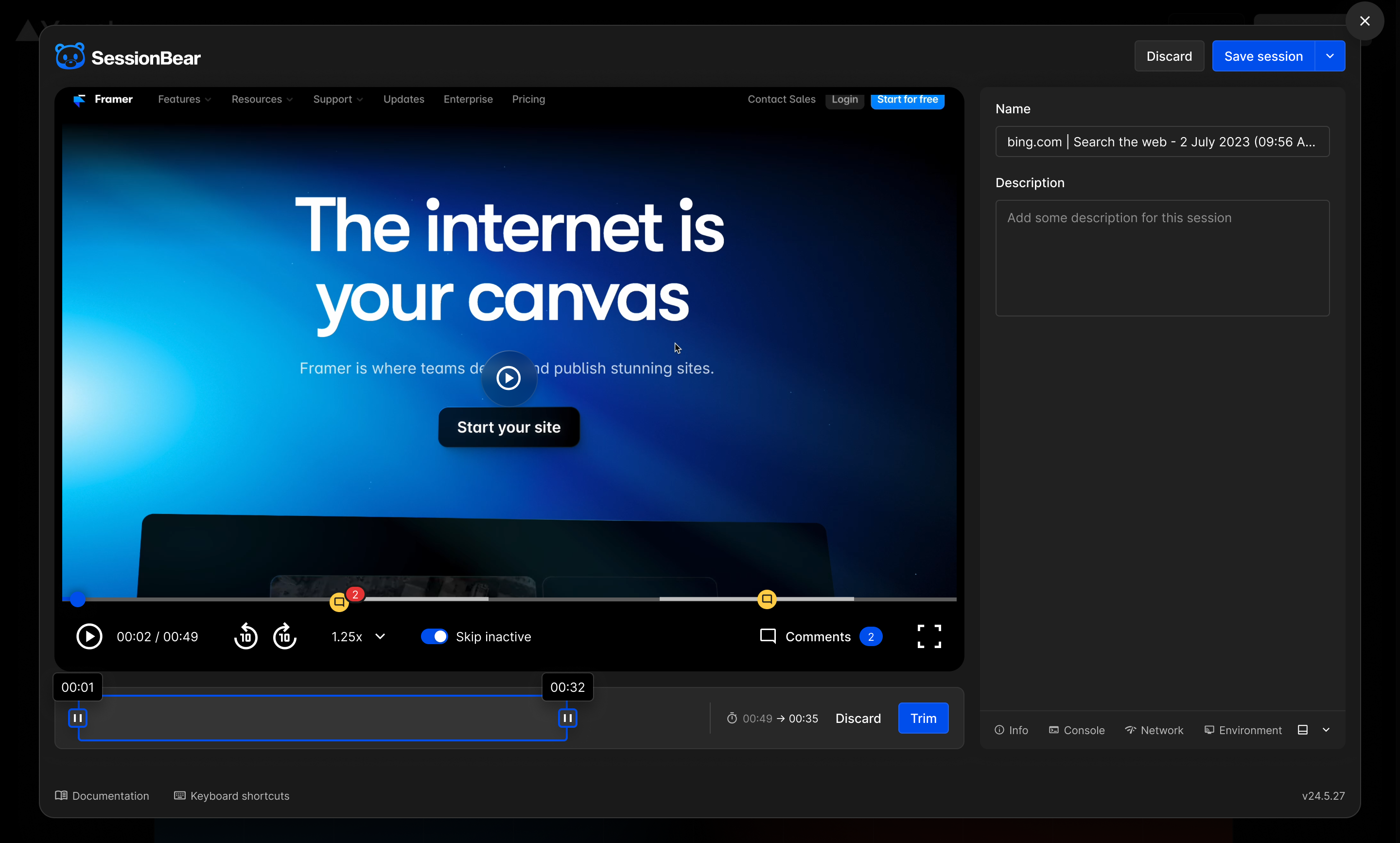
Trimming and cropping let reporters remove dead time and keep attention on the useful part of the recording.
Keep comments tied to playback:
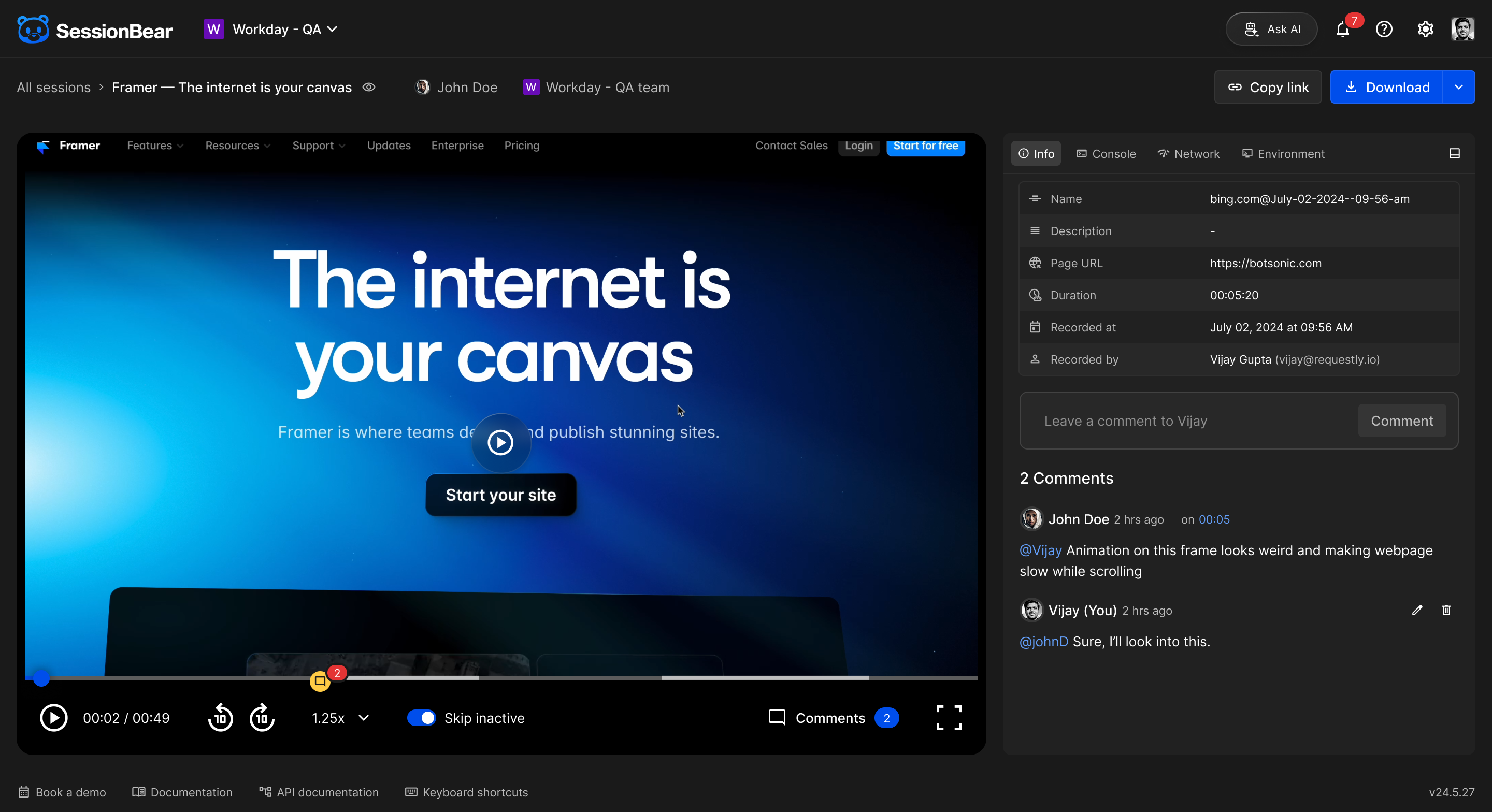
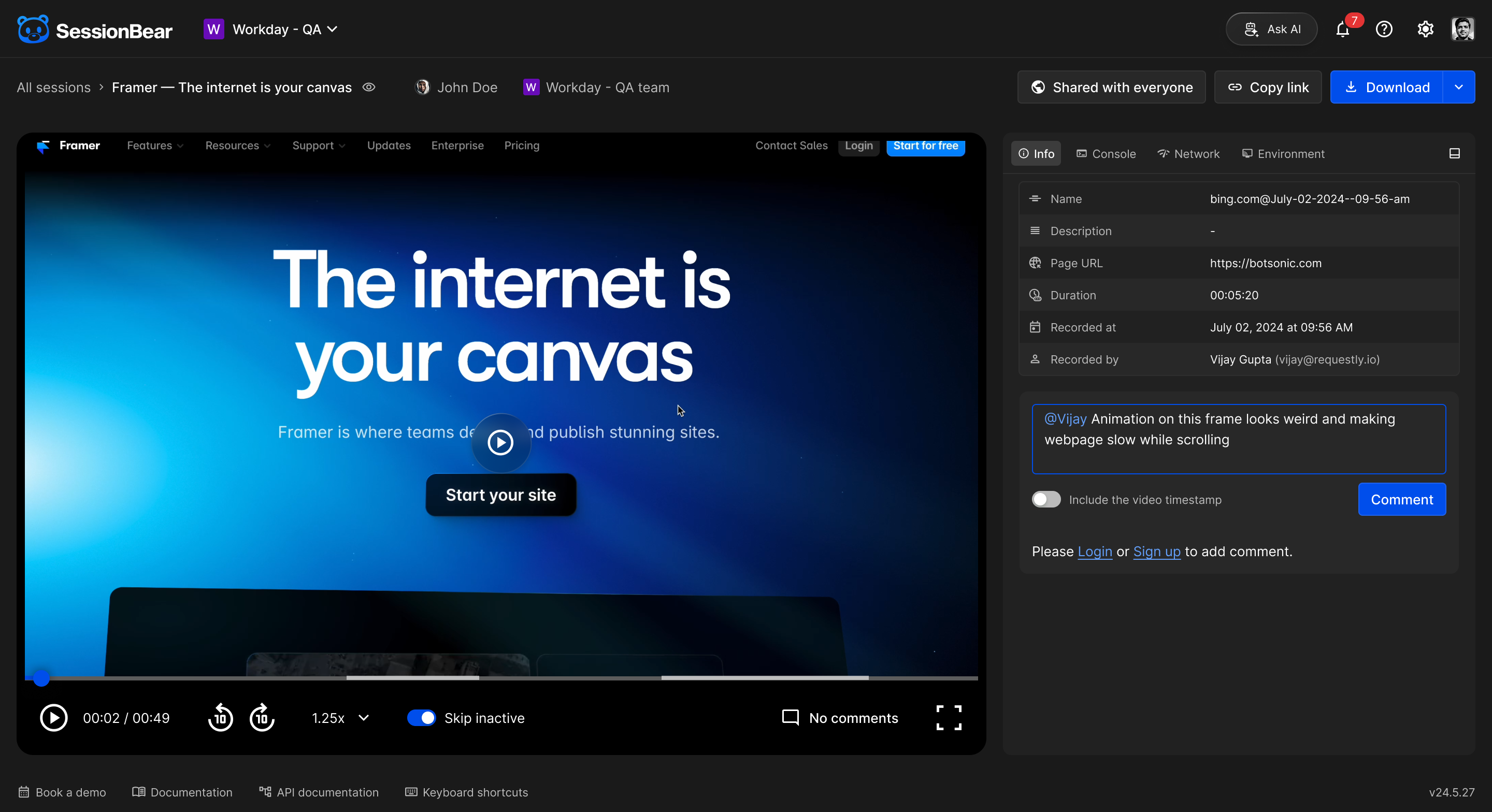
A comment can include the current timestamp, turning feedback into a direct pointer instead of another instruction to interpret.
Synchronize evidence with the replay:
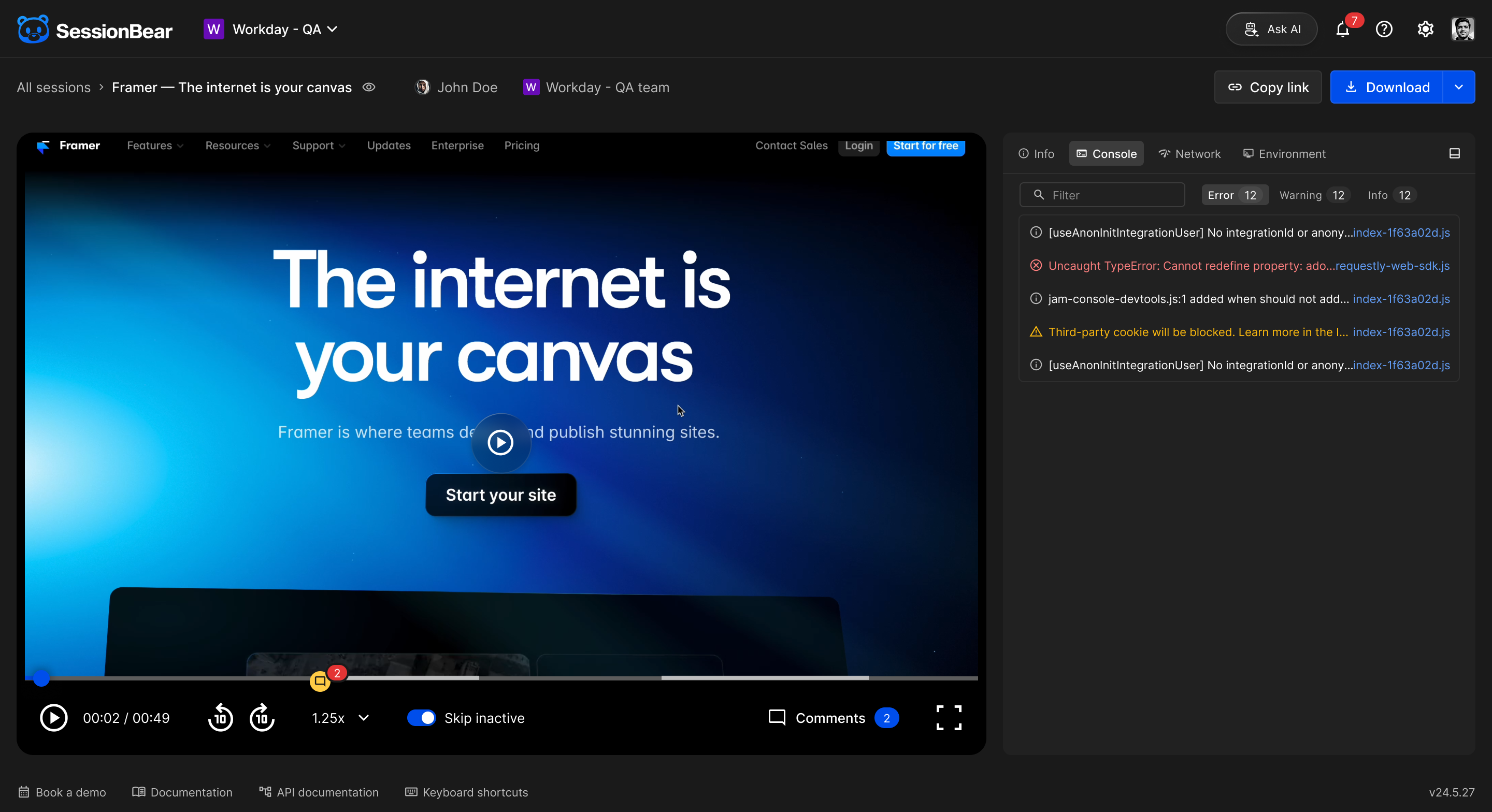
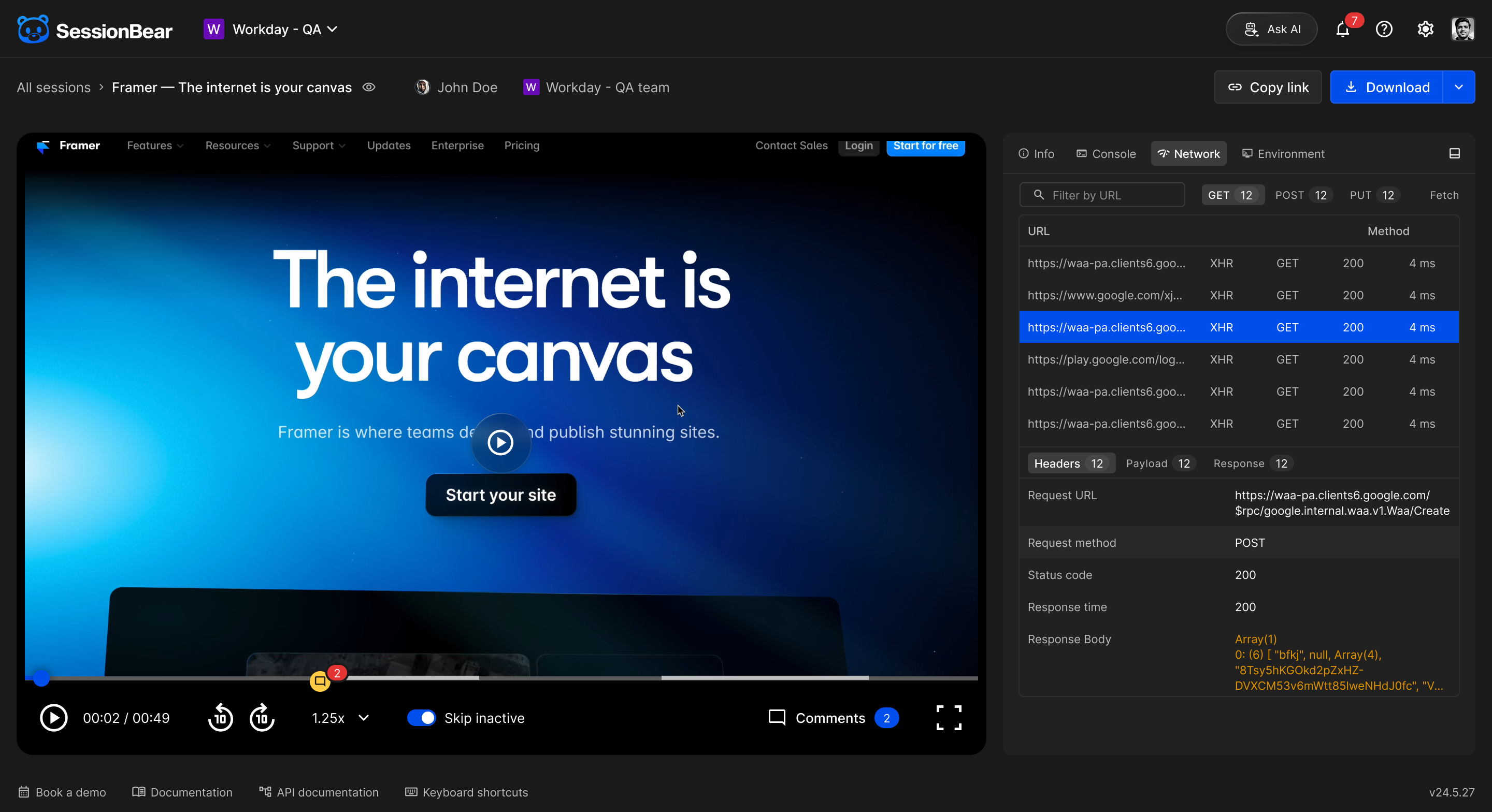
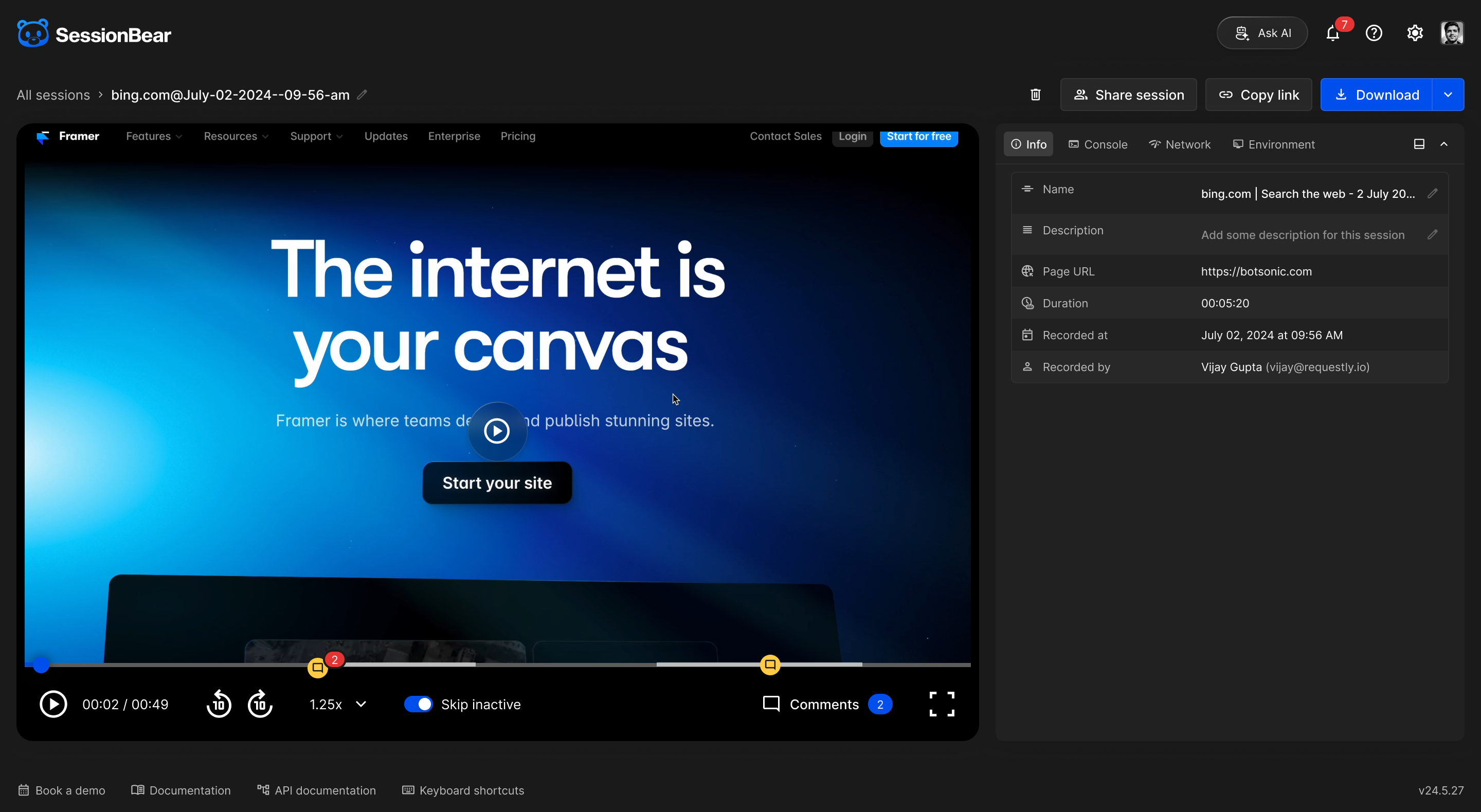
Console and network logs sit beside the video, so developers can inspect what happened at the same time as the visible failure.
Redesign for scanning:
I reorganised the interface around the replay, a consistent information panel, and clear states for saving, sharing, and access. The darker visual treatment keeps the recorded page prominent while making dense technical information easier to consume.
Share with the right level of access:
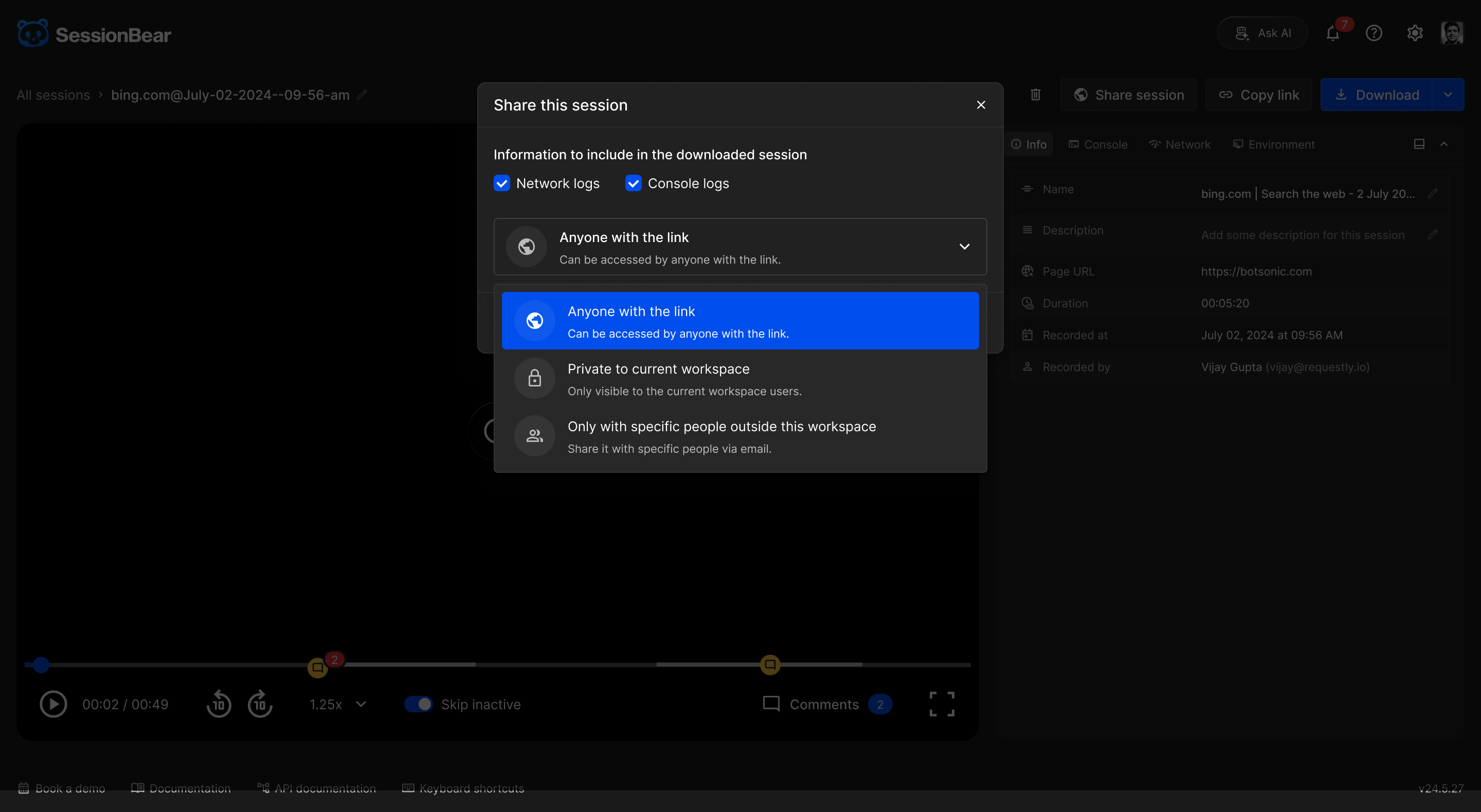
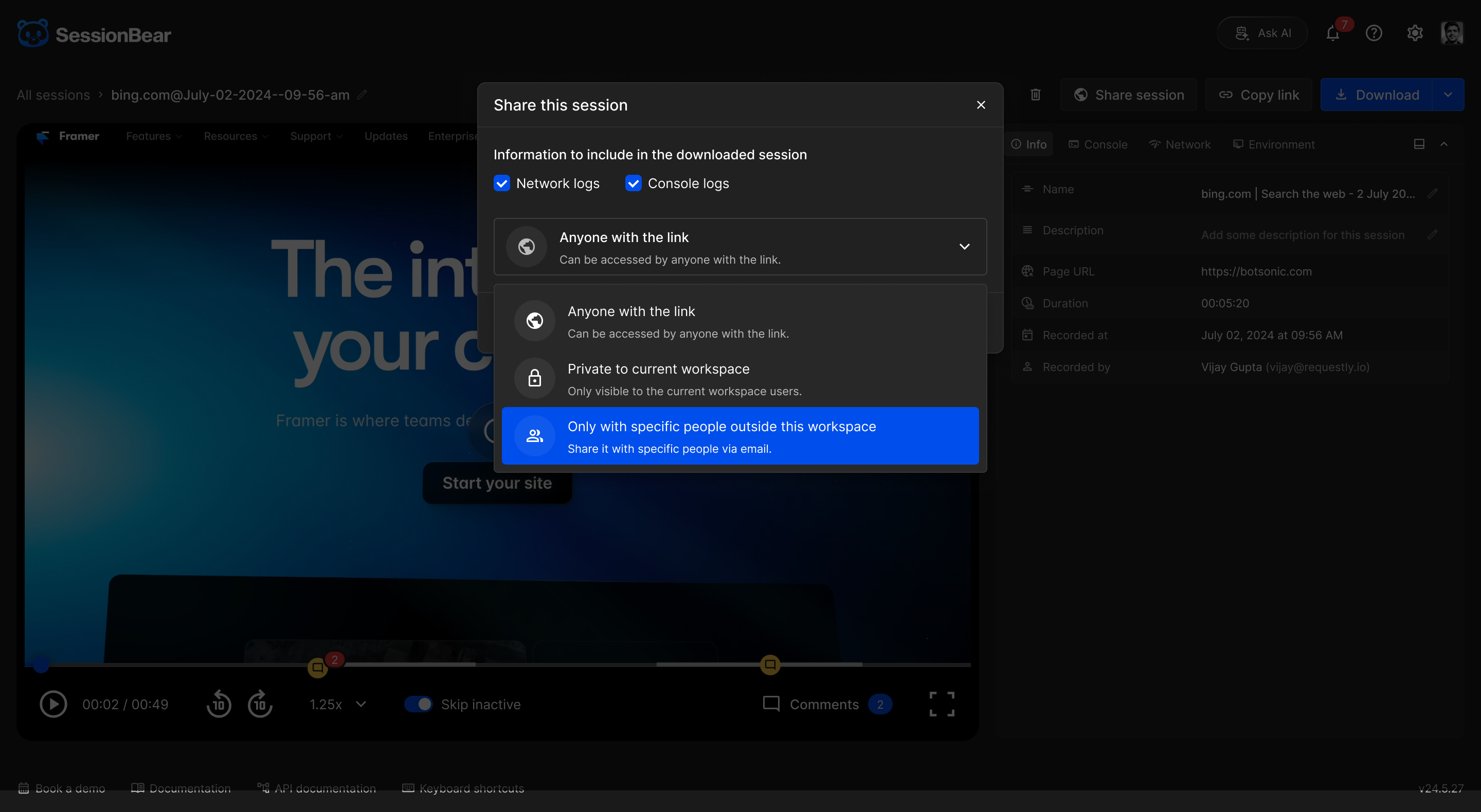
Sessions can stay inside a workspace, open to anyone with the link, or be sent to specific people outside the workspace.
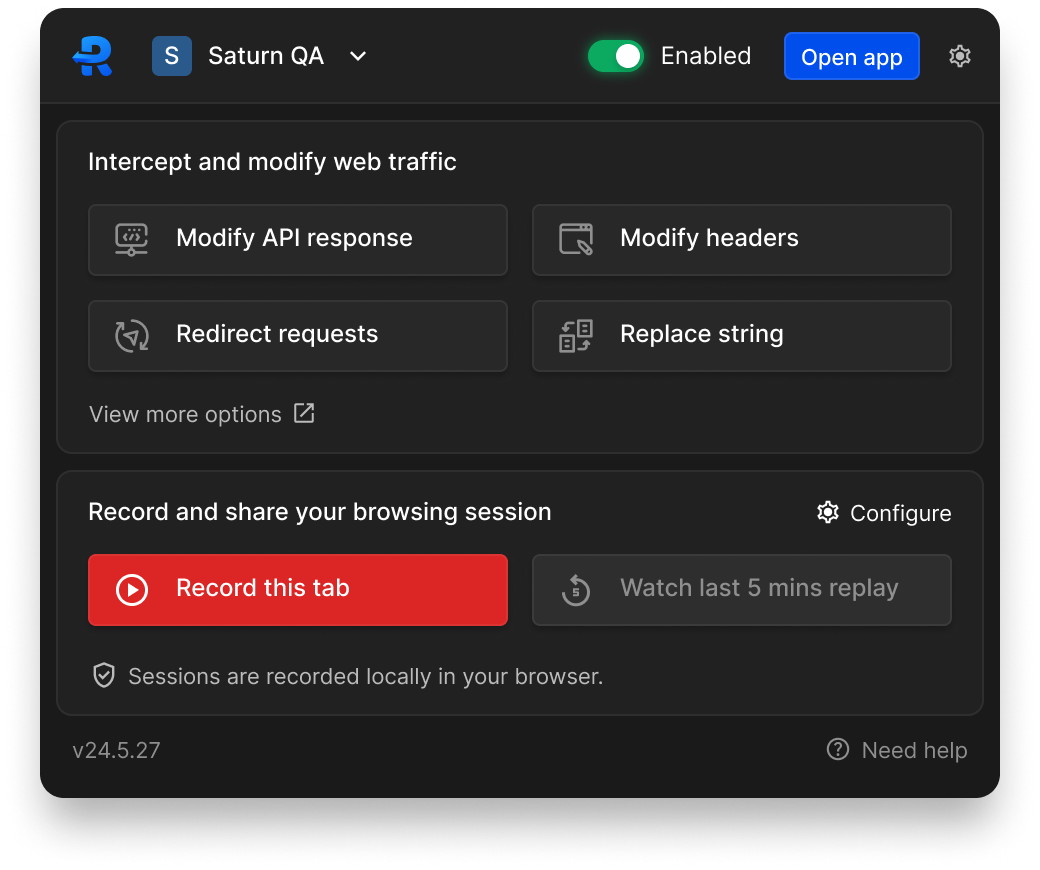
Capture from the extension
The journey starts in Requestly's Chrome extension. Recording status is visible alongside the product's other quick actions, making it easier to begin and stop a session without losing the page being tested.

Shape the recording before it leaves
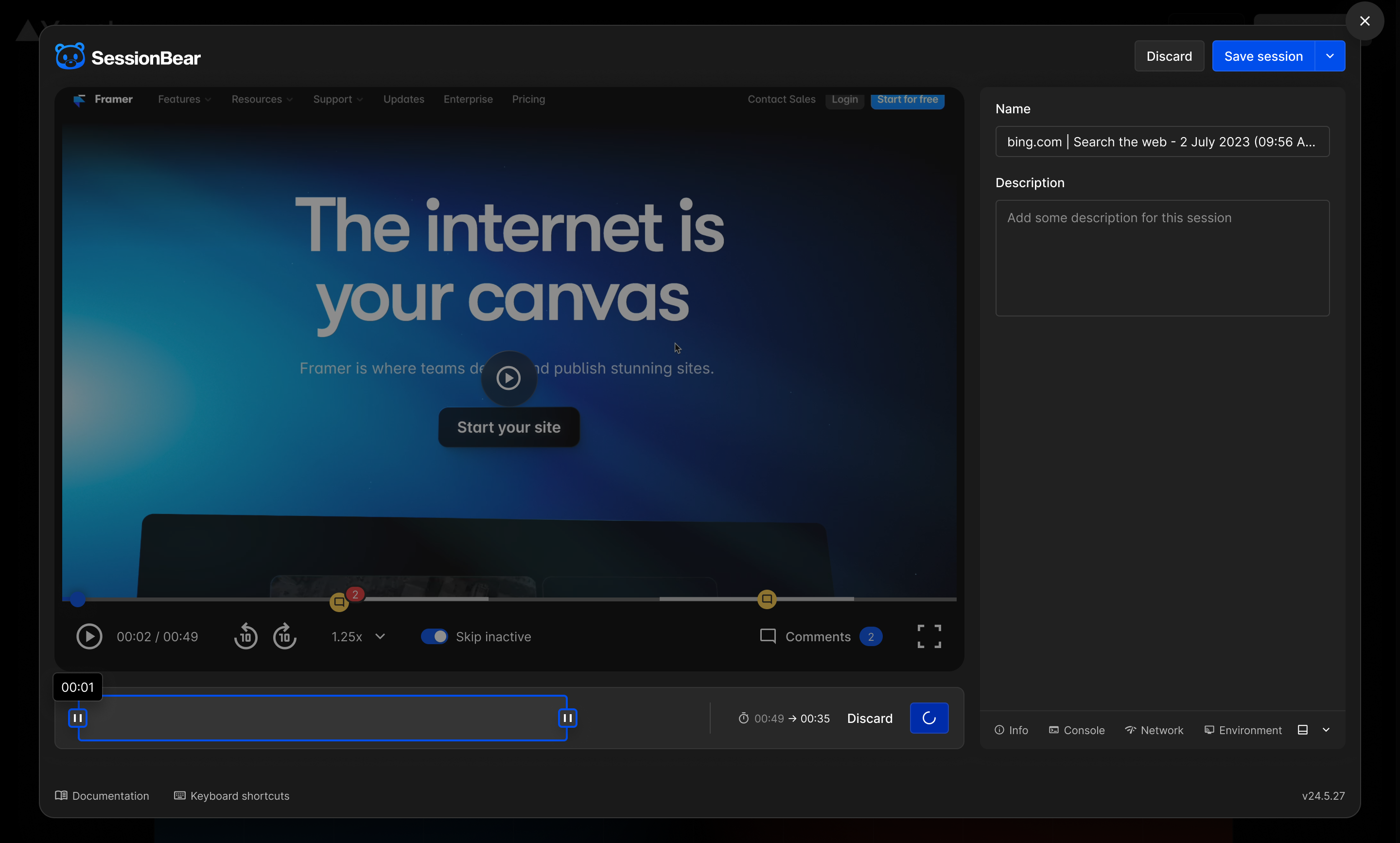
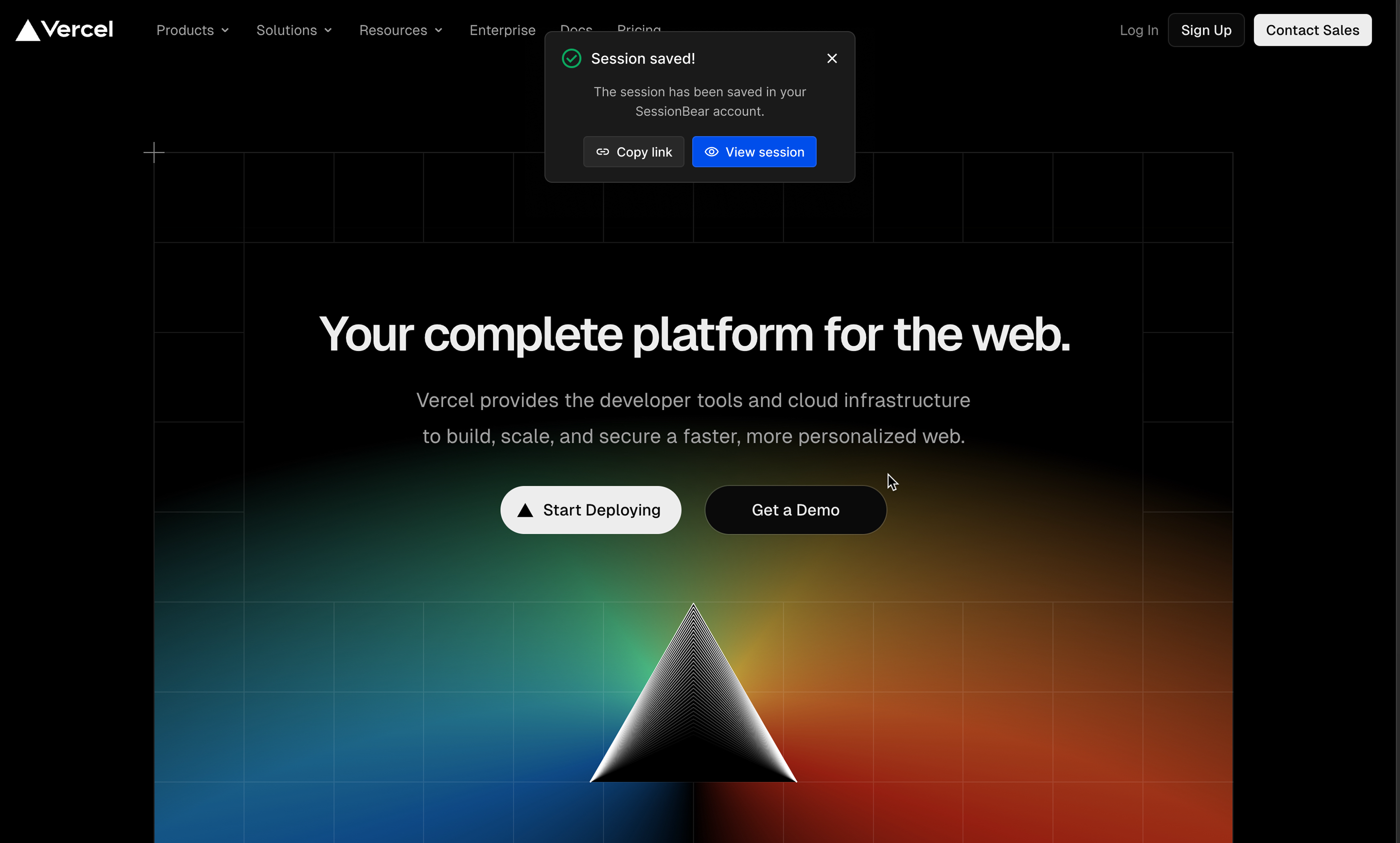
After capture, the editor makes the recording useful before anyone else sees it. Reporters can trim or crop the clip, add a name and description, review key moments, and save or copy the link from the same flow.
Replay the bug with its technical context
The replay keeps the video on one side and the evidence on the other. Session information, timestamped comments, console output, and network requests share one predictable panel, so the recipient can move from symptom to likely cause without switching tools.
Share for review and collaboration
Sharing supports the way teams actually hand bugs across boundaries. A session can be private, workspace-only, available to anyone with the link, or shared with specific external people. Guests can review the same context and leave a comment at the relevant timestamp.
Impact
- Faster capture and handoff
A visible extension entry point and one continuous capture-to-share flow reduced the work around reporting a browser issue.
- Shorter, more useful recordings
Trimming and cropping helped reporters remove irrelevant footage and focus each session on the failure.
- Context people could act on
Timestamped comments, console output, network activity, and session details made recordings easier to understand without a separate explanation.
- Built into a proven developer product
The feature shipped as part of Requestly's Chrome extension, a product used by 300,000+ developers and rated 4.5 stars on the Chrome Web Store.
The SessionBear experiment
We also explored the redesigned experience as a standalone internal product called SessionBear. After Requestly joined BrowserStack, we found overlapping recording capabilities in the wider product portfolio and sunset the experiment instead of maintaining two similar products.